
Managing client records, proposals, and payments in separate tools increases errors and slows down billing for small teams and solo professionals. Standalone CRM with payments solutions often require costly add-ons, difficult integrations, or lack brandable client portals in one place. This comparison highlights six client portal platforms that combine CRM, invoicing, and integrated payments so you can replace multiple tools without losing control of your brand.
Table of Contents
RealClients
At a Glance
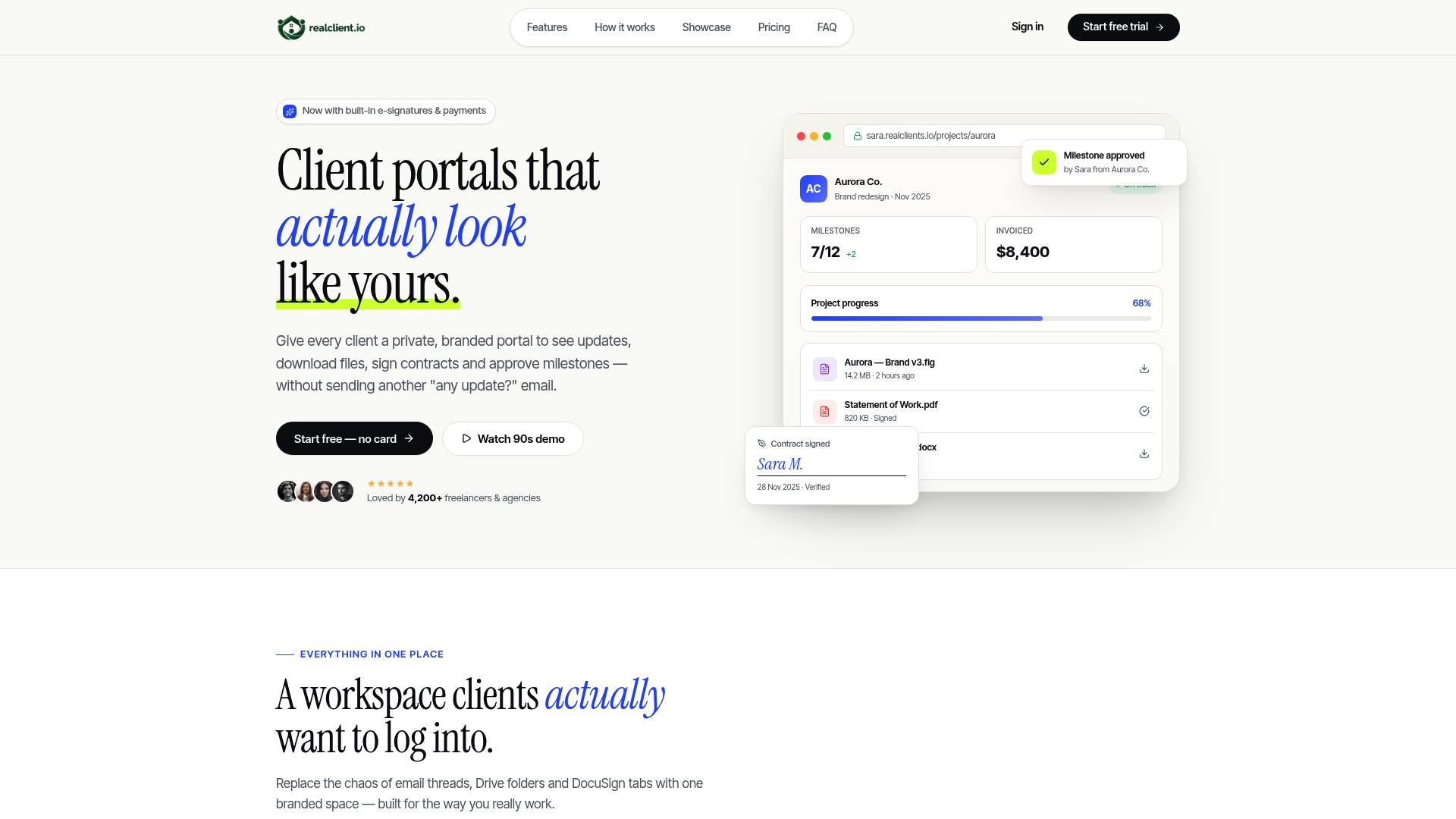
RealClients reports over $48 million invoiced through its portals last year. The vendor states portals launch in about two minutes, letting freelancers create a private branded workspace almost instantly. Portals bundle messaging, file delivery, legally binding electronic signatures, and payments so you do not need separate apps.
Core Features
Threaded messaging keeps client conversations tied to specific projects and files so requests do not get lost in email. Portals include plain English project timelines, branded invoicing, and built in payments that accept Stripe, PayPal, and bank transfers. Secure file sharing stores version history without public links and supports in portal approvals and signatures.
Key Differentiator
A quick launch time and legal signing together set RealClients apart for small teams. You can create a branded portal in roughly two minutes and collect signatures inside the same workspace. That short setup removes the friction of configuring separate signing and invoicing apps for each client. The result favors solo professionals and small studios that need speed over extensive workflow automation.
Pros
Setup finishes in about two minutes, which reduces onboarding time and lets you present a branded client space immediately. Built in electronic signatures and integrated payment acceptance cut the number of vendors you must manage and simplify billing. Custom branding and custom domain options improve client perception, and the vendor states SOC 2 compliance for account security.
Cons
- Limited to small and medium sized teams and freelancers. It may lack advanced project management features required by large enterprises.
Notable Integrations
- Stripe
- PayPal
Who It's For
Freelancers, solo entrepreneurs, and small studios that want a single branded place for proposals, files, and billing. Teams that prioritize client facing polish and faster invoicing will benefit more than groups needing complex workflow automation. Agencies with heavy accounting or enterprise project needs may outgrow the feature set.
Unique Value Proposition
Portals include branded invoicing and integrated payments via Stripe and PayPal, so you can send a proposal, collect a signature, and request payment without leaving the same client view. That workflow reduces back and forth and lowers the chance of missed payments. For small businesses, that consolidation often shortens the time from proposal to paid invoice and reduces third party fees.
Real World Use Case
A freelance designer sets up a portal, uploads draft files, and posts a plain English timeline for milestones. The client signs the proposal using the portal signature and pays the deposit using their preferred payment method. The designer tracks versions and messages in the same place, cutting administrative overhead and client confusion.
Pricing
A free plan supports up to three clients, which suits very small or test projects. Paid plans start at $12.99/month for Pro and $29.99/month for Business, with unlimited clients and additional features on higher tiers. The pricing model mixes a low entry cost with paid tiers for growing studios.
Website: https://realclient.io
Assembly
At a Glance
Plans start at $39/month and scale to $2,000/month, giving clear entry and enterprise options. The vendor advertises SOC2 and HIPAA support. Assembly targets professional service firms that need deep customization for client portals and billing workflows.
Core Features
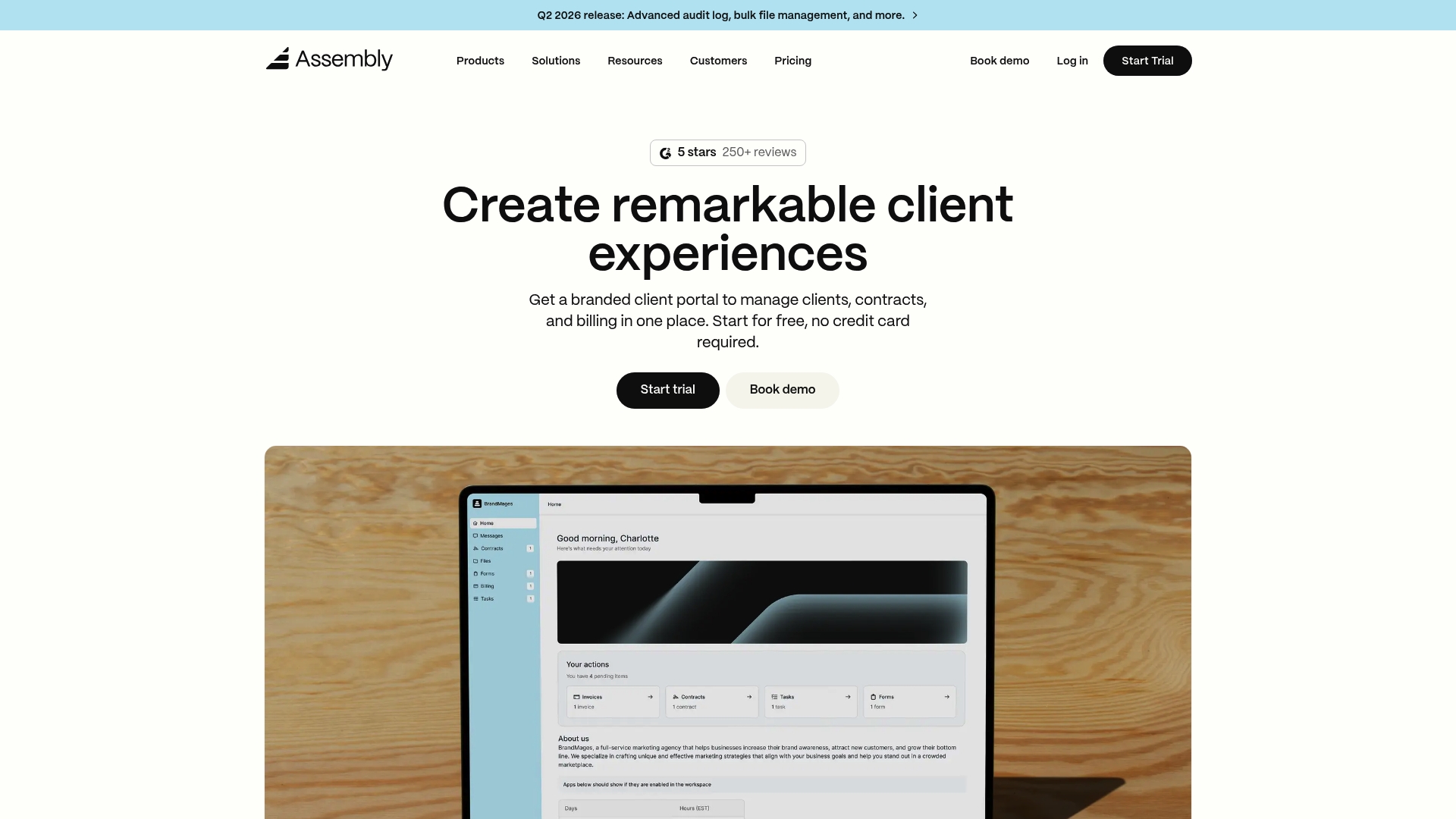
Assembly combines branded client portals with CRM and billing tools so you can centralize client records, invoices, and contracts. It includes workflow automation for onboarding and document signing, secure file sharing, multi company permissions, and multi factor authentication. The platform supports no code automation via Zapier and Make while offering APIs and support for building custom apps.
Key Differentiator
Assembly stands out for its extensible platform that supports custom apps and direct API access alongside enterprise grade security integrations. That focus lets firms map the portal to specific operational workflows rather than forcing them into a fixed template. The result is a highly configurable client experience.
Pros
Assembly offers deep customization capabilities that let firms build branded portals with embedded tools and bespoke workflows. Its security and compliance controls support sensitive industries and can reduce the work needed for regulatory needs. The platform bundles invoicing, contracts, and file sharing so you do not need multiple add on services for common tasks.
Cons
- Complex setup: very small or solo firms may find initial configuration overwhelming and require developer time.
- Pricing can grow quickly when you add custom development or enterprise features, making total cost variable.
- Some advanced controls such as single sign on and higher level security features appear only on top tier plans.
When It May Not Fit
Very small practices that need an out of the box, minimal effort portal may find Assembly too heavy. Nontechnical teams without implementation resources will face a steeper setup curve. Firms that want every advanced feature on a low price tier should expect to pay more for the higher level plans.
Notable Integrations
Assembly connects to Zapier and Make for no code automation and offers APIs for custom app development. These integrations let you embed third party tools inside portals and trigger workflows without rebuilding common connectors.
Who It's For
Mid sized to large professional service firms suit Assembly best. Innovative small firms that can allocate developer time also benefit from its customization. Teams that require compliance features and centralized client channels will see the most value.
Real World Use Case
An accounting firm uses Assembly to deliver a branded portal for clients to upload tax documents and sign engagement letters. Automated onboarding routes documents to the right specialist and the billing module centralizes invoices. That setup reduced manual email exchanges and consolidated client records.
Pricing
Pricing begins at $39/month for the basic plan and extends up to $2,000/month for enterprise level customizations and integrations. Costs vary by feature set and the level of custom development or security controls you require.
Website: https://assembly.com
Hubflo
At a Glance
Hubflo reports it is trusted by thousands of service businesses, including consulting, accounting, and law firms. The platform focuses on branded client portals and automated onboarding that reduce manual follow up. It also advertises a broad set of third party connections and API access for custom work.
Core Features
Hubflo delivers client portal customization that you can tailor by industry and brand, plus automated onboarding and client management workflows. The platform includes an automation and workflow builder available in higher plans and provides API access for custom integrations. The feature set is organized to centralize documents, communications, and recurring onboarding tasks.
Key Differentiator
Hubflo’s main distinction is its industry specific portal templates combined with broad integration options. That focus helps service firms present a client experience that matches firm branding and common professional workflows. The vendor positions those templates alongside an automation builder to reduce repetitive tasks.
Pros
Setup and day one use are straightforward, and the interface stays focused on client-facing tasks. The platform connects to many common tools, which keeps email, accounting, and CRM data aligned. Branded portals let firms control client access and document presentation, improving perceived professionalism. The API supports custom development when off the shelf connectors do not cover a workflow. Support and onboarding resources aim to shorten the learning curve for new teams.
Cons
- Pricing may be high for very small teams or solo professionals when advanced features are required.
- Advanced integrations and the automation builder are gated behind higher tier plans or add ons, which raises total cost.
- Buyers should verify support for any niche connector they need before committing.
When It May Not Fit
If your firm has a very tight budget, Hubflo’s entry point may still stretch operating costs. Organizations that need deep out of the box accounting automation without custom work might find the integration scope limited to paid tiers. Teams that cannot allocate time for onboarding or configuration will not get full value from the automation builder.
Notable Integrations
Hubflo lists integrations with Gmail, Outlook, HubSpot, Salesforce, Slack, Zoom, QuickBooks, and Xero. The product also supports API access for developers to build additional connections.
Who It's For
This product fits small to medium sized service firms and solo professionals who want branded client touchpoints and automated onboarding. It appeals to firms that can invest in configuration or developer work to link existing tools.
Real World Use Case
A mid size law firm uses Hubflo to create branded portals and automate initial consultations. The firm automates document signing and routine client messages, cutting administrative work for their staff. That setup frees fee earners to focus on billable tasks.
Pricing
Plans start at $67/month for the Starter plan with larger tiers that add features and capacity. The vendor offers unlimited clients and storage on higher tiers and custom enterprise pricing for larger organizations.
Website: https://hubflo.com
Clientjoy
At a Glance
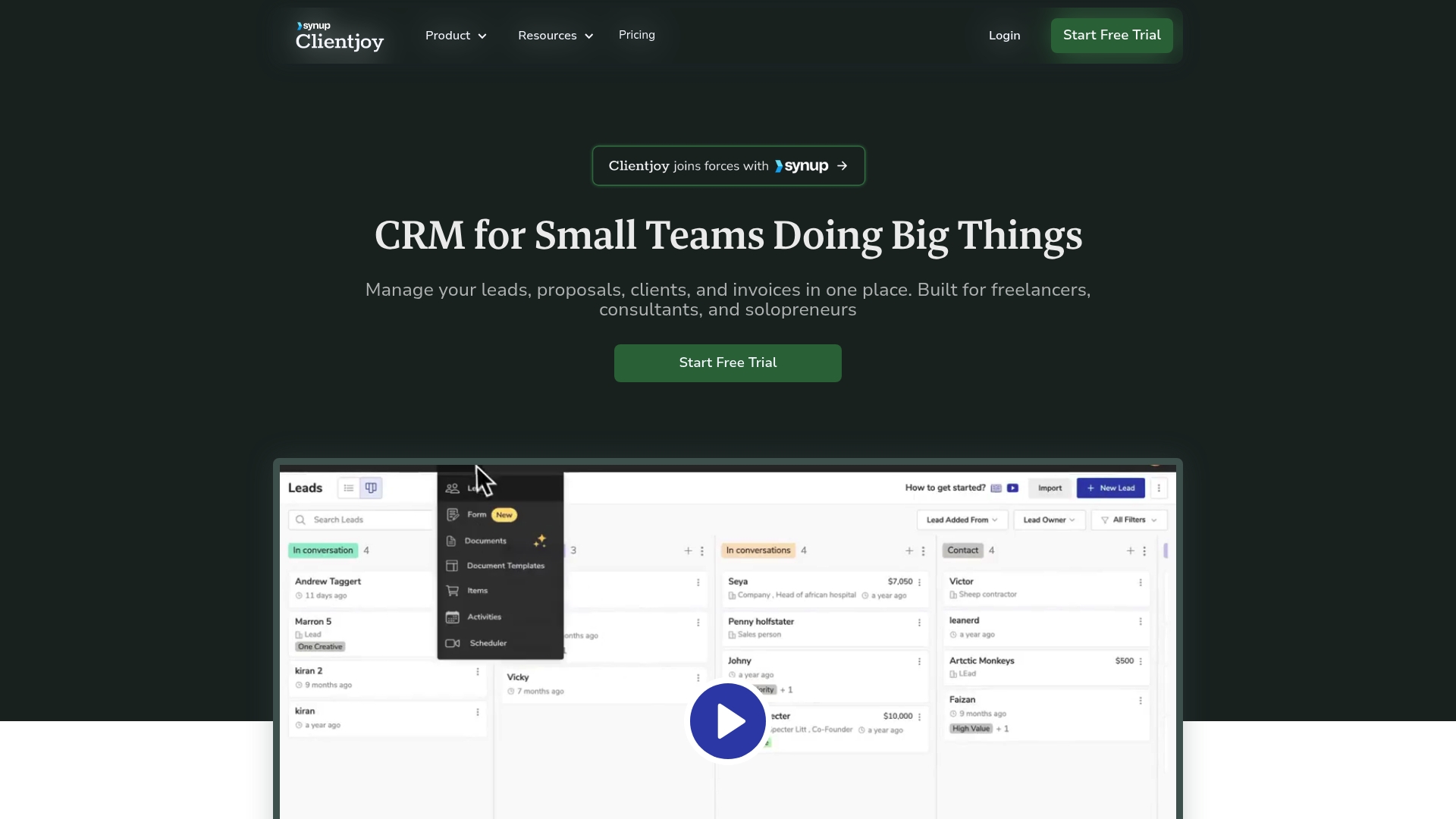
Starts at $44/month billed annually for the Starter Plan. Clientjoy offers white label client portals that let teams add a custom domain and branding to client-facing pages. The platform targets freelancers, consultants, and small agencies that want lead, proposal, and billing tools in a single interface.
Core Features
Clientjoy centralizes lead, proposal, client, and invoice management and includes templates for onboarding, proposals, contracts, and emails. It provides data sharing rooms for secure file exchange, e-signature for contracts, web forms to capture leads, and automated payment reminders with multi currency invoicing. Clientjoy's marketing materials state integrations with over 5,000 apps via API and Zapier, and it connects natively to Stripe, PayPal, Google Workspace, and Microsoft.
Key Differentiator
Clientjoy is built specifically for small teams with a focus on client-facing branding and automation inside one platform. The white label portals and template library let small firms present a consistent brand without developing custom tools. That focus narrows the product to buyers who want branded client touchpoints plus invoicing in the same system.
Pros
The platform combines client relationship management with proposals and invoicing, reducing the number of separate tools small teams must manage. White label portals improve client presentation by keeping project updates, files, and invoices under a single branded URL. Automation features cut repetitive admin work through templates and payment reminders, and API plus Zapier support lets teams plug Clientjoy into existing workflows.
Cons
- Some advanced features such as custom reporting and extensive automation require higher tier plans, which limits access on lower subscriptions.
- The Starter Plan's feature set may feel expensive for solo professionals or new businesses on tight budgets.
- Users report a learning curve when connecting many external apps, especially for complex automations.
- A few reviewers find certain functional limits in mid tiers compared with dedicated accounting or proposal tools.
When It May Not Fit
If you need enterprise grade reporting or deeply custom automation without extra cost, Clientjoy may not be the right match. Large teams that require advanced user roles, audits, or bespoke data exports will likely need a custom plan. If your priority is a simple low-cost invoicing tool, the Starter Plan might feel heavier than necessary.
Notable Integrations
Clientjoy links with Stripe and PayPal for payments, and it connects to Google Workspace and Microsoft tools for email and calendar sync. It also supports automation via Zapier, Pabbly, Pabbly Connect, and Make.
Who It's For
Small teams, solo entrepreneurs, freelancers, consultants, and boutique agencies that want branded client portals plus CRM and billing in one place. It fits teams that handle proposals and contracts frequently and want a single system for follow ups and payments. It also suits agencies that plan to grow and add automations over time.
Real World Use Case
A freelance consultant tracks incoming leads in Clientjoy, sends a branded proposal, collects an electronic signature, and issues an invoice using the same client portal. Automated payment reminders reduce manual chasing, and integration with Stripe lets the consultant accept cards without moving data between systems.
Pricing
Pricing starts at $44/month billed annually for the Starter Plan. Paid tiers unlock advanced reporting, automation, and white label features, and Clientjoy offers custom plans for larger teams with additional needs.
Website: https://clientjoy.io
Taskip
At a Glance
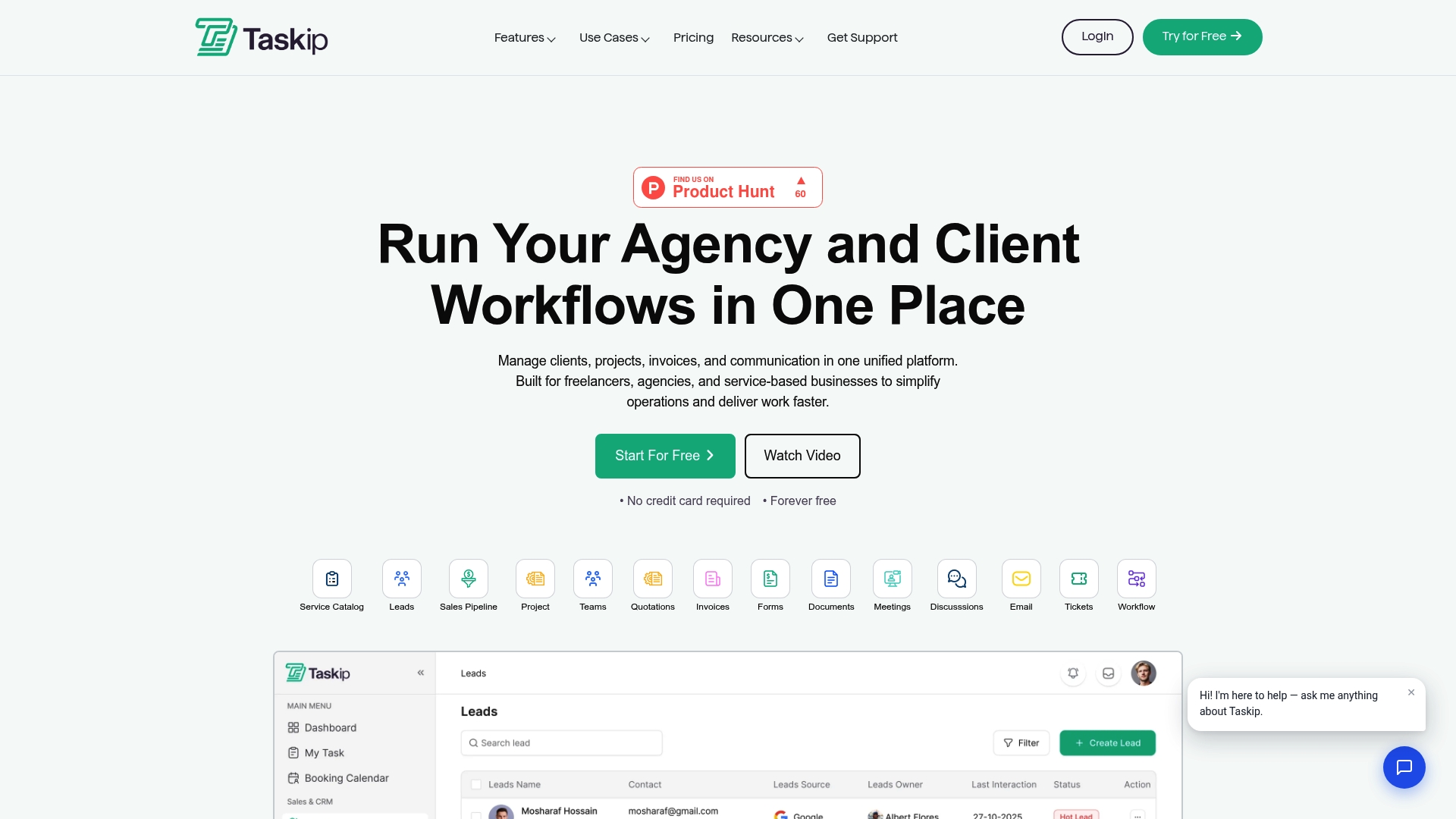
Taskip's marketing materials state it offers a free forever plan, so it combines client portals, proposals, invoices, and automation in one interface. The product aims at freelancers and small agencies that want fewer separate tools. That consolidation reduces app switching and cuts time spent on basic admin.
Core Features
Taskip provides a branded client portal where clients see updates, files, invoices, and support messages in one place. The platform also includes lead capture, sales pipeline tracking, service catalog management with tiered packages, and proposal creation with electronic signing. Payments are accepted through integrated gateways and built-in automation handles routine follow ups and workflow steps.
Key Differentiator
Taskip brings core agency functions into a single workspace while offering a free plan for entry users. That free plan plus the bundled proposals invoices and client portal space positions Taskip as an affordable option for teams that prefer one tool rather than multiple point products.
Pros
Taskip groups common agency tasks under one roof which reduces the number of separate subscriptions a small team must manage. The platform supports branded client portals and customizable service packages so proposals and intake forms reflect your studio or freelance brand. Built-in automation and pipeline tools cut manual follow up, and native payment connections simplify billing with common gateways.
Cons
-
Limited third-party reviews and deep technical write ups make it harder to judge advanced customization or long term reliability.
-
Buyers seeking highly specialized tools for either billing or project management may find the all-in-one approach less flexible than dedicated products.
-
Pricing detail beyond the starting tier is not fully disclosed publicly, which can complicate budgeting for growing teams.
When It May Not Fit
Taskip may not fit very large organizations that need enterprise-grade customization, granular permission controls, or heavy API extensibility. Teams that already rely on best-in-class point solutions for billing or project tracking will likely prefer tools tailored to those specific functions. If you require audited enterprise compliance or complex single sign on setups, Taskip may fall short.
Notable Integrations
Taskip integrates with common payment and messaging platforms including PayPal, Stripe, WhatsApp, Xendit, and Mollie. Those connections let you accept card and local payment methods and send client notifications through popular channels.
Who It's For
Solopreneurs, small agencies, and service firms that want to manage leads proposals projects and billing from one interface will get the most value. The product suits teams that prioritize brandable client-facing portals and prefer lower upfront costs over assembling multiple specialized platforms.
Real World Use Case
A digital marketing agency can use Taskip to capture leads from a contact form, move prospects through a sales pipeline, send a branded proposal with e-signature, and invoice clients using integrated payment processors. The agency keeps project files and client communication inside the same portal for client visibility and internal tracking.
Pricing
Plans start at $12/month for one user, and a free plan is available for basic use. More advanced tiers and seat-based pricing are referenced by the vendor but full public pricing details are limited.
Website: https://taskip.net
Propovoice
At a Glance
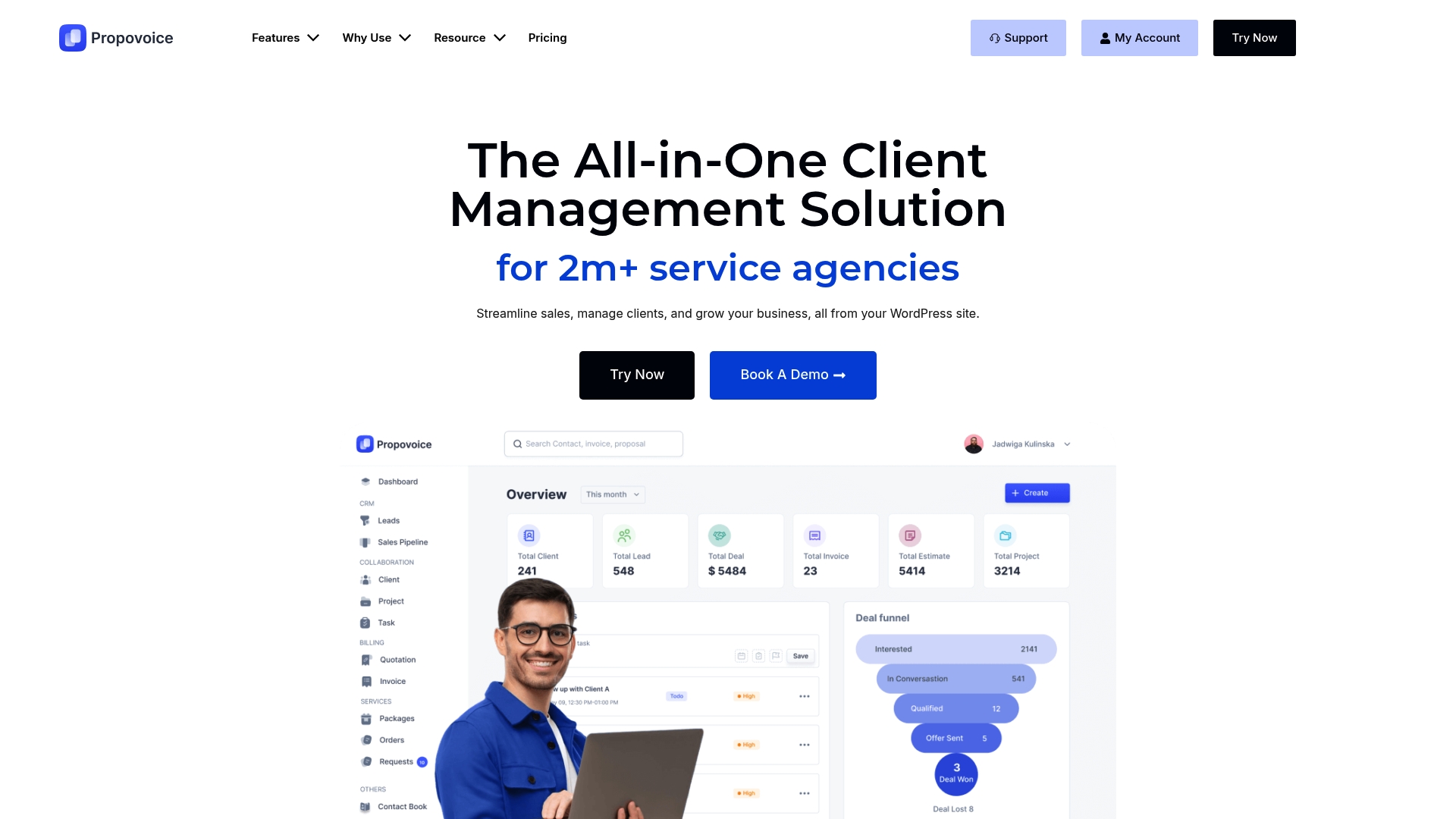
Installed as a WordPress plugin, Propovoice keeps client records on your own hosting and removes recurring SaaS fees. The product packages CRM, proposals, client portals, and invoicing into a single WordPress tool. That on-site control appeals to teams who must keep data within their own environment.
Core Features
Propovoice bundles a CRM for opportunity nurturing with project estimate creation and delivery, and client portals for project visibility. It handles invoicing and billing with quick pay options and supports service packages inside customer portals. The system also supports multi site networks, custom data fields, and workflow automation that is currently in beta.
Key Differentiator
The stand‑out trait is its self hosted WordPress architecture that gives you full control and local data custody without SaaS dependencies. Propovoice integrates with WooCommerce so websites can accept card payments through familiar store flows. That model suits WordPress sites that prefer hosting ownership over vendor‑hosted platforms.
Pros
The interface is clean and approachable, which helps teams adopt the plugin faster and reduces training time. Because it runs on your WordPress install, you retain data control and do not send records to a third party. Payments connect to PayPal and Stripe, and manual bank transfers are supported for offline receipts. Multi site support makes the plugin practical for agencies managing multiple client sites from one WordPress network.
Cons
- Requires a WordPress host and manual setup, which adds hosting costs and maintenance responsibility.
- No native multilingual or RTL support, so international sites need third party translation plugins.
- Limited handling of digital product invoicing within the plugin compared with full e commerce platforms.
- Several items such as QR code invoices and advanced automation are missing or remain in beta.
When It May Not Fit
If you prefer a cloud hosted subscription where the vendor manages uptime and updates, this self hosted approach will add operational work. Teams that need built in multilingual site management or advanced e commerce invoicing may outgrow the plugin. Larger companies requiring enterprise invoicing for complex product catalogs will find the plugin limited.
Notable Integrations
Propovoice connects with WooCommerce, PayPal, Stripe, and supports manual bank transfers. The WooCommerce link lets standard store checkout and payment flows handle invoicing for many WordPress shops. No other third party connectors are listed.
Who It's For
Freelancers, small agency teams, consultants, and service providers running WordPress who want client management and billing inside their site. It fits teams that value hosting control and want to reduce the number of external SaaS accounts. Agencies that operate multiple WordPress sites will get the most mileage from multi site support.
Real World Use Case
A small design agency installs Propovoice on its main WordPress site to manage proposals, client portals, and invoices. The team sends estimates, converts accepted proposals into projects, and collects payments through Stripe without leaving WordPress. That workflow replaces several external tools and centralizes client records on the agency host.
Pricing
Pricing starts at $79 per year for a single freelancer license and scales to $399 per year for enterprise-level licenses. The vendor also offers lifetime purchase options beginning at $249. Licenses are sold as annual or one time lifetime purchases, not monthly subscriptions.
Website: https://propovoice.com
Comparison of alternatives
When evaluating options for client portal software designed to enhance client-facing operations with integrated billing and contracting capabilities, each solution demonstrates unique strengths and priorities. This analysis provides insight into the specific features and considerations of leading platforms including RealClients, Assembly, Hubflo, Clientjoy, Taskip, and Propovoice.
Service scalability and customization
Each platform offers distinct levels of flexibility and usability. Assembly and Hubflo cater to professional firms necessitating advanced customization capabilities. Assembly combines enterprise-grade security with branded portals, enabling unique workflows through API access, which suits large organizations. RealClients simplifies the process for small studios and freelancers with its expedient setup of branded client portals integrating invoicing and legal documentation, requiring minimal technical resources. Hubflo emphasizes industry-specific templates for professional branding and document management. Thus, small to mid-size firms with resources for initial configuration may opt for Assembly or Hubflo, while more compact teams benefit from RealClients' user-friendly approach.
Pricing considerations and entry points
Budget allocation drives platform selection profoundly. Taskip provides a free plan for basic functionalities, enabling cost-conscious users to adopt essential features. RealClients features an entry-level plan suited to handle up to three clients for experimental projects, transitioning to scalable paid tiers for expanding businesses. In contrast, Clientjoy's pricing aligns with small to medium agencies aiming to consolidate client interactions and invoicing. For WordPress users, Propovoice offers competitive annual pricing catering to freelancers and agencies, though setup requires hosting. Each alternative represents valuable monetary commitments based on the scale and scope of operational needs.
Best fit
- Teams and freelancers aiming for an intuitive, quickly deployable, and all-inclusive portal solution suitable for immediate use will find RealClients highly valuable. Its design ensures productivity from the outset.
- Enterprises and organizations prioritizing compliance, extensive customization, and scalability are well matched with Assembly. The platform supports APIs and advanced automation workflows.
- Businesses managing processes on WordPress will find Propovoice empowering, combining hosting independence with effective local data management.
- Service providers desiring to leverage industry-specific templates and straightforward integration in their client interfaces should consider Hubflo.
Our pick
For freelance professionals, small agencies, and creative independents seeking a streamlined, secure, and professional platform that integrates toolsets into branded client-facing workspaces, RealClients leads as a solid choice. The platform's immediate setup and inclusion of secure legally binding signature capabilities in the same end-to-end portal as project management and payment processing highlight its unique position. However, enterprises or organizations needing exceptionally tailored solutions and regulatory compliance may prefer exploring Assembly for their needs.
This comparison highlights which client portal solution provides the most streamlined features for payment integrations, branding, and usability.
| Product | Key Differentiator | Best For | Pricing | Limitation |
|---|---|---|---|---|
| Realclient | Fast portal setup with payment and signature integration | Freelancers and small teams | Free; $12.99–$29.99/month | Limited to small and medium-sized teams |
| Assembly | Fully extendable platform with enterprise-grade integrations | Medium to large professional service firms | $39–$2,000/month | Requires technical setup and development resources |
| Hubflo | Industry-specific templates with broad integration support | Small to medium-sized service firms | Starting at $67/month | Advanced automation limited without higher tiers |
| Clientjoy | White-labeled portals with integrated CRM and billing | Freelancers, consultants, small agencies | Starting at $44/month | Mid-tier features lack enterprise-level customizations |
| Taskip | Affordable all-in-one solution with a free plan | Solopreneurs and small agencies | $12+/month | Partial transparency in advanced tier pricing |
| Propovoice | Self-hosted plugin for maximum data control | WordPress-based freelancers and small teams | $79–$399/year | Requires hosting infrastructure and manual setup |
How Freelancers and Small Studios Manage Client Payments Efficiently
Managing client communication, proposals, and payments across multiple apps can quickly become a distraction for freelancers and small studios. The article highlights a common roadblock: juggling separate tools for client portals, e-signatures, and payment processing delays invoicing and creates confusion.
Realclient addresses this by offering a private, branded portal where you can deliver project updates, collect electronic signatures, and accept payments through Stripe and PayPal—all in one place. This integration eliminates the back-and-forth between platforms, helping you get paid faster while improving client experience. Over $48 million was invoiced last year using Realclient portals, showing it works for independent professionals and agencies alike.
Are you ready to simplify your operations? Visit Realclient to create your branded client workspace and shorten the time from proposal to payment. Get started and reduce admin overhead with a portal built just for freelancers and small studios.
FAQ
How does Realclient support quick invoicing for freelancers?
Realclient enables swift invoicing, completing setup in about two minutes. This feature allows users to create a branded portal instantly for proposals, files, and billing. Start leveraging Realclient to reduce client onboarding time and enhance your professional image.
What is the difference between Assembly and Realclient?
Assembly provides deep customization capabilities for client portals, making it ideal for professional service firms needing tailored workflows. In contrast, Realclient excels at providing a fast setup with integrated payment processing in a seamless user experience. Choose Realclient if you value speed and efficiency while managing billing and client interactions.
Which CRM allows for built-in electronic signatures and payment processing?
Realclient offers built-in electronic signatures alongside integrated payment processing through options like Stripe and PayPal. This functionality simplifies the billing process, enabling users to send proposals and collect payments without needing multiple apps. Consider Realclient to centralize your client management and invoicing processes.
Can Hubflo be beneficial for small agencies compared to Realclient?
Hubflo offers tailored client portal customization for various industries, making it especially useful for small agencies looking for branded client experiences. However, Realclient is designed for speed and ease of use, allowing quicker setup and onboarding for freelancers and small studios. If your priority is a fast launch with integrated payment solutions, Realclient may be the better fit for your needs.