
Finding client portal software that actually keeps billing, messages, files, and contracts in one place is harder than it should be. Many products either require separate billing tools, wall off brand customization behind higher tiers, or lack project management features for creative teams. This comparison makes it clear which affordable alternative matches your need for all-in-one client communication, branded invoices, and contract approval inside one portal.
Table of Contents
RealClients
At a Glance
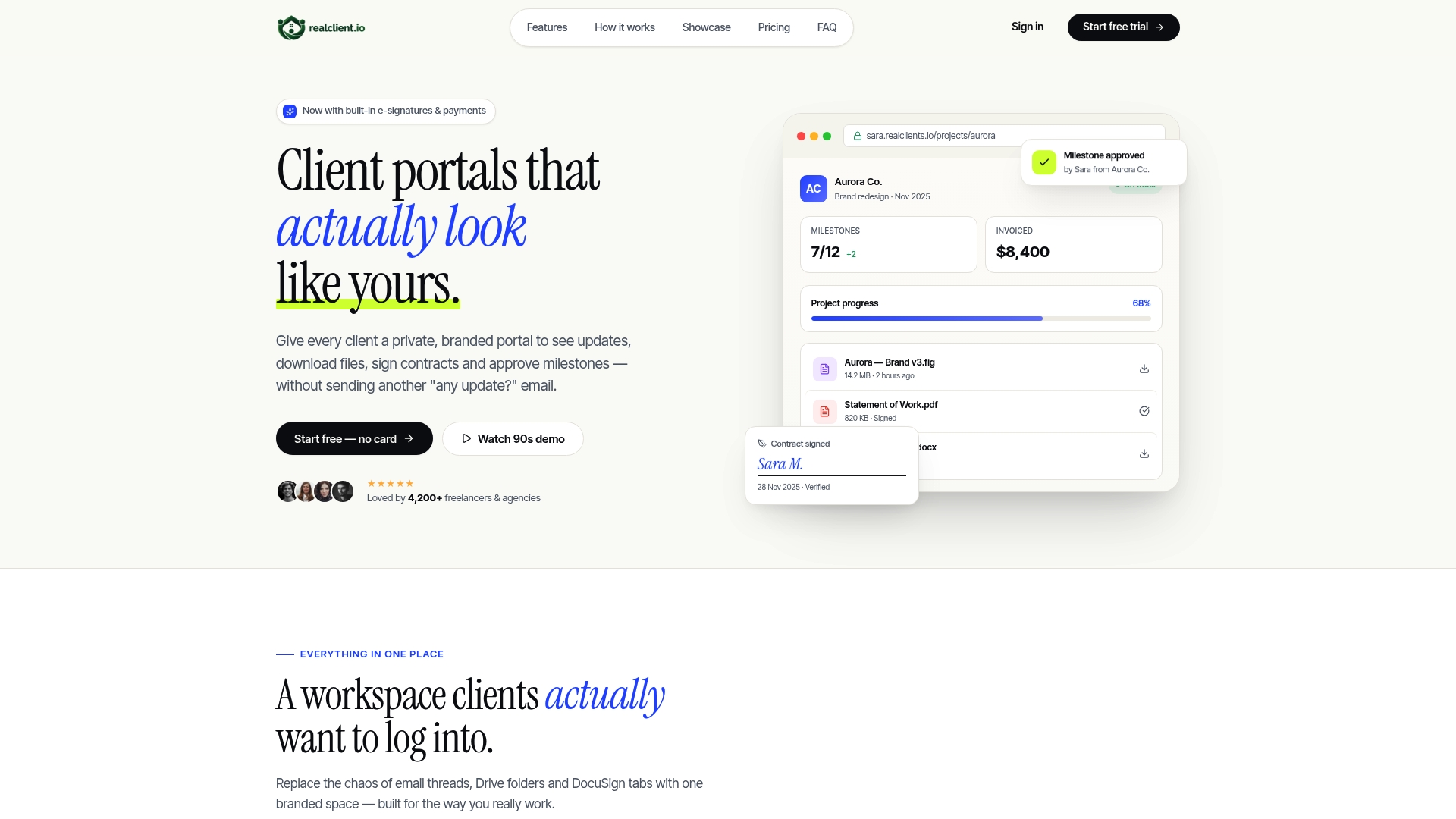
According to the company, RealClients invoiced over $48 million through its portals last year. The platform sets up in about two minutes, per the vendor's description. It groups messages, files, contracts, and payments inside private branded portals.
Core Features
RealClients places threaded messaging next to files and tasks and offers e signatures with audit trails for client approvals. Project timelines use plain language, milestone tracking keeps phased work visible, and smart notifications deliver real time updates to clients and collaborators. Branded invoices accept Stripe, PayPal, or bank transfer, drag and drop file sharing preserves version history, and analytics report activity and permissions.
Key Differentiator
The standout capability is legally binding e signatures with full audit trails tied directly to each client workspace. That connection keeps signed contracts, approval history, and billing records together in a single branded area. The workspace supports custom domains, branding, and granular client permissions.
Pros
The vendor advertises bank grade security, listing AES-256, TLS 1.3, SOC 2 Type II, and GDPR controls. That level of auditability pairs with built in e signatures and audit logs to reduce disputes and speed client approvals. That setup time lets small teams go live quickly and start billing from the same portal. Custom branding and domains give client-facing pages a professional, consistent look and reduce back and forth over file locations.
Cons
- Limited storage on the free plan forces upgrades for larger portfolios or many high resolution files.
Who It's For
Freelancers, small studios, and creative professionals who want a single, client facing space for project notes, files, contracts, and invoices. Teams that prioritize client perception and branded delivery will benefit most. It fits groups that need contract signing and payments inside the same member area.
Unique Value Proposition
Branded invoices that accept Stripe, PayPal, or bank transfer inside the same client workspace remove the need to send separate billing links. That consolidation reduces tool switching for you and your clients. It also keeps payment records, signed contracts, and project files in one searchable place tied to a client account.
Real World Use Case
A freelance graphic designer creates a private portal per client, uploads proofs, and asks for approvals using the built in e signatures. The designer sends a branded invoice from the same portal and a client pays via Stripe without leaving the page. All messages, signed files, and payment receipts stay attached to the project history.
Website: https://realclient.io
ManyRequests
At a Glance
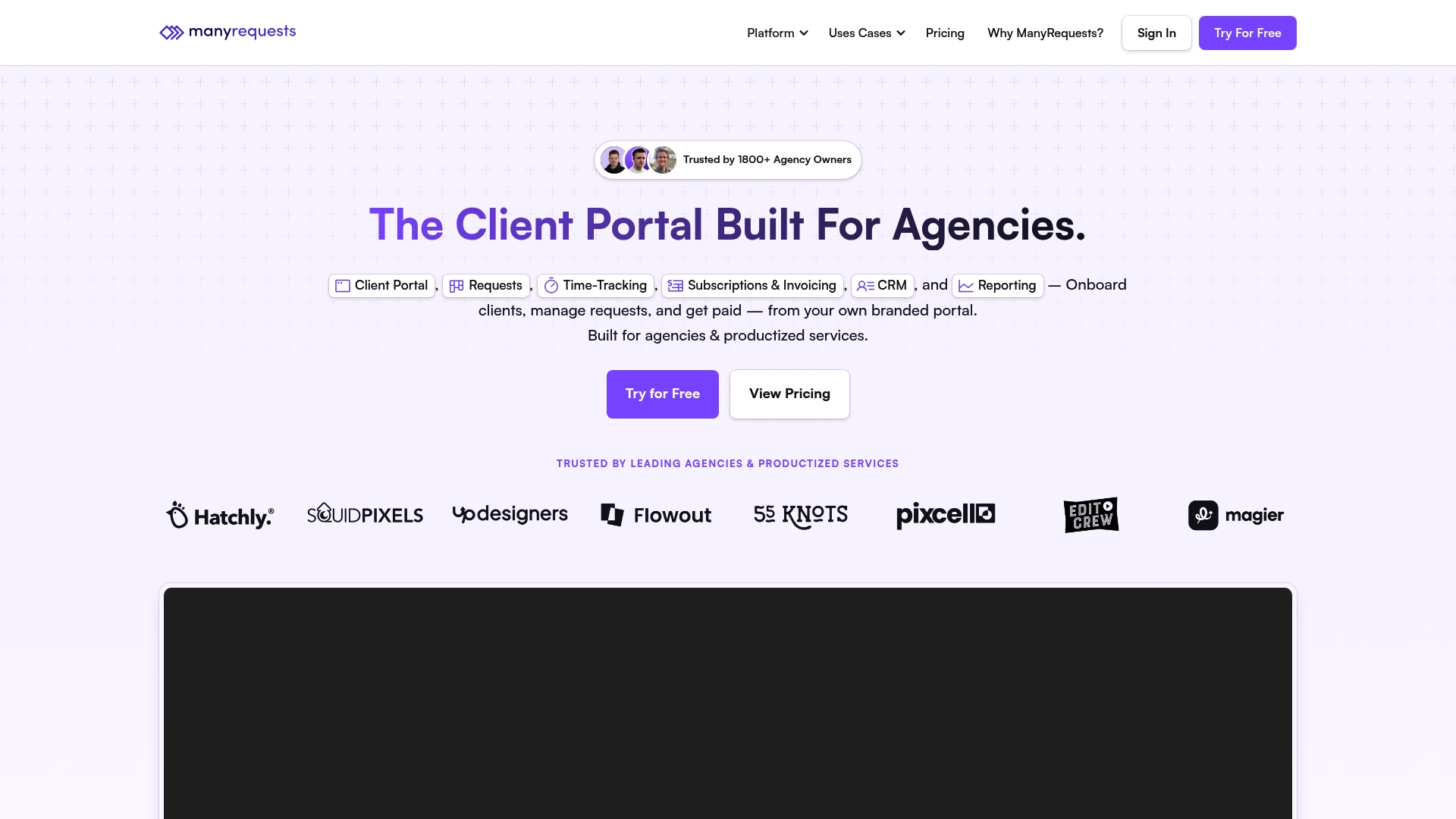
ManyRequests reports 1,000+ integrations, and it offers a fully white-labeled client portal agencies can brand to a custom domain. The platform bundles project management, time tracking, request forms, and automated billing into a single product. That scope targets agencies that want an agency-grade portal without stitching multiple tools together.
Core Features
A branded client portal supports custom domains, logos, and client access controls for shared files and status updates. The platform includes projects management with kanban, list, and queue views plus request forms that use conditional logic. Built-in time-tracking ties hours to invoices, and automated billing handles subscriptions, discounts, and recurring invoices.
Key Differentiator
ManyRequests centers on a white-labeled agency control panel that keeps client touchpoints under the agency brand. It emphasizes deep customization and a broad marketplace of connectors for automation and reporting. Compared with Realclient, ManyRequests skews toward full-service agencies that need integrated project, billing, and request workflows rather than solo freelancer portals.
Pros
The product consolidates agency needs into a single place, which cuts the number of separate subscriptions teams must manage. White-label branding and custom domain support let agencies present a polished client experience under their own name. The vendor reports extensive connector support, and the product offers workflow features such as request approvals and billing automation plus dedicated support and migration assistance.
Cons
- Third-party reviews and independent user sentiment are sparse, which makes community validation hard to find.
- Several advanced capabilities, such as workload management and deeper Slack features, appear gated behind higher-tier plans.
- Enterprise pricing and contract terms are not fully transparent in public materials.
- Public documentation about API depth and custom automation is limited.
When It May Not Fit
Small shops on a tight budget may find core plans adequate but face rising costs once advanced features are required. Teams that depend on public, independent reviews for procurement will have less community feedback to consult. Organizations that need extensive API documentation and custom automation details before buying may want to talk with sales first.
Notable Integrations
ManyRequests connects to common agency tools and workflow platforms. Primary integrations include:
- Stripe
- Zapier
- Slack
- Webhooks
- Meta Pixels
- Loom
- Intercom
- Hubspot Chat
Who It's For
This product fits creative and digital agencies that want a single portal for client intake, project delivery, and billing. It suits teams that prefer white-labeling and want client interactions under their own domain. Larger agencies that plan to centralize integrations and build custom automations will find the platform appropriate.
Real World Use Case
An agency uses ManyRequests to onboard new clients with custom intake forms and approval steps. Project work moves through kanban boards while team members track hours that flow into client invoices. Billing runs automatically for subscriptions and retainers, which reduces manual invoicing work and shortens the payment cycle.
Pricing
Plans start at $39/month billed annually for core features, with higher tiers adding Slack integration, workload management, and expanded automation. Enterprise options carry custom pricing and additional support. Prospective buyers should confirm which features land in each tier during the trial or sales call.
Website: https://manyrequests.com
Taskip
At a Glance
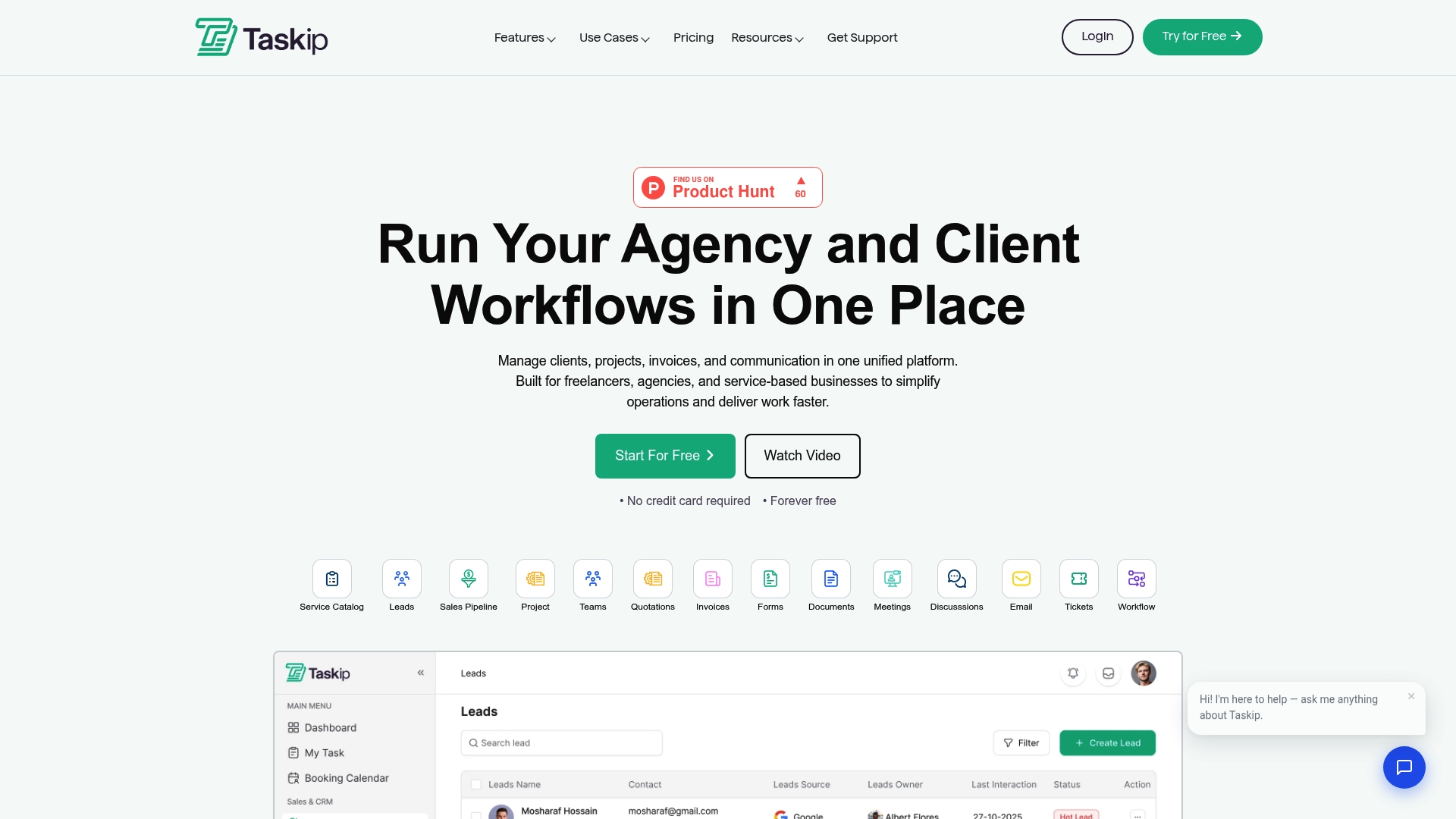
Taskip reports a free forever plan and a paid tier starting at $12/month for one user. That pricing makes it an obvious low-cost option for solo consultants who need a simple client portal plus invoicing. The platform focuses on basic agency workflows rather than advanced enterprise features.
Core Features
Taskip bundles project management with visual Kanban boards, a client portal for secure file and project sharing, and lead and contact management. It includes proposal and quote creation plus built-in invoicing and payment processing, and the mobile apps let you update projects on iOS and Android. Automation covers routine tasks such as email to contact routing and support ticket triggers.
Key Differentiator
Taskip’s main angle is affordability and fast setup. The platform consolidates proposals, billing, client access, and simple automations in one interface so small teams avoid stitching multiple point tools together.
Pros
The interface is simple and approachable, which reduces onboarding time for freelancers and small agencies. The inclusion of invoicing and payments inside the portal removes the need for a separate billing tool, keeping client interactions in one place. Mobile apps and the free forever plan lower the barrier for solo operators to adopt the system. The vendor also advertises integrations with common business tools, which helps connect Taskip to existing workflows.
Cons
- Some users find Taskip limited for complex operations and advanced automation needs.
- Documentation for power-user scenarios and integrations is thin, making custom setups harder.
- Reporting and analytics capabilities are basic compared with midmarket project management suites.
When It May Not Fit
If your team needs deep workflow automation, extensive reporting, or heavy customization for enterprise processes, Taskip will likely feel constrained. Large agencies that require elaborate billing rules or advanced analytics should look at more feature-rich platforms.
Notable Integrations
Taskip lists integrations with WhatsApp, Google Analytics, QuickBooks, Zapier, Xero, Active Campaign, and TWILIO, which helps connect the portal to messaging, accounting, and automation tools.
Who It's For
Small agencies, freelancers, and solo entrepreneurs who want an affordable, single place to manage proposals, client communication, and basic billing. Teams that prioritize simplicity and low cost will get the most value.
Real World Use Case
A digital marketing freelancer uses Taskip to send proposals, share campaign assets in a branded client portal, track tasks on a Kanban board, and invoice clients without leaving the platform. That workflow reduces tool switching and keeps client records centralized.
Pricing
Pricing starts at $12/month for one user, with a free forever plan available and occasional discounts up to 70% during sales. Exact feature limits per tier are not listed in the product summary.
Website: https://taskip.net
Comparison of alternatives
Client portal solutions offer varied features and pricing, catering to specific business needs ranging from freelancing to full-service agency management. We will analyze distinctions in functionality and audience focus to assist in identifying the most suitable platform for varied operational requirements.
Target Audience and Workflow Customization
RealClients excels for freelancers and small teams by offering legally binding e-signatures with audit traces right inside branded client workspaces, effectively reducing administrative complexity. Conversely, ManyRequests tailors its services to agencies, providing extensive third-party application connectors and automated workflows, crucial for integrating diverse operational technology stacks effectively. Taskip employs an approach prioritizing simplicity and affordability, which appeals to individual consultants and exceptionally cost-conscious users.
Cost Efficiency and Value
Taskip emphasizes affordability by targeting freelancers and small teams on modest budgets with its low entry pricing, even offering a free tier. ManyRequests positions itself at higher price points, justified by its suite ideal for agencies requiring functionality covering client onboarding through project delivery. RealClients resides in the mid-tier, balancing cost and advanced features like integrated accounting tools, making it accessible to various audience segments.
Best fit
- Freelancers and small teams prioritizing rapid setup and legally binding contract management will find RealClients indispensable for maintaining efficient client correspondence.
- Creative agencies looking to unify intake processes, project management, and automated billing under a customizable, branded environment should evaluate ManyRequests.
- Individual consultants or small agencies focused on budget-conscious workflows and basic invoicing will be drawn to Taskip for its affordability and simplicity.
Our pick
RealClients is the recommended choice for freelancers and small studios who prioritize integrated functionality and branded client interactions. The platform simplifies project management, invoicing, and approvals within customizable, secure client portals, addressing the unique needs of its core audience.
Determine which client portal software suits your team's unique needs and priorities by comparing the features, pricing, and suitability of leading options.
| Product | Key Differentiator | Best For | Pricing | Limitation |
|---|---|---|---|---|
| Realclient | Legally binding e-signatures with full audit trails in branded client workspaces | Freelancers and small studios | Price not published | Limited storage on free plan |
| ManyRequests | White-labeled portals with advanced branding and integration options | Mid-to-large creative and digital agencies | Starts at $39/month | Limited independent user reviews |
| Taskip | Affordable and simple setup for proposals, invoicing, and task management | Freelancers and solo entrepreneurs | Starts at $12/month | Basic features for complex workflows |
How to Solve Client Portal Challenges for Freelancers and Small Studios
Many freelancers and small studios struggle with disorganized client communications and fragmented billing tools. Realclient offers a branded client portal that puts messaging, contract signing, file sharing, and payments in one private space. This eliminates confusion caused by scattered emails and multiple platforms.
With Realclient, you get a setup that takes minutes and supports payment methods like Stripe and PayPal right inside the portal. This speeds up approvals and billing while keeping all project history in one place. Freelancers, realtors, and agencies will find Realclient tailored just for their needs.
Take control of your client workflow with Realclient. Visit Realclient to create your private, branded client portal and experience easier project management and faster payments.
FAQ
What advantages does Realclient offer for freelancers managing client approvals?
Realclient provides legally binding e signatures with full audit trails directly tied to each client workspace. This feature combines signed contracts, approval history, and billing records in one branded area. Freelancers can streamline their approval process and maintain organized project documentation.
How does ManyRequests compare to Realclient in terms of client portal customization?
ManyRequests is a powerful option that allows agencies to white-label their client portals fully with custom domains and branding. Realclient, on the other hand, specifically excels in providing a quick and efficient setup ideal for freelancers needing an organized workspace with invoicing support. Consider Realclient for its focus on simplicity and speed of setup.
Which platform is ideal for small studios needing integrated project management and billing?
Realclient is designed for freelancers and small studios who want a single space for project notes, contracts, and invoices. The platform’s easy invoicing and messaging features can help keep client interactions organized and efficient. This makes it a great fit for teams that prioritize branded delivery and quick project management.
Can I expect effective analytics with Realclient?
Realclient does offer analytics that report activity and permissions within client workspaces. This feature helps you track interactions and ensure that everything is in order. Users should expect a clear view of their project engagement and client interactions without additional tools.
What is the pricing structure for Realclient?
Realclient allows you to set up quickly and effectively, with no specific pricing details given in the article. It’s important to check the website for current subscription options and features included in each plan, ensuring you find the right fit for your business needs.