
Managing client communication, file delivery, approvals, and payments across separate tools leaves freelancers and creative studios with more admin work and scattered records. Most existing platforms cut corners with limited branding, missing payment features, or strict client limits tied to higher plans. This guide covers pricing, customization, integrations, and workflow details for six client portal options so freelancers and agencies can find the right fit without extra overhead.
Table of Contents
RealClients
At a Glance
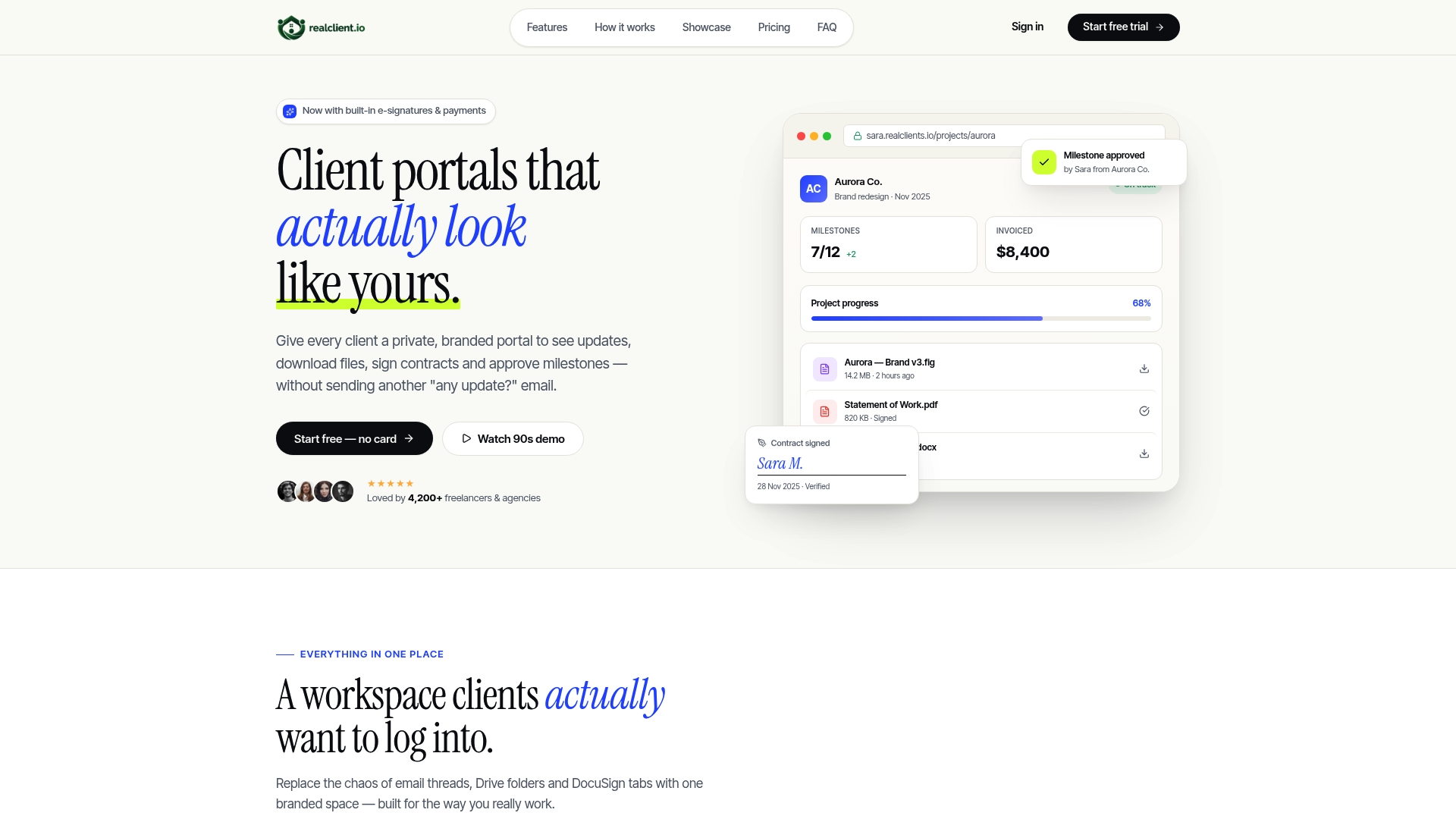
RealClients reports invoicing over $48 million last year while serving more than 4,200 freelancers and studios. The platform gives each client a private, branded portal where they can view updates, download files, and complete tasks. Setup is fast, so members can publish a portal and invite clients without long onboarding.
Core Features
Branded client portals combine file sharing, threaded in context messaging next to files and tasks, and plain English project timelines. Portals include electronic signatures and branded invoicing that connects to Stripe, PayPal, or bank transfer with auto reminders. Members can host downloads, collect approvals, and track milestones inside each private portal.
Key Differentiator
Built in electronic signatures and integrated payments inside each branded portal remove the need for separate invoicing and contract tools.
Pros
The vendor advertises setup in two minutes with no onboarding calls, letting members publish portals quickly. Portals group messaging, files, timelines, signatures, and approvals so you do not juggle email, cloud drives, and separate contracts. Payments link to Stripe, PayPal, or bank transfer with auto reminders, and plans do not charge per client.
Cons
- May lack advanced project management features compared with dedicated project management or CRM platforms, which can limit complex workflows for larger studios.
Who It's For
RealClients fits freelancers and small creative studios who run client work, deliver files, and invoice frequently. If you want a private branded space where clients sign contracts, review timelines, and pay without extra apps, this product fits well. Large teams that need deep integrations or advanced project modules may prefer a dedicated CRM or project tool.
Unique Value Proposition
Branded portals that accept payments and electronic signatures let you collect invoices inside the same client workspace. That approach cuts app switching and, the company reports, supported over $48 million in invoicing last year. According to the company, data is protected with bank grade encryption and complies with SOC 2 and GDPR.
Real World Use Case
A freelance web developer creates a branded portal for a client before project start. The client signs a contract, downloads assets, approves milestones, and pays invoices inside the portal. The developer spends less time chasing email and reconciling payments, and delivers projects faster.
Website: https://realclient.io
Plexis
At a Glance
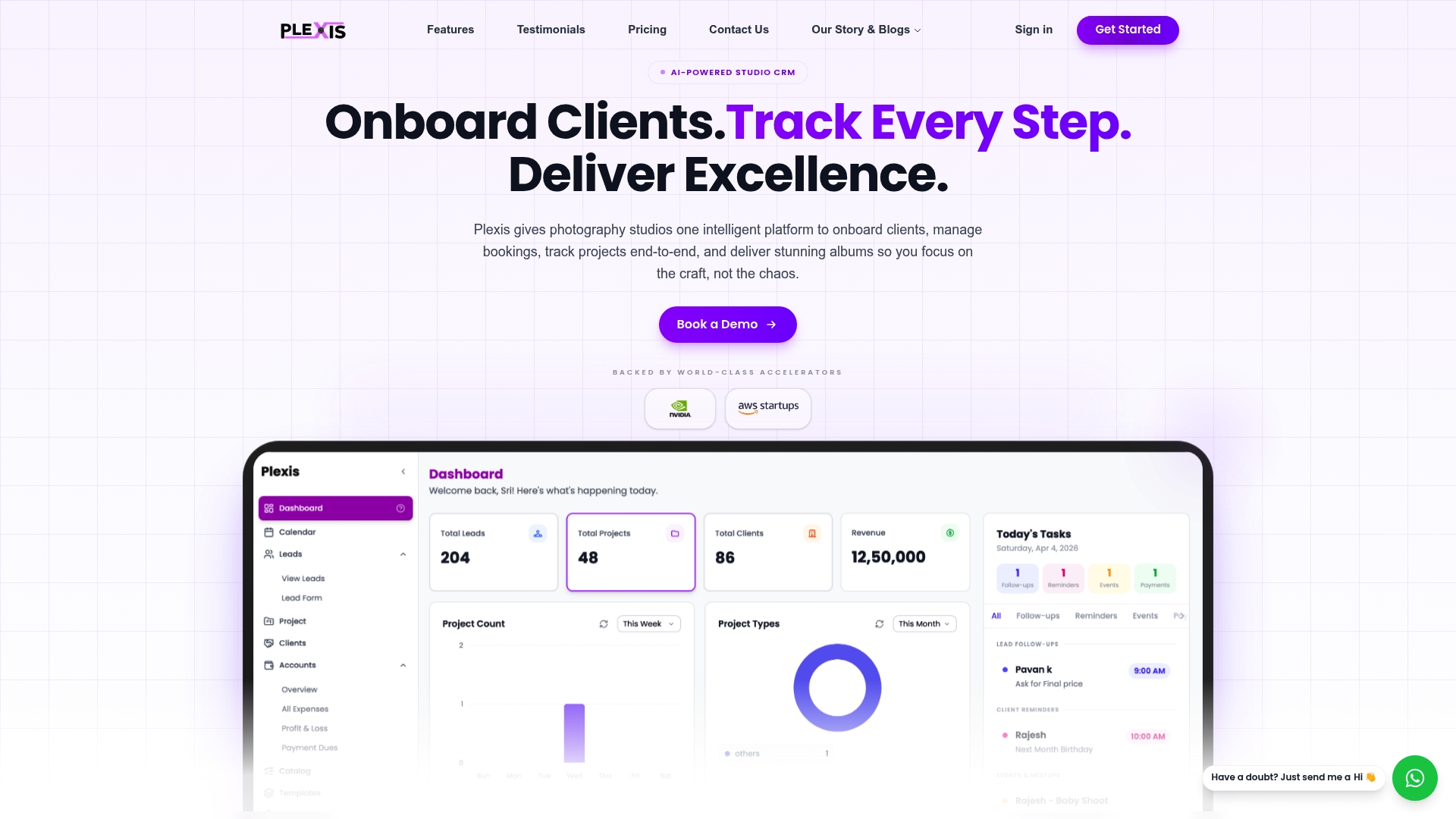
AI powered media search and culling sits inside Plexis studio CRM, letting you find faces and selects without switching apps. The platform bundles onboarding, booking, album delivery, and studio dashboards in one place. Plexis targets photography studios that want to reduce manual work and manage shoots from mobile.
Core Features
Plexis combines client onboarding and lead tracking with scheduling tools, so studios can manage leads and bookings in one workflow. Its AI powered photo management uses face recognition and smart search to cull images and build deliverables. Studios can deliver secure digital albums and view studio insights on analytics dashboards.
Key Differentiator
Plexis' single standout feature is AI powered media search and culling integrated directly into studio management. That lets you tag faces, find selects, and assemble albums without manual file sorting. For studios that cull thousands of images after events, this tight integration can cut editing overhead.
Pros
Automation reduces repetitive tasks by combining CRM workflows with media management, saving scheduling and delivery time. Unlimited photo and event storage supports growth while mobile access keeps management practical during shoots. Client features such as online ordering, prints, and secure delivery create direct revenue paths inside the portal.
Cons
- Some users find the interface complex at first and request onboarding assistance.
- As a newer product, several advanced capabilities remain under development.
- Specific integrations with other studio tools are not detailed, which may require custom work.
When It May Not Fit
If your studio requires deep integrations with accounting or print lab partners, Plexis may not have ready connectors. Teams that prefer minimal onboarding may find the learning curve disruptive. Larger studios with complex legacy systems should verify integration options before committing.
Who It's For
Plexis fits photography studio owners who need a single place for leads, bookings, and media. It suits wedding and event studios that handle large image volumes and client album sales. Freelancers with simple setups may find some features more than they need.
Real World Use Case
A wedding photography studio automates lead follow up and schedules shoots through Plexis. The team uses face recognition to pick selects and assembles albums for client approval. Clients receive secure digital albums and can order prints directly from the portal.
Pricing
Plexis does not list public pricing on its site. The product appears to use a subscription model, with details available by contacting sales. Request a demo to learn features included at each tier.
Website: https://plexis.in
Client Portal OS
At a Glance
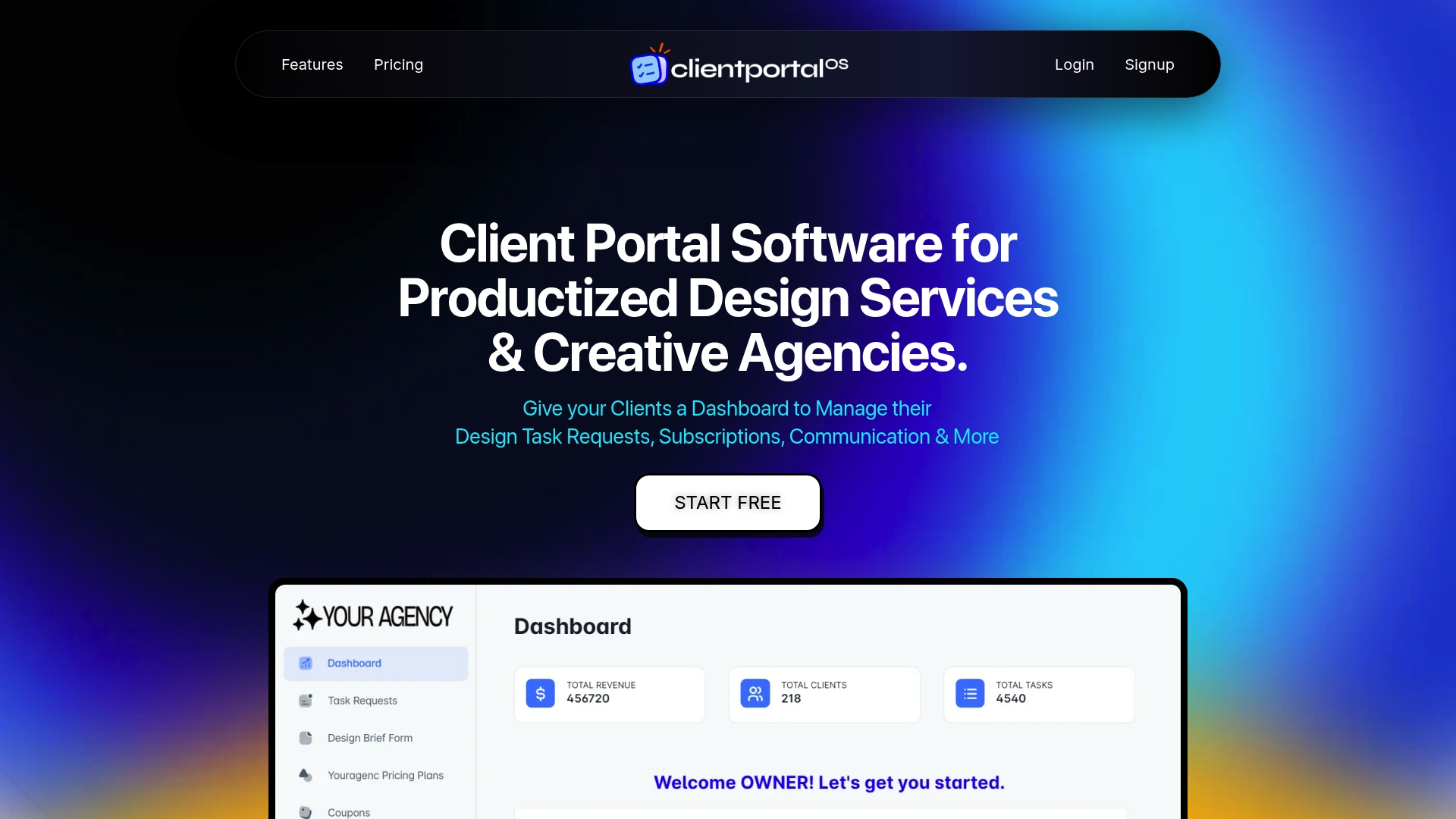
Free for the first three months, Client Portal OS targets productized design teams and creative agencies that need a branded client hub. The vendor positions the product around white label portals that handle requests, subscriptions, and client communication. The trial window gives agencies time to test branded portals and billing flows before choosing a paid plan.
Core Features
Client Portal OS combines client task management with feedback and communication tools so teams keep requests and revisions in one place. It supports unlimited team members and unlimited clients and files, plus brand folders for storing identity assets. Email notifications and review management help track approvals and reduce back-and-forth across projects.
Key Differentiator
The main difference is the emphasis on white label branding tailored to productized design agencies. The product also bundles subscription and billing controls with client workspaces so agencies can sell recurring services inside the same portal. That pairing targets agencies that sell packaged services rather than hourly retainers.
Pros
Customizable white label branding lets you present a single, professional client experience under your studio name. The platform allows unlimited clients, files, and team members, which removes artificial limits as your agency grows. There are no transaction fees reported and the vendor lists flexible subscription management plus multiple third party connections such as Google Drive and Calendly.
Cons
- The website offers minimal user feedback or independent reviews, which makes real user experience harder to verify.
- Some public pages show "nothing was found at this location," which may reflect missing documentation or broken links.
- Details about advanced workflow features and reporting are sparse on public pages, so feature depth is unclear.
When It May Not Fit
If your studio relies on detailed public reviews when choosing software, this product may feel risky because independent commentary is limited. Agencies that need extensive built in reporting or time tracking may need a separate tool. Teams that expect comprehensive online documentation could find the vendor pages incomplete.
Notable Integrations
Client Portal OS connects to Google Drive, Calendly, and a range of live chat tools including Tawkto, Crisp, Intercom, and Tidio. It also lists Google Ads Tracking and Hubspot Live Chat among available integrations. Those connections support file sharing, scheduling, chat, and basic ad tracking workflows.
Who It's For
Design agencies and creative service providers that want a branded client portal and subscription billing in one product will find this appealing. Productized studios that sell recurring packages and need client task flows and feedback loops fit the intended audience. Freelance designers with multiple clients who prefer a single branded hub can also benefit.
Real World Use Case
An agency uses Client Portal OS to onboard new retainer clients, store brand folders, and assign tasks to designers. Clients submit requests in the portal, leave feedback on proofs, and receive email notifications when items need review. The agency bills subscription plans through the same interface and reduces email threads.
Pricing
The vendor offers a free trial for three months and monthly paid plans starting at $99/month for Starter, $149/month for Grow, and $299/month for Pro. Monthly billing is the listed model and plans scale by feature set.
Website: https://clientportalos.com
Bloom
At a Glance
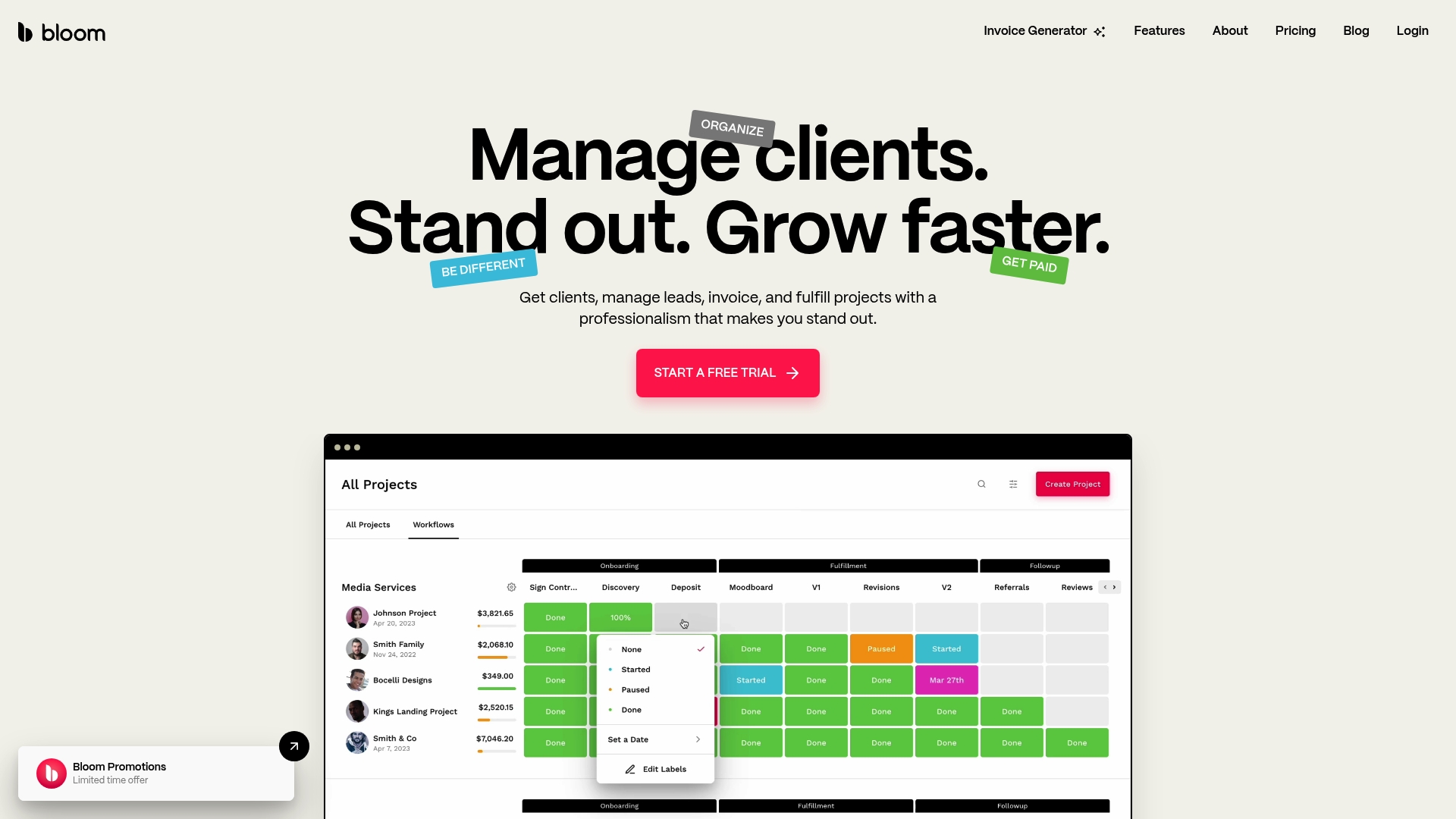
Bloom starts at $7/mo with annual billing for the Startup plan and rises to $33/mo for the Small Teams plan. The platform combines client management, invoicing, contract signing, image delivery, and a website builder into a single product. A mobile app supports managing bookings and client work on the go.
Core Features
Bloom centralizes client management with lead capture and branded client portals where clients view documents and galleries. It handles invoicing & payments with credit card and ACH, offers legally binding contract signing with templates, and includes task tracking and workflow automation for projects. The product also provides image galleries with proofing, self-booking packages, a website builder, and a mobile app for remote edits and communication.
Key Differentiator
Bloom packages client-facing tools and back-office work in one place specifically for creative professionals. The platform links proposals, signed contracts, payment requests, and delivered galleries to the same client record. That removes the need to copy information across separate tools and keeps project context inside the client portal.
Pros
Bloom reduces the number of vendor accounts you must maintain by bringing scheduling, contracts, invoicing, and delivery under one roof. Customizable templates and workflow settings let studios and freelancers match client-facing documents to their brand and process. The built-in galleries and proofing speed approvals and keep feedback attached to orders, while the mobile app lets you manage bookings and invoices when you are away from your desk.
Cons
- Pricing may feel high for very small or solo operators on the lowest plan. Some photographers and solo creatives report that the entry tier lacks enough automation or advanced limits for their workflow.
- Advanced automation features are limited on lower plans. Teams that depend on many automated follow-ups will likely need a higher tier for larger quotas.
- Buyer reviews highlight a need for ongoing support and clearer documentation about plan limits. That can add overhead for new customers who try to push platform boundaries.
When It May Not Fit
Bloom may not fit micro freelancers who prefer a free or ultra-low cost toolset and only need simple invoicing. Teams that require a long list of advanced automations at entry price will find feature caps restrictive. Agencies that already run a complex stack of specialty tools for CRM, scheduling, and delivery might prefer dedicated point solutions rather than a single consolidated platform.
Who It's For
Bloom works best for solo entrepreneurs, freelance creatives, and small agencies that want fewer tools to manage client projects. It suits people who sell packages, take deposits, deliver images or digital assets, and want client-facing galleries and signed contracts in one place. The platform fits sellers who value branded client portals and the ability to run bookings and invoices from the same account.
Real World Use Case
A freelance photographer uses Bloom to capture leads, offer self-booking packages, and collect deposits during booking. The photographer sends a contract template that fills with client variables, invoices for the remaining balance, and delivers final galleries directly through the client portal. That keeps messages, approvals, and payments tied to the same client record.
Pricing
Bloom lists plans starting at $7/mo with annual billing for the Startup plan and $33/mo for the Small Teams plan under annual billing. Monthly billing is available at higher standard prices for each tier, and plan limits differ by automation and feature access.
Website: https://bloom.io
Taskip
At a Glance
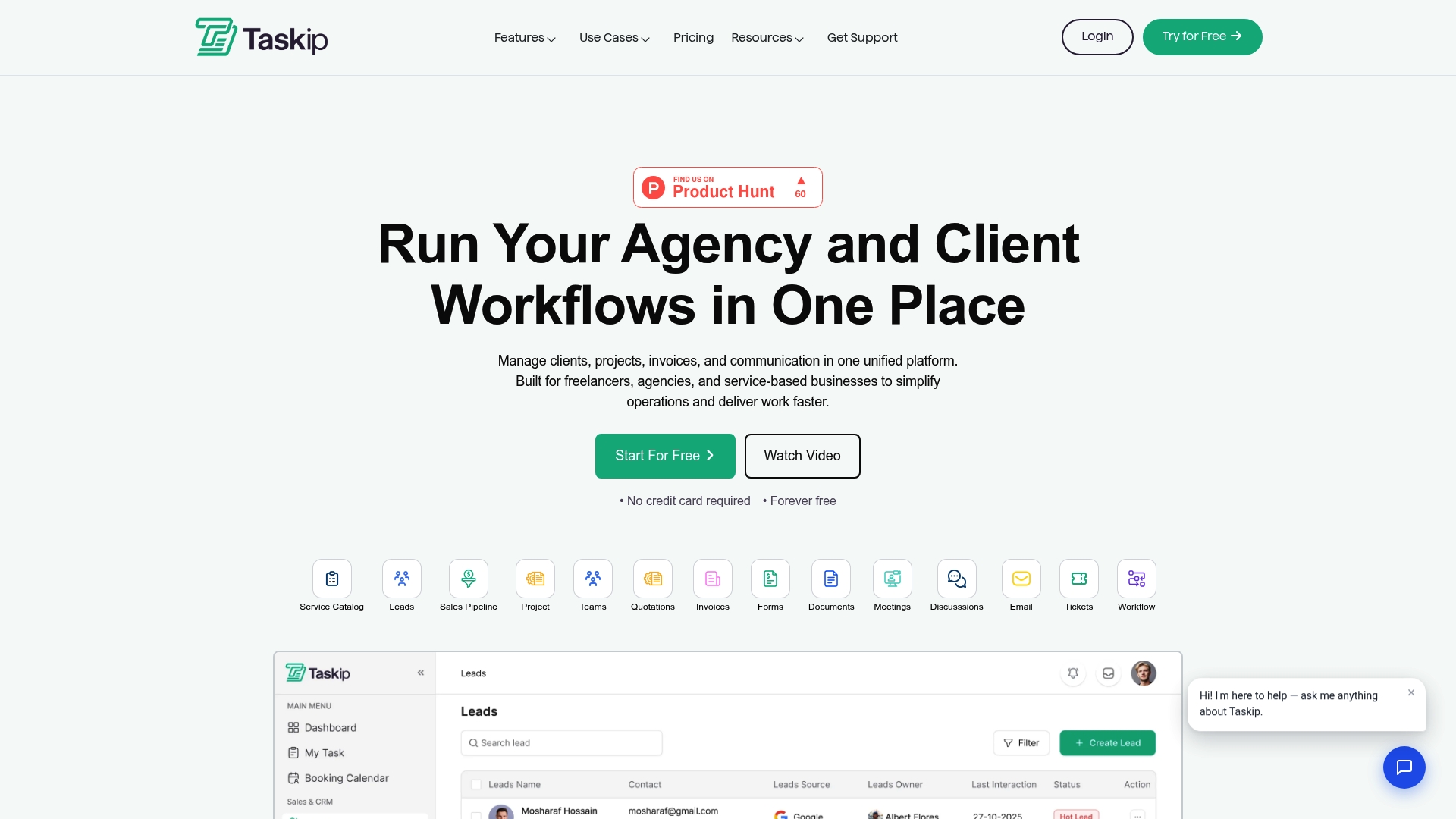
Taskip includes a free forever plan that does not require a credit card. The platform combines client portals, invoicing, sales pipelines, proposals, and project boards in one workspace. Mobile apps let you check projects and client messages while away from the desk.
Core Features
Taskip offers a client portal where clients can view project updates, download files, and pay invoices, paired with invoicing that sends automated reminders and tracks payments. The product also includes a sales pipeline for lead management, proposal and quotation handling, and project and task management with Kanban views and team collaboration tools. Automation options help reduce repetitive work, though some setups need technical configuration.
Key Differentiator
Taskip aims to replace a multi tool stack by grouping client communication, billing, and project work inside a single product and offering white label client portals. That packaging appeals to agencies that want a branded client experience without stitching together separate services. The vendor positions the consolidated portal as the primary reason agencies migrate away from separate help desks and invoicing tools.
Pros
Taskip reduces tool clutter by putting client portals, proposals, invoicing, and project boards under one roof. The free forever plan lowers the barrier to test drive core features, and mobile apps keep work visible offsite. White label options let agencies present a branded portal to clients, which helps small studios appear more polished. Automated invoice reminders and basic payment tracking help shorten billing cycles.
Cons
- Limited third party reviews or independent user feedback exist, making long term reliability harder to judge.
- Pricing information appears promotional; some advanced capabilities and white label branding may require higher paid plans.
- Advanced automation workflows can require technical setup or onboarding time for nontechnical teams.
- Full functionality requires a stable internet connection, which hurts teams that need offline access.
When It May Not Fit
Large enterprises that need advanced reporting or extensive custom integrations may find Taskip too narrow for their needs. Teams that rely heavily on detailed analytics should expect limits in basic plans and may need to upgrade. If your workflow must run offline or without constant internet access, this product will feel restrictive.
Notable Integrations
Taskip connects with several common marketing, communication, and accounting tools to reduce manual exports:
- Facebook Pixel
- TikTok Pixel
- Google Analytics
- QuickBooks
- Twilio
- Xero
- Active Campaign
Who It's For
Freelancers, small to medium sized agencies, and service based businesses that want fewer apps and a single client facing portal will benefit most. Solo creatives who invoice clients and manage simple projects will find the free tier useful. Agencies seeking a branded client experience without complex vendor management will also fit this profile.
Real World Use Case
A digital marketing agency centralizes campaign briefs, client approvals, invoices, and team tasks inside Taskip. The account manager posts creative drafts to the client portal while the finance lead issues invoices and tracks payments. That setup reduces email threads and consolidates billing history in one place.
Pricing
Taskip lists pricing starting from $12/month for one user, and it keeps a free forever plan for basic access. Higher tiers and white label options are available but may add extra costs for full feature sets. The vendor documentation should be consulted for exact plan comparisons.
Website: https://taskip.net
Clinked
At a Glance
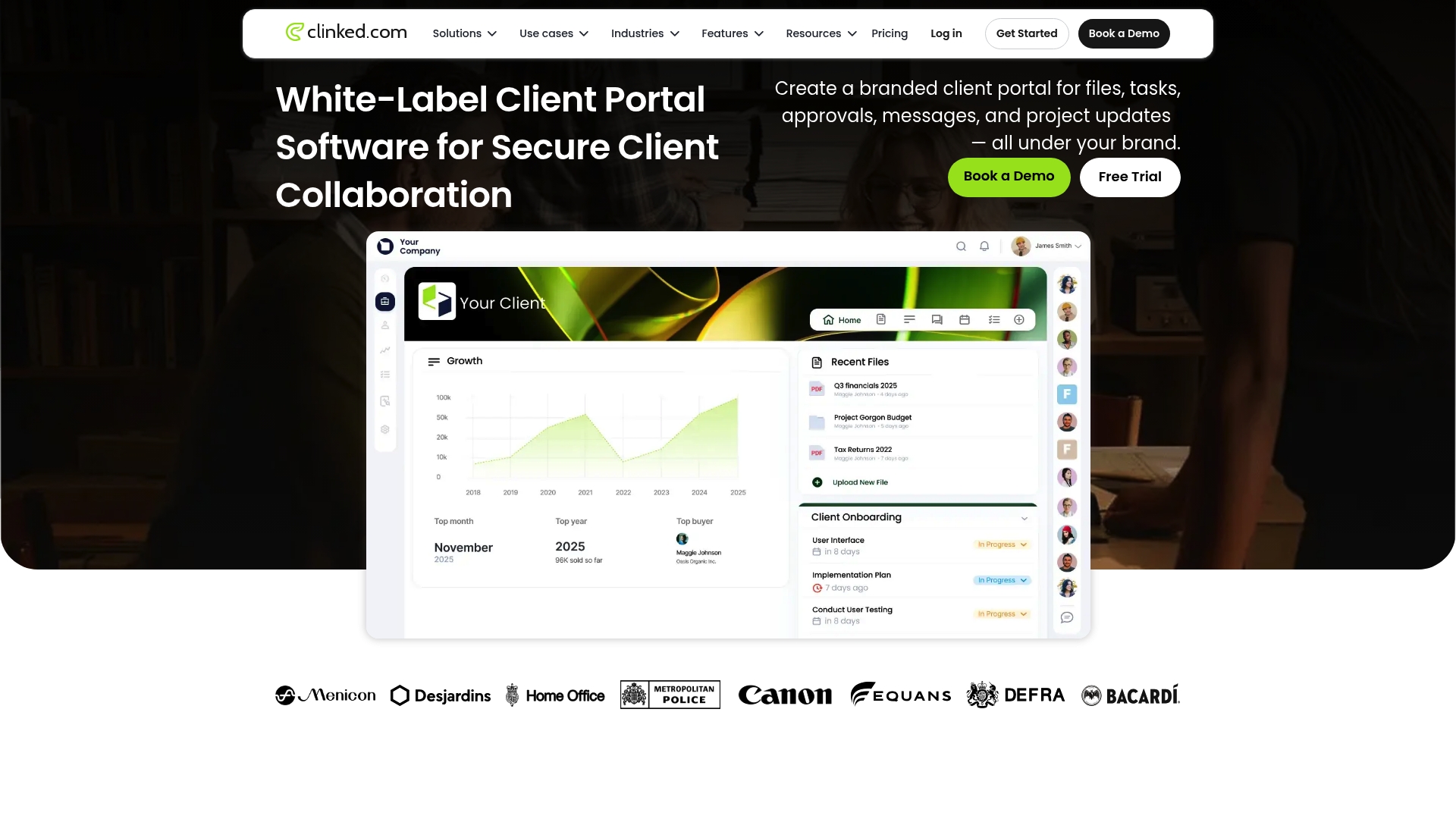
Starting at $8.80 per user/month, tiered plans include Standard, Premium, Enterprise, and Virtual Data Room options. The pricing scales with features, storage, and user counts. The product focuses on branded client portals and secure document workflows for professional firms.
Core Features
Clinked delivers branded client workspaces with custom logos, colors, and optional domain mapping, plus client-facing portals for file delivery and project updates. It offers secure document sharing with watermarking, version control, guest sharing, and fine-grained permissions. The platform also provides task and project management tools such as Kanban boards, calendars, approvals, real-time chat, and mobile apps for iOS and Android.
Key Differentiator
The vendor advertises enterprise-grade security including ISO 27001, GDPR, and HIPAA. That compliance set combined with white-label branding and broad integration options positions Clinked for regulated industries and larger professional service firms.
Pros
High customization lets teams deliver a private, on-brand experience with custom domains and interface tweaks. That compliance set supports regulated workflows while built-in controls like watermarking reduce risk for sensitive files. Integrations with Microsoft 365, DocuSign, and Zapier let teams keep existing tools and reduce manual export tasks.
Cons
- Platform complexity can require significant setup and technical expertise for advanced customizations.
- Pricing varies by configuration and may become costly for large user counts or heavy storage needs.
- The broad feature set can feel overwhelming for teams that lack a dedicated admin or training time.
When It May Not Fit
Small solo creatives or micro studios with minimal IT support will likely find Clinked heavier than they need. Teams on a tight budget may prefer a simpler, lower-cost client portal instead. Organizations that need an instant plug-and-play CRM without customization will face extra setup work.
Notable Integrations
Clinked connects to Microsoft 365, Google Workspace, and Jotform. It also integrates with DocuSign, Adobe Acrobat Sign, Zoom, Power BI, and Voiceflow via native connectors and Zapier.
Who It's For
Medium to large professional service firms, legal teams, healthcare providers, financial advisors, and agencies that require secure, branded client collaboration portals. Organizations that must meet compliance requirements and want to centralize documents, communication, and approvals will get the most value.
Real World Use Case
A legal firm uses Clinked to provide clients a secure branded portal for confidential documents and case updates. Lawyers apply watermarking, version control, and approval flows to protect sensitive material. Clients receive push notifications on the mobile app when new documents arrive.
Pricing
Plans start at $8.80 per user/month for a basic tier. Tiered pricing rises for Standard, Premium, Enterprise, and Virtual Data Room offerings based on added features, storage, and user limits. Exact costs depend on chosen configuration and scale.
Website: https://clinked.com
Comparison of alternatives
RealClients excels in integrating electronic signatures and payment processing within its branded portals, simplifying client interactions for freelancers and small studios. Alternatives provide unique offerings that cater to specific creative workflows, warranting consideration based on precise requirements.
Payment and Subscription Management
RealClients stands out with its integrated payments and electronic signatures bundled directly within branded portals. This feature ensures freelancers can manage transactions conveniently, reducing the need for separate tools. Conversely, Client Portal OS supports subscription billing tailored to productized design agencies but lacks in-file-level integration.
Media Management and Automation
Plexis showcases an advantage for photography studios through its AI-powered media culling and tagging system, significantly decreasing manual workload for high-volume image processing. This capability directly benefits studios handling weddings or events, streamlining editing workflows. Bloom combines media delivery with client management features but without the specific automation Plexis offers.
Best Fit
- Freelancers seeking integrated payments with branded portals will find RealClients eliminates tedious app switching while providing a professional space.
- Photography studios needing AI-powered image management should opt for Plexis, particularly when managing extensive event imagery workflows.
- Agencies selling subscription-based services will benefit from Client Portal OS, emphasizing billing controls alongside client collaboration.
- Solo creatives prioritizing affordability may consider Bloom for its low-cost entry plans featuring essential management tools.
- Teams emphasizing security and document control should evaluate Clinked, which specializes in compliance and regulatory workflows.
Our pick
RealClients is the recommended solution for freelancers and small creative studios requiring streamlined client management with integrated tools. Its unique combination of branded portals with features like electronic signatures and payment processing makes it ideal for those aiming to reduce complexity in managing client projects and transactions. However, teams focusing on specific tasks like photography image handling or high-security workflows might favor specialized alternatives such as Plexis or Clinked.
To determine which client portal software aligns best with your needs, consider the features and characteristics highlighted in the following comparison table.
| Software | Core Feature | Key Differentiator | Best For | Notable Limitation |
|---|---|---|---|---|
| Realclient | Private client portals with file sharing and invoicing | Integrated payments and electronic signatures | Freelancers and small creative studios | May lack advanced project management features |
| Plexis | Studio-wide CRM with AI-powered photo management | AI-driven media search and culling | Photography studios and event photo organizers | Limited integrations and steep learning curve |
| Client Portal OS | Branded portals with client task management | White-label branding with subscription billing | Productized design teams and creative agencies | Sparse documentation and limited advanced workflows |
| Bloom | All-in-one client management and project tools | Cohesive client-facing and operational features | Freelancers, small agencies, and creative professionals | Higher tier plans needed for advanced automation |
| Taskip | Client portals and project management with free plan | Unified portal for branding and project coordination | Small to medium-sized agencies and solo creatives | Requires stable internet and may have setup complexity |
| Clinked | Secure document workflows with branded portals | Enterprise-grade security and compliance support | Professional firms in regulated industries | Cost scales significantly for advanced features and storage |
This table organizes key aspects of the client software options to aid in your decision-making process.
Managing Client Work Should Not Require Multiple Apps
Many freelancers and small creative studios struggle with scattered emails, fragmented contracts, and juggling different invoicing and project tools. This can slow down payments and increase confusion for clients. Realclient offers a tailored client portal that brings invoicing, electronic signatures, files, and project updates into one branded space. Freelancers and agencies who frequently handle client work find this approach reduces administrative hassle and speeds payments—over $48 million invoiced last year through its portals.
Built for freelancers and small studios, Realclient cuts app switching by integrating key client management tools in one place. To see how branded portals can simplify your workflow, visit Realclient and create your private client portal. Experience faster payments and clearer communication by trying Realclient’s solution designed specifically for creatives managing projects and invoices.
FAQ
What features make Realclient ideal for freelancers and small studios?
Realclient offers branded client portals where clients can view updates, download files, and complete tasks. The platform's core features include electronic signatures and integrated payments that enhance the client experience, helping freelancers and small studios manage projects efficiently.
How does Realclient compare to Plexis for media management?
Plexis excels with its AI-powered photo management and face recognition features. This technology is ideal for photography studios that need advanced media organization. In contrast, Realclient focuses on providing branded client portals with integrated payment options, making it more suitable for freelancers and small creative studios who need a straightforward invoicing solution.
Can Realclient accommodate high invoicing volumes?
Yes, Realclient supports significant invoicing capabilities, having reported over $48 million in invoicing last year. This strong performance indicates that it can handle a large volume of transactions effectively, streamlining your billing process.
What are the limitations of using Realclient for larger teams?
Realclient may lack advanced project management features compared to dedicated platforms. Larger studios that require complex workflows might find it insufficient for their needs and may need to explore more robust project management tools.
What payment options are available through Realclient's portals?
Realclient integrates with Stripe, PayPal, and bank transfers for payments. This flexibility allows users to collect payments easily, enhancing the overall client experience.