
A dedicated freelancer client portal is the single most effective upgrade you can make to your independent business. Realclient is the recommended option for freelancers who want a branded, all-in-one client workspace that handles communication, files, contracts, and payments without stitching together five separate tools.
Three reasons to start today:
- Faster payments. Invoices sent through a portal get paid faster because clients can pay directly from the same screen where they review your work.
- Centralized communication. Every message, file, and approval lives in one place, so nothing gets buried in email threads.
- Professional client experience. A branded portal signals that you run a real business, which builds trust before the first invoice arrives.
You can try Realclient free and test branded portals, client invites, e-signatures, and payment collection in a single session.
Pro Tip: Before your trial, write down the three biggest friction points in your current client workflow. Use those as your testing checklist so you know within 30 minutes whether the portal solves your real problems.
Table of Contents
- What features should your client portal include?
- Security and payment compliance: what freelancers need to know
- Can a client portal grow with your freelance business?
- How does a client portal connect to your other freelancer tools?
- What do clients actually experience on mobile?
- What support and training should you expect from a portal provider?
- What do freelancers say after switching to a client portal?
- Key Takeaways
- The case for committing to a portal earlier than feels necessary
- What Realclient gives you from day one
- Further reading and authoritative sources
What features should your client portal include?
Not every portal is built for freelancers. Some are designed for large agencies with dedicated IT teams. Others are so lightweight they lack the invoicing and e-signature tools you actually need. The table below cuts through the noise.
| Feature | Why it matters for freelancers | Question to ask vendors |
|---|---|---|
| Invoicing and payments | Clients pay from inside the portal, reducing delays | Which payment processors do you support? Are there transaction fees? |
| E-signatures and contracts | Legally binding signatures without a separate tool | Are e-signatures legally compliant in the U.S.? Can I send a contract and invoice together? |
| Secure file sharing | Share deliverables without email size limits or security risk | Is file storage encrypted? Is there version history? |
| Client dashboard | Clients see project status without emailing you | How many clicks does it take for a client to log in and find their files? |
| Granular permissions | Control what each client sees | Can I hide internal notes or restrict file downloads? |
| Custom branding | Your logo and domain, not the vendor's | Can I use a custom domain on the free or entry-level plan? |
| Mobile access | Clients often review work on their phones | Is the client-facing view fully functional on mobile? |
| Analytics and reporting | Track invoice status, file views, and client activity | What data can I export, and in what format? |
Must-haves for any freelancer: invoicing and payments, e-signatures, secure file sharing, and a client dashboard. Everything else is a nice-to-have until your volume justifies it.
Pro Tip: During your free trial, complete this exact sequence: create a test client, upload a file, send a contract for e-signature, and collect a test payment. If any step takes more than five minutes or requires a support ticket, that friction will multiply across every client you onboard.
Pricing expectations for solo freelancers
| Plan tier | Typical monthly cost | What you usually get |
|---|---|---|
| Free | — | 1–3 clients, limited storage, basic features |
| Solo / Starter | $15–$30/month | Up to 10–15 clients, invoicing, e-signatures |
| Professional | $30/month | Unlimited clients, custom domain, analytics |
| Team | — | Multiple team members, advanced permissions |
Realclient offers a free plan with core features and tiered paid plans that scale with your client roster, so you are not paying for capacity you do not use.
Red flags to watch for: no data export option, hidden transaction fees on payments, poor mobile UX on the client side, and no clear answer on where your data goes if you cancel.
First 24-hour onboarding checklist
- Portal branded with your logo and colors
- Client workspace created and named
- At least one file or deliverable uploaded
- Contract sent for e-signature
- Invoice drafted and payment method connected
- Client invite sent with a clear onboarding note
Pro Tip: Your onboarding message does not need to be long. Try this: "Hi [Name], I've set up your project portal here. You'll find your contract ready to sign and your first invoice inside. Takes about two minutes to review. Let me know if you have questions." Short, specific, and it tells the client exactly what to do next, which gets you paid faster.
The Freelancers Union notes that clear payment terms and structured client communication are among the most effective ways independent workers reduce late payments. A portal enforces both by design.
Security and payment compliance: what freelancers need to know
Sending contracts and collecting payments through a portal means your clients are trusting you with sensitive data. Choosing a vendor with the right security controls is not optional.
Security checklist for evaluating any portal:
- Encryption in transit (TLS/HTTPS) and at rest (AES-256 or equivalent)
- SOC 2 Type II certification or equivalent third-party audit
- Automated backups with a clear recovery policy
- Granular access controls so clients see only their own workspace
- PCI-compliant payment processing (handled by Stripe or PayPal, not stored on the portal server)
A quick glossary for the terms that matter:
- TLS/HTTPS encrypts data moving between your client's browser and the portal server.
- AES-256 encryption at rest protects stored files even if the server is compromised.
- SOC 2 Type II is an independent audit confirming a vendor's security controls work consistently over time, not just on paper.
- PCI compliance means payment card data is handled according to the Payment Card Industry Data Security Standard. When a portal routes payments through Stripe or PayPal, those processors carry the PCI compliance burden, not the portal itself.
The IRS Self-Employed Tax Center requires self-employed individuals to maintain accurate income records. Exportable invoices and transaction histories from your portal are a direct input to that recordkeeping. Before you commit to any vendor, ask: "Can I export all my invoices and payment records as a CSV or PDF at any time?"
Realclient's security page describes its encryption, backup, and access control features in plain language, which is exactly the transparency you should expect from any vendor you trust with client data.
Pro Tip: Set a calendar reminder every quarter to export your invoice and payment records from your portal. Store them in a dedicated folder alongside your tax documents. If you ever switch vendors or face an audit, you will have everything organized and ready.
Can a client portal grow with your freelance business?
The short answer is yes, if you choose one built with scalability in mind. A portal that works for three clients should also work for thirty, without requiring you to rebuild your workflow from scratch.
Customization is where many entry-level tools fall short. You want control over your portal's appearance (logo, colors, domain), the structure of each client workspace (which sections are visible, what the client can download or edit), and the ability to add team members as your business grows. Realclient supports custom portal configurations that let you tailor each workspace to the type of work you do, whether that is design, consulting, legal, or real estate.
Scalability also means pricing that does not punish success. A per-client model keeps costs predictable. As you move from five clients to fifteen, you upgrade your plan rather than renegotiate a contract.
For creative freelancers specifically, the ability to present work in a branded, visually clean workspace matters as much as the underlying features. A portal that looks generic undermines the premium positioning you have worked to build.
How does a client portal connect to your other freelancer tools?
A portal that lives in isolation creates its own kind of friction. The best client portals connect to the tools you already use so data flows without manual re-entry.
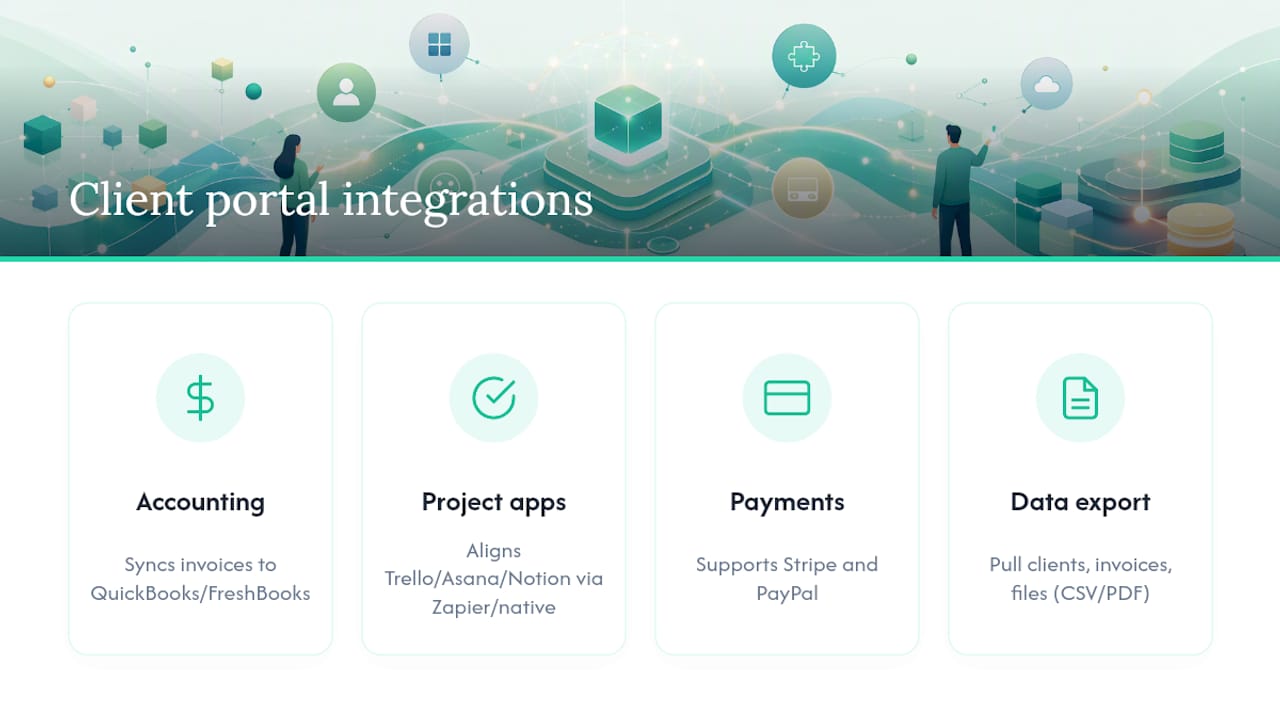
The most useful integrations for freelancers fall into three categories:
Accounting software. Connecting your portal to QuickBooks or FreshBooks means invoice data syncs automatically, reducing the risk of missed income entries. This matters directly for the accurate recordkeeping the IRS requires of self-employed individuals.
Project management apps. If you track tasks in Trello, Asana, or Notion, a portal that connects via Zapier or native integration keeps your internal workflow aligned with what the client sees in their workspace.
Payment processors. Stripe and PayPal are the standard for U.S. freelancers. A portal that supports both gives you flexibility and lets clients pay with their preferred method. Realclient integrates with both natively, so you are not limited to one processor.
When evaluating integrations, ask vendors specifically about data export. You should be able to pull your client list, invoice history, and file records in a standard format (CSV, PDF) at any time. Portals that make export difficult are effectively holding your business data hostage.
What do clients actually experience on mobile?
Most of your clients will open your portal invitation on their phone. If the mobile experience is clunky, they will email you instead, which defeats the purpose entirely.
A client-facing mobile experience worth paying for includes: a clean, readable layout without horizontal scrolling; one-tap access to files and contracts; a payment flow that works with Apple Pay or Google Pay; and e-signature that functions on a touchscreen without requiring a stylus or a desktop.
Test this yourself during your trial. Send a portal invite to your own phone and complete the full client journey: log in, find a file, sign a contract, and pay an invoice. If any step requires pinching, zooming, or switching to a desktop, that is a UX problem your clients will encounter on day one.
Realclient's portal is designed with the client experience as a first-class concern, not an afterthought. The client-facing workspace is clean and minimal by design, so clients spend their time reviewing your work rather than figuring out how to navigate the tool.
What support and training should you expect from a portal provider?
The quality of support matters most in the first two weeks, when you are setting up your workflow and onboarding your first clients. Look for providers that offer live chat or email support with a response time under 24 hours, a searchable knowledge base with setup guides, and short video walkthroughs for core tasks like creating a client, sending an invoice, and configuring e-signatures.
Some providers also offer onboarding calls for paid plans, which can compress your learning curve significantly. If you are switching from a different tool and need to migrate client data, ask specifically whether the vendor offers migration support or documentation.
Realclient provides a knowledge base and support resources accessible from within the platform. For freelancers comparing portal options at a category level, the best client portal software comparison on the Realclient blog covers how different tools approach onboarding and support.
What do freelancers say after switching to a client portal?
The pattern that emerges from freelancers who move from email-based client management to a dedicated portal is consistent: less time spent on administrative follow-up, faster invoice payment, and a noticeable improvement in how clients perceive the business.
Designers report that approval cycles shorten when clients can comment directly on files inside the portal rather than replying to email threads. Consultants note that clients engage more consistently with deliverables when everything is organized in a named workspace rather than scattered across a shared Google Drive. Accountants and bookkeepers find that document collection, historically one of the most time-consuming parts of client onboarding, becomes almost self-service when clients have a clear, secure place to upload files.
The common outcome across these workflows: fewer "just checking in" emails from both sides, and a client relationship that feels more professional from the first interaction. That perception shift has a real business impact. Clients who trust your process are more likely to refer you and less likely to question your rates.
Key Takeaways
A dedicated freelancer client portal reduces administrative overhead, accelerates payments, and creates a professional client experience that supports higher rates and stronger referrals.
| Point | Details |
|---|---|
| Start with must-have features | Prioritize invoicing, e-signatures, secure file sharing, and a client dashboard before evaluating extras. |
| Test the full workflow in your trial | Complete a real invoice, contract, and payment during the free trial to confirm the tool fits your process. |
| Security and export matter | Verify encryption, SOC 2 status, and data export options before committing to any vendor. |
| Realclient covers the full stack | Realclient offers branded portals, Stripe/PayPal payments, e-signatures, and file sharing with over $48 million invoiced through its platform. |
| Know when a portal is overkill | If you have fewer than two active clients and do one-off gigs, a free plan is enough to start. |
The case for committing to a portal earlier than feels necessary
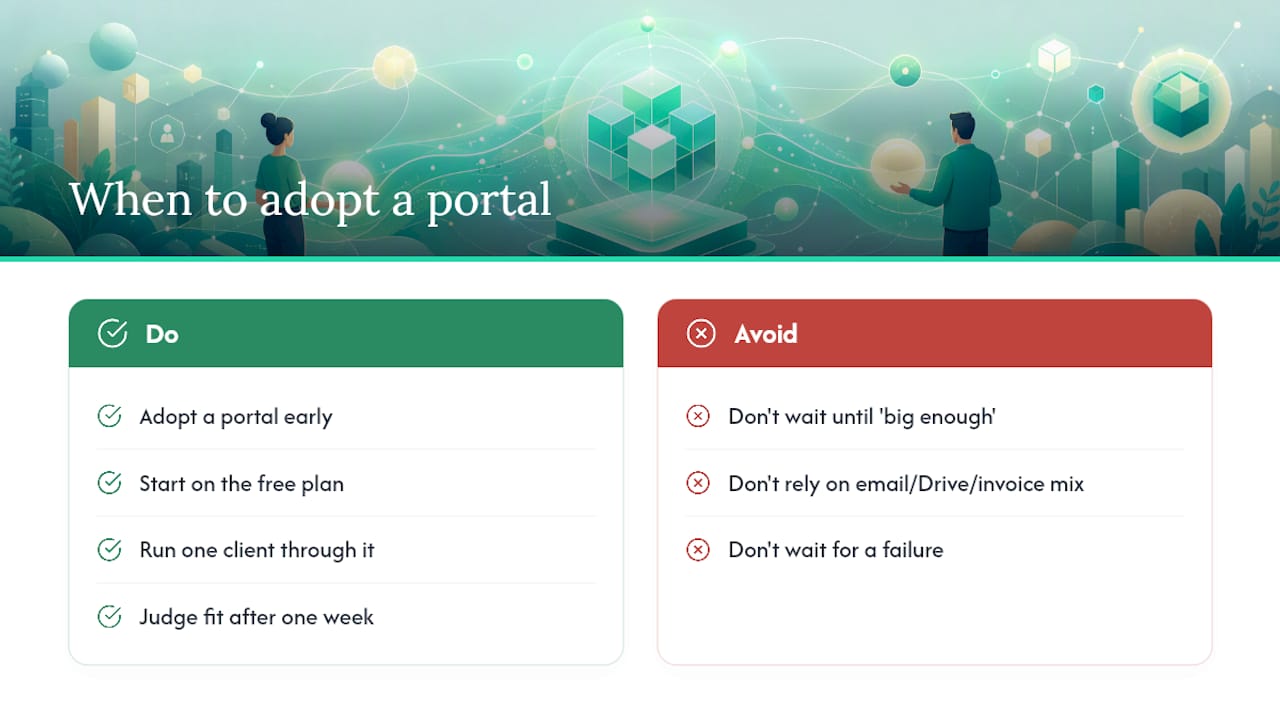
Most freelancers wait too long to set up a proper client portal. The usual reasoning is that the current system, a mix of email, Google Drive, and a separate invoicing tool, works well enough. It does, until it does not. A missed approval, a late payment tied to a lost invoice, or a client who simply stops responding because the process felt too chaotic: these are the moments that reveal the cost of "good enough."
The more useful frame is this: a portal is not a tool you adopt when your business gets big enough to justify it. It is a tool that helps your business get big enough. Clients who experience a clean, organized workspace from day one are more likely to return, refer others, and pay on time. The professionalism signal is immediate and it compounds.
The one caveat worth naming: if you are doing occasional one-off gigs with no repeat clients and no ongoing deliverables, a full portal may be more infrastructure than you need right now. Start with the free plan, run one client through it, and let the experience tell you whether it fits. The setup cost is low enough that the answer will be obvious within a week.
What Realclient gives you from day one
Realclient is built for freelancers who want a professional client workspace without managing a stack of disconnected tools. Every plan includes the features that actually move the needle: branded portals, integrated invoicing, Stripe and PayPal payment collection, e-signatures, and secure file sharing, all in one place.

Over $48 million has been invoiced through Realclient portals by independent professionals who needed a system that works as hard as they do. The free plan lets you set up a branded workspace, invite a client, and send your first invoice before you spend a dollar.
What the trial includes:
- A fully branded client portal with your logo and colors
- Invoice creation and payment collection via Stripe or PayPal
- E-signature and contract management
- Secure file sharing with client-only access
- Client invite and onboarding message tools
See plans and start your free trial at Realclient and have your first client portal live today.
Further reading and authoritative sources
- Self-Employed Individuals Tax Center | Internal Revenue Service
- Gig economy | Statista
- Freelancers Union
- RealClients — Client Portals for Freelancers & Small Businesses
- RealClients — Client Portals for Freelancers & Small Businesses