
For most freelancers, agencies, and small businesses, Realclient is the strongest fit for custom client portal software. It consolidates onboarding, messaging, file sharing, e-signatures, and payments into one branded workspace, which means less back-and-forth and faster time-to-pay. Start with a free plan, invite up to five real clients, and run two live workflows (a proposal-to-approval and an invoice payment) to validate fit before you commit.
Table of Contents
- What features should your custom client portal include?
- How do you actually build a custom client portal?
- What security standards should you demand from a portal vendor?
- How do you choose the right portal vendor?
- How do portal pricing models actually work?
- How long does it take to launch a client portal?
- What results can a custom client portal actually deliver?
- Key Takeaways
- Why the "just use email and a shared drive" argument keeps failing
- Realclient gives you a branded portal that clients actually use
What features should your custom client portal include?
A client portal earns its place when it covers the full client lifecycle, not just file storage. The features below are the ones that actually move the needle for small teams.
- Client onboarding: Structured intake forms and questionnaire templates cut the back-and-forth that kills early momentum.
- Messaging and communication: Threaded, per-client conversations replace scattered email chains and keep context in one place.
- Document management: File sharing with version history means clients always download the right file, and you always know what they saw.
- Project and milestone views: A simplified client-facing view of progress, separate from your internal task board, keeps clients informed without exposing internal complexity.
- Contracts and e-signatures: Native signing removes the need for a separate DocuSign account and keeps the approval loop inside the portal.
- Invoicing and payments: Stripe and PayPal integration lets clients pay the moment they approve work, which is the single biggest driver of faster payment cycles.
- Analytics: Engagement data (who opened what, when) tells you which clients are stuck and which are ready to move.
- White-labeling and custom domain: Your brand, not the vendor's, is what clients see. That matters for trust.
- Role-based permissions: Granular access controls keep sensitive documents away from the wrong people.
Three use cases that show how these features combine:
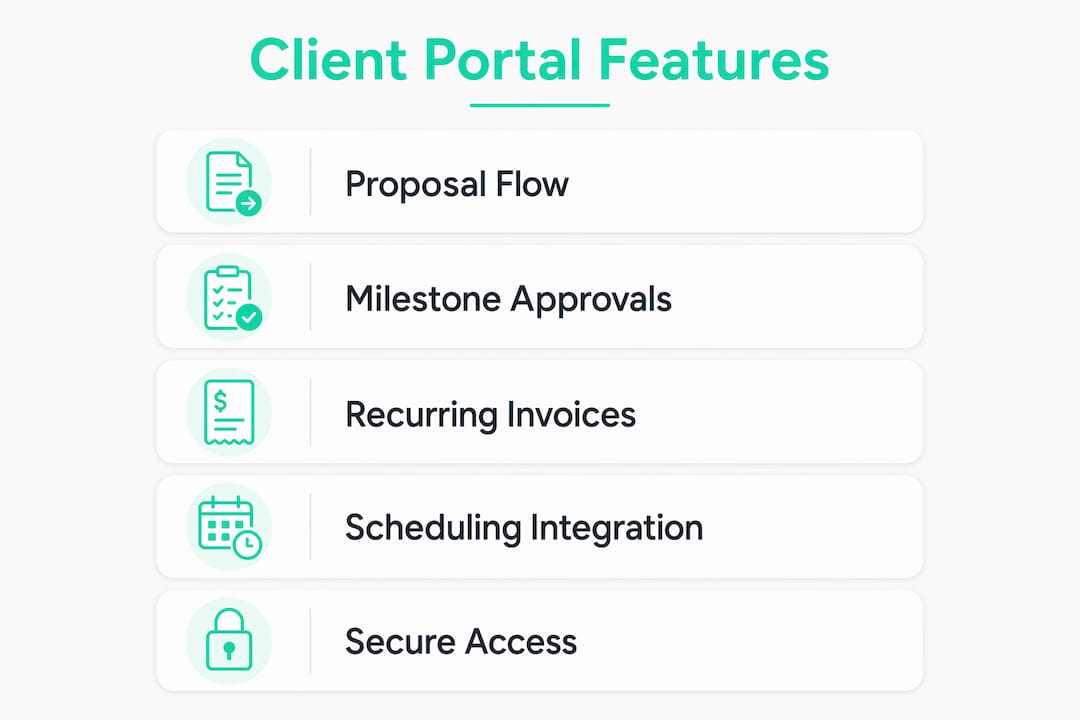
Freelancer proposal-to-invoice flow. A designer sends a proposal through the portal, the client signs the contract via e-signature, and the invoice triggers automatically on approval. Payment lands in the designer's account without a single follow-up email.
Agency milestone approvals. An agency sets up milestone checkpoints in the portal. Clients review deliverables, leave feedback in threaded messages, and approve each phase before the next begins. No more "I never saw that file" disputes.

Recurring services. A consultant running monthly retainers uses the portal to auto-generate invoices, share monthly reports, and collect signatures on updated scope documents, all from one dashboard.
For appointment-heavy service businesses, scheduling integrations that sync calendars and send automated reminders can also reduce no-shows and cut manual coordination significantly.

How do you actually build a custom client portal?
The build approach you choose shapes your cost, launch speed, and long-term flexibility. Here is how the three main paths compare.
| Approach | Best for | Typical timeline | Cost shape | Key trade-off |
|---|---|---|---|---|
| Templated portal (SaaS) | Solo freelancers, standard workflows | Days | Flat monthly tier | Fast to launch; limited customization |
| No-code / low-code custom | Small agencies, unique workflows | Days to weeks | Per-client or per-seat | Flexible; requires setup time |
| Bespoke development | Enterprise, highly specific needs | Weeks to months | High upfront + maintenance | Maximum control; expensive and slow |
For most small teams, a no-code or low-code platform hits the right balance. You get a portal that fits your actual workflow without hiring a developer, and you can adjust it as your process evolves. Bespoke development makes sense only when your workflow is genuinely too complex for any existing platform, which is rare for teams under 20 people.
One thing practitioners consistently flag: forcing clients into tools built for internal teams (think Jira or Trello) tanks adoption. The portal must expose a clean, simplified client view while keeping your internal complexity hidden. Modular platforms that let you turn features on or off per client type tend to outperform rigid templates for exactly this reason.
Common integrations to look for: Stripe/PayPal for payments, Google Drive or OneDrive for file sync, calendar and scheduling tools for appointment-based businesses (see scheduling best practices for service-specific patterns), CRM connections to keep client records in sync, and open APIs for anything custom.
What security standards should you demand from a portal vendor?
Security is where many buyers get burned by skipping the vendor vetting step. Here is the checklist to run before you sign anything.
- Encryption in transit and at rest: TLS 1.2 or higher for data in transit; AES-256 (or equivalent) for stored data.
- Role-based permissions: Every user should see only what their role allows. Test this during the trial.
- Two-factor authentication (2FA) and SSO support: Non-negotiable for any team handling sensitive client documents.
- SOC 2 Type II certification: The most common US-market standard for SaaS security. Ask for the report, not just the badge.
- HIPAA-readiness: Required if you handle any health-related client data.
- Regular backups and a documented uptime SLA: Know what "99.9% uptime" actually means in hours of downtime per year (it is roughly 8.7 hours).
- Audit logs: Every permission change, file access, and login attempt should be logged and searchable.
Realclient publishes its security controls and compliance posture publicly, which makes vendor vetting straightforward.
Pro Tip: During your trial, create a test client account, attempt to access a document that account should not see, then try to change the account's role. Check the audit log afterward. If the log does not show those events, the vendor's access controls are not production-ready.
On data residency: if your clients or contracts require US-based data storage, confirm the vendor's data centers are US-located. Many offshore platforms do not meet this requirement by default.
How do you choose the right portal vendor?
Use this table to score vendors during demos. Any criterion marked "required" is a disqualifier if the vendor cannot meet it.
| Criterion | What to check | Required? |
|---|---|---|
| Client workflow fit | Can you map your proposal-to-payment flow without workarounds? | Yes |
| White-labeling / custom domain | Full brand control, no vendor logo visible to clients | Yes |
| Pricing model | Per-client vs. per-seat; how does cost scale at 50 clients? | Yes |
| Integrations | Stripe/PayPal, calendar, CRM, Google Drive | Yes |
| Security certifications | SOC 2 Type II; HIPAA if applicable | Yes |
| Support and onboarding | Live chat, email, or dedicated onboarding help | Recommended |
| SLA / uptime | 99.9% or better with a documented SLA | Recommended |
| Export / data portability | Can you export all client data if you leave? | Yes |
Questions to ask in a vendor demo:
- What is included in the trial, and are any features gated?
- How does pricing change when I go from 10 to 50 clients?
- Are there limits on the number of templates or automations per plan?
- What is your backup frequency and recovery time objective?
- Can I export all client records and files if I cancel?
Red flags to walk away from: hidden per-seat fees that only appear at renewal, a closed ecosystem with no API or export option, uptime SLAs below 99.9%, and vendors who cannot produce a SOC 2 report on request. A portal software comparison across multiple options can help you spot these patterns before you commit.
How do portal pricing models actually work?
Pricing shapes vary more than most buyers expect, and the wrong model can double your cost as you grow.
- Per-seat pricing charges by the number of internal users (your team members). It is predictable for small teams but gets expensive fast if you add staff.
- Per-client pricing charges based on how many client accounts you create. This suits solo freelancers and small agencies with a defined client roster, but costs can spike during growth phases.
- Record or usage-based pricing charges by the volume of data records or storage. It scales smoothly but requires careful forecasting.
- Flat-tier pricing bundles a set of features at a fixed monthly price. It is the easiest to budget and works well for teams whose client volume stays relatively stable.
For most freelancers and small agencies, per-client or flat-tier pricing is the most predictable. Per-seat models favor teams where client volume is high but headcount is low. Before signing, calculate your cost at 2x your current client count, not just today's number.
Budgeting tips: Always ask about annual discounts (typically 15–20% off monthly rates), check whether migration assistance is included, and confirm whether trial features are identical to paid features. A trial that hides key features is not a real trial.
How long does it take to launch a client portal?
Realistic timelines depend almost entirely on your build approach and how much data you need to import.
A templated SaaS portal can be live in a day or two. A no-code custom build typically takes one to three weeks when you account for branding, permissions mapping, and integration testing. Fully bespoke development runs from several weeks to several months, and the biggest time sinks are always data import, permissions configuration, and integration testing, not the build itself.
30-day launch checklist for small teams:
Week 1: Sign up for a trial, configure branding and custom domain, set up role-based permissions, and connect your payment processor.
Week 2: Import or create your first five client records, build your core templates (proposal, contract, invoice), and connect your calendar or CRM integration.
Week 3: Run a live pilot with two to three real clients. Execute a full proposal-to-payment workflow and a milestone approval. Note every friction point.
Week 4: Fix the friction points from the pilot, finalize permissions, confirm audit logs are working, and go live with your full client list.
The fastest teams limit scope to a minimum viable portal at launch, add features after clients are active, and use pre-built templates wherever possible. Trying to build everything before inviting the first client is the most common reason launches stall.
What results can a custom client portal actually deliver?
Realclient's own numbers make the business case concrete. Freelancers and agencies using Realclient have processed over $48 million invoiced through their portals, a figure that reflects real payment throughput from small teams, not enterprise contracts.
The impact of consolidating onboarding, contracts, and payments into one branded portal is measurable: teams that run their full proposal-to-payment workflow inside Realclient report fewer follow-up emails, faster client approvals, and payment cycles that close without manual chasing. The portal removes the friction points (a missing signature, a lost invoice, an unanswered email) that delay payment in fragmented workflows.
You can browse live portal examples in Realclient's showcase to see how real teams have structured their client workspaces, which is a faster way to validate fit than reading feature lists.
For teams that have used Realclient to replace a mix of email, Google Drive, and a separate invoicing tool, the consolidation alone tends to cut client communication overhead noticeably. The client management portal approach works because it puts the entire client relationship in one place your clients can actually navigate.
Key Takeaways
Realclient is the strongest starting point for freelancers, agencies, and small businesses that need a branded, no-code client portal with built-in payments, e-signatures, and role-based permissions.
| Point | Details |
|---|---|
| Start with a five-client pilot | Run a real proposal-to-payment workflow during the trial to validate fit before committing. |
| Prioritize lifecycle features | Onboarding, e-signatures, invoicing, and messaging in one portal eliminate the fragmented-tool problem. |
| Vet security before you sign | Require SOC 2 Type II, 2FA, audit logs, and a documented uptime SLA from any vendor. |
| Choose the right pricing model | Per-client or flat-tier pricing is most predictable for growing freelancers and small agencies. |
| Realclient's proof point | Over $48 million invoiced through Realclient portals demonstrates real payment throughput for small teams. |
Why the "just use email and a shared drive" argument keeps failing
The conventional wisdom among newer freelancers is that a dedicated portal is overkill until you hit some magic client count. That argument collapses the moment you have three clients, two active projects, and one invoice that has been "in their inbox" for two weeks.
The real cost of fragmented tools is not the time you spend managing them. It is the delay between doing the work and getting paid, and the professional impression you make when a client has to dig through email threads to find their contract. A branded portal signals that you run a real business. Clients who can log in, see their project status, sign a document, and pay an invoice in one place are clients who pay faster and refer more.
What most articles miss is that the portal is not primarily a tool for you. It is a tool for your client. The simpler and cleaner their experience, the less friction between approval and payment. That is the actual ROI, and it shows up in automated follow-up workflows and payment cycle data, not in feature comparison tables.
Realclient gives you a branded portal that clients actually use
Realclient is built specifically for freelancers, agencies, and small businesses that need a professional client workspace without the complexity of enterprise software. Your clients get a private, branded portal with their project updates, files, contracts, and invoices in one place. You get e-signatures, Stripe and PayPal payments, role-based permissions, and bank-grade security, all without stitching together five separate tools.

The free plan lets you get started today. For a real validation, invite five clients, run a proposal-to-approval workflow and a payment, and check your time-to-pay against your current process. Browse the portal showcase for setup inspiration, and review the security page if you need to verify compliance details before signing up. When you are ready to go live, start your Realclient trial and have your first branded portal running within the week.