
The best customer portal software in 2026 comes down to five platforms worth your serious attention: Realclient, Zendesk, Zoho Creator, Zapier, and Clinked. Each solves a different version of the same problem, which is centralizing client communication and service delivery without the chaos of scattered emails and disconnected tools. The table below gives you the shortlist at a glance.

| Platform | Best For | Key Features | Pricing | Integrations | Ease of Use | Security |
|---|---|---|---|---|---|---|
| Realclient | Freelancers, agencies, small businesses | E-signatures, invoicing, file sharing, Stripe/PayPal, project tracking, custom domains | Free plan; paid tiers by client count | Stripe, PayPal, Zapier | Very high | Bank-grade encryption, granular permissions |
| Zendesk | Enterprise customer support teams | Ticketing, knowledge base, live chat, SLA management | — | 1,000+ apps via Marketplace | Moderate | SOC 2 Type II, GDPR |
| Zoho Creator | Businesses needing custom low-code portals | Drag-and-drop builder, CRM integration, workflow automation | — | Zoho suite, REST APIs | Moderate | Role-based access, audit logs |
| Zapier | Teams automating multi-app workflows | 7,000+ app connections, no-code automation, multi-step zaps | Free tier; paid plans available | Universal connector | High | SOC 2, TLS encryption |
| Clinked | Client-facing collaboration for agencies | Branded portals, file sharing, group chat, task management | From $119/month | Google Drive, Zapier, API | High | ISO 27001, two-factor authentication |
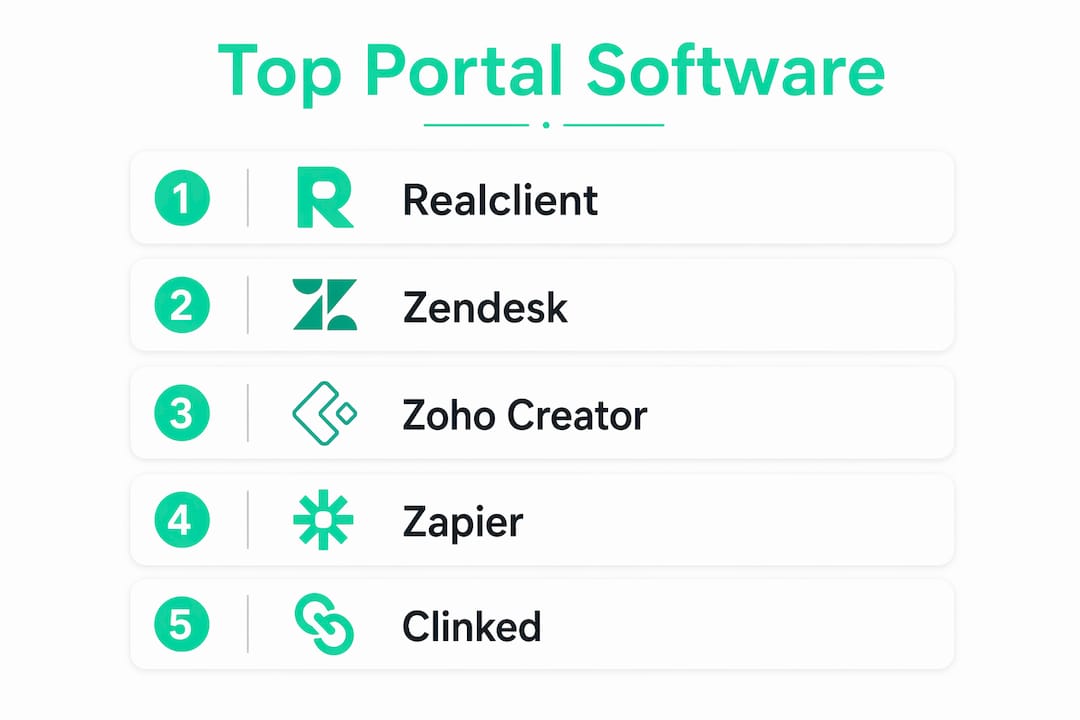
No single platform wins every category. Realclient leads for freelancers and small agencies who need a complete client workspace without stitching together five separate tools. Zendesk is the go-to for high-volume support operations. Zoho Creator suits teams that need a custom-built experience without hiring developers. Zapier works best as a connective layer rather than a standalone portal. Clinked hits the sweet spot for agencies that want a polished, branded client space with solid collaboration features.
Table of Contents
- What is customer portal software and why does your business need one?
- What key features should you look for in a client portal?
- How do the top customer portal solutions compare in depth?
- How do you choose the right customer portal software for your business?
- Why Realclient leads for freelancers and small businesses
- What does implementation actually look like?
- What should you expect from customer support and SLAs?
- Realclient is built for the way you actually work
- Key Takeaways
What is customer portal software and why does your business need one?
A customer portal is a secure, role-aware platform where clients log in to access information, complete tasks, and interact with your business on their own schedule. Think of it as a private workspace you create for each client, replacing the back-and-forth email threads, shared Google Drive folders, and missed Slack messages that slow every project down.
The distinction between a client portal and a customer portal matters when you're choosing software. Client portals suit high-touch, relationship-driven models like agencies and freelancers, while customer portals fit high-volume, scalable self-service environments. Knowing which model fits your business shapes every feature decision you make.
The business case for self-service portals is well established. Self-service portals reduce support calls and email volume significantly, per Gartner and Forrester research, and they are a key driver of B2B customer retention. When clients can check project status, download a file, or sign a contract without sending you a message, you get your time back.
Here is what a well-built portal actually does for your business:
- Centralizes communication so every message, file, and update lives in one place instead of across three apps
- Reduces manual follow-up by automating notifications when milestones are hit or documents need signing
- Speeds up payments by connecting invoicing directly to the client workspace
- Builds trust through a branded, professional experience that signals operational maturity
- Scales with you without requiring a new tool every time your client roster grows
For freelancers and small business owners, the right client portal system is often the difference between looking like a solo operator and looking like a polished, reliable firm.
What key features should you look for in a client portal?
Not all portals are built the same. The features that matter most depend on your workflow, but a few capabilities separate the platforms that grow with you from the ones that create new bottlenecks.

A modern portal must offer granular role-based access, real-time visibility into live CRM or ERP data, automated workflows, and compliance measures baked in from the start. Static document-sharing hubs no longer meet 2026 expectations. Clients expect dynamic, personalized workspaces.
The features worth prioritizing:
- Granular permissions and role-based access: Control exactly what each client sees. A freelancer managing five clients should not have one client viewing another's files.
- File sharing with version history: Clients need to access the right version of a document without emailing you to ask which one is current.
- E-signatures and contract management: Removing the DocuSign round-trip from your workflow saves days per project.
- Integrated invoicing and payment processing: Stripe and PayPal connections inside the portal mean clients pay faster because the friction is gone.
- Automated notifications and workflow triggers: When a milestone is complete or a document is ready, the portal should tell the client automatically.
- Audit trails and consent management: Security and compliance are non-negotiable, especially with GDPR and NIS2 requirements tightening across industries.
- Custom branding and domain: Your portal should look like your business, not a third-party tool.
- Scalability: The platform should handle ten clients today and two hundred next year without a platform migration.
Pro Tip: Start with the simplest version of your portal first: status updates and file sharing. Add billing, e-signatures, and automated workflows once clients are comfortable logging in. Portals that fail silently almost always tried to do too much too soon.
How do the top customer portal solutions compare in depth?
The comparison table in the opening gives you the quick view. Here is what actually matters when you dig into each platform.
Realclient
Realclient is purpose-built for freelancers, agencies, and small businesses. The platform gives you private, branded workspaces where clients view project updates, download files, sign contracts, and pay invoices without leaving the portal. The integration of e-signatures, Stripe, and PayPal directly into the workspace is a feature that sets it apart from most alternatives, which require you to connect separate tools for each function. Realclient offers a free plan with limited features, with paid tiers scaling by client count, storage, and team members.
Zendesk
Zendesk is an enterprise-grade customer service portal built around ticketing, knowledge bases, and SLA management. It handles high-volume support operations well, with over 1,000 integrations through its Marketplace. The tradeoff is complexity: setup takes time, and the per-agent pricing model adds up quickly for growing teams. For a freelancer or small agency, Zendesk is more infrastructure than you need. For a mid-market or enterprise support team, it is a proven platform.
Zoho Creator
Zoho Creator is a low-code application builder that lets you design a custom portal without writing code from scratch. It connects natively to the broader Zoho suite (CRM, Books, Projects) and supports REST API integrations for external systems. Custom-built portals on low-code frameworks with CRM integration tend to deliver better ROI for businesses with complex or proprietary workflows. The learning curve is real, though. You will spend time configuring it before clients ever log in.
Zapier
Zapier is not a portal in the traditional sense. It is an automation layer that connects your existing tools, including whatever portal you already use. Its strength is breadth: 7,000+ app connections and multi-step automation without code. If your portal needs to trigger actions in your CRM, accounting software, or project management tool, Zapier handles that bridge. Used alone, it does not give clients a place to log in and collaborate.
Clinked
Clinked is a white-label client collaboration platform with strong branding options, ISO 27001 certification, and a clean interface. It covers file sharing, group messaging, task management, and branded portals well. Pricing starts at $119/month, which positions it above entry-level options. Agencies managing multiple client accounts at once tend to get the most value from it.
Pricing comparison at a glance:
| Platform | Entry Price | Pricing Model | Free Tier |
|---|---|---|---|
| Realclient | Free plan available | Tiered by client count | Yes |
| Zendesk | — | Per agent | No (trial only) |
| Zoho Creator | — | Per user | Yes (limited) |
| Zapier | — | Tiered by task volume | Yes |
| Clinked | $119/month | Flat monthly tiers | No (trial only) |
Hidden costs are where many buyers get surprised. External-user licensing and implementation costs are often overlooked when evaluating enterprise platforms. A per-agent model that looks affordable at five seats gets expensive at fifty.
How do you choose the right customer portal software for your business?
The build-vs-buy decision is the first fork in the road. Off-the-shelf SaaS platforms like Realclient or Clinked work well when your needs align with their feature sets. Proprietary workflows needing live data access favor custom or low-code builds for sustainable ROI, while standard needs benefit from proven SaaS solutions.
Work through these questions before you commit to any platform:
- What does your client actually need to do in the portal? Status checks and file downloads are simple. Contract signing, milestone approvals, and payment collection add complexity.
- What tools does it need to connect to? A portal that does not talk to your CRM or accounting software creates a new data silo.
- How many clients will use it in 12 months? Per-client pricing models scale differently than per-seat models.
- Who on your team will manage it? A no-code platform is only an advantage if the person configuring it does not need developer support.
- What compliance requirements apply to your industry? GDPR, HIPAA, and NIS2 each impose different technical obligations on how client data is stored and accessed.
Composable architectures that decouple identity, content, and workflows give you the flexibility to add features without rebuilding from scratch. Prioritizing visible features over scalable architecture is one of the most common reasons portal projects fail.
For most freelancers and small businesses, the right answer is a purpose-built platform that handles the core workflow out of the box. You can always layer in customer communication management tools as your needs grow.
Pro Tip: Before signing any contract, run a pilot with two or three real clients. Adoption is the metric that matters. A portal your clients do not log into is just an expensive folder.
Why Realclient leads for freelancers and small businesses
Realclient was built specifically for the way freelancers and small agencies actually work. That focus shows in the feature set. You get a private, branded workspace for each client, with messaging, file sharing, version history, e-signatures, contract management, invoicing, and payment processing all in one place. There is no need to connect a separate e-signature tool, a separate invoicing app, and a separate payment processor. It is all there.
The platform's bank-grade security and granular permissions mean you control exactly what each client sees. Custom domains let the portal carry your brand, not Realclient's. Appointment scheduling and project milestone tracking give clients visibility into where things stand without them needing to email you.
The numbers back it up. Realclient portals have been used extensively for invoicing by many businesses, confirming that real businesses are using it to run real client relationships at scale.
Here is what Realclient gives you that most alternatives do not bundle together:
- Integrated e-signatures so contracts get signed inside the portal
- Stripe and PayPal payment processing without a third-party connection
- Project milestone tracking with client-visible status updates
- File sharing with version history so clients always have the right document
- Custom domain and branding so the portal looks like your business
- A free plan to start, with paid tiers that scale as your client roster grows
For a freelancer managing ten clients or an agency handling fifty, the alternative is usually a combination of Google Drive, DocuSign, PayPal invoices, and email threads. Realclient replaces that entire stack. You can explore how other freelancers and studios use it to see what a polished client portal actually looks like in practice.
What does implementation actually look like?
Getting a portal live does not have to take months. Well-structured portal projects can deploy initial solutions in weeks, especially when you start with a focused scope: status updates, file sharing, and basic messaging. Incremental deployment using modular architecture reduces risk and lets you validate adoption before adding complexity.
For Realclient, onboarding is designed to be fast. You set up your branded workspace, invite clients, and the core features are ready to use without a configuration project. Platforms like Zendesk or Zoho Creator require more setup time because they are more configurable. A Zendesk deployment for a mid-market support team typically involves workflow configuration, knowledge base population, and agent training before it goes live.
The practical advice here is to resist the urge to launch with every feature enabled. A phased rollout, starting simple and adding billing or workflow automation in a second phase, consistently outperforms a big-bang launch in terms of client adoption. Clients who find the portal useful on day one come back. Clients who find it confusing on day one do not.
What should you expect from customer support and SLAs?
Support quality varies significantly across these platforms, and it matters more than most buyers realize during evaluation.
Zendesk offers tiered SLAs tied to pricing plans, with faster response times at higher tiers. Enterprise plans include dedicated support managers. For a small business on an entry-level plan, support is primarily self-service through documentation and community forums.
Clinked provides email and live chat support across its plans, with priority support on higher tiers. Its ISO 27001 certification means security incidents have defined response protocols.
Zoho Creator support follows Zoho's standard model: email support on all plans, with phone support available on premium tiers. Response times are generally acceptable for non-critical issues.
Realclient's support is built for the freelancer and small business context. You are not waiting in a queue behind enterprise accounts. For teams evaluating client management platforms, the responsiveness of support during onboarding often determines whether adoption succeeds or stalls.
One thing worth checking before you commit to any platform: whether the SLA covers the features you actually use. Some platforms offer strong uptime guarantees on their core infrastructure but do not cover third-party integrations. If your portal's payment processing or e-signature functionality goes down, you want to know who is responsible for fixing it and how fast.
Businesses that rely on client portals as a core operational tool, particularly in eCommerce customer support or professional services, should treat SLA terms as a non-negotiable part of the vendor evaluation, not an afterthought.
Realclient is built for the way you actually work
If you are a freelancer, realtor, or agency owner who has been managing clients across email, shared drives, and separate invoicing tools, Realclient gives you everything in one place without the enterprise price tag or the months-long setup.

The platform handles your branded client workspace, file sharing, e-signatures, contracts, invoicing, and Stripe or PayPal payments from a single dashboard. Clients get a clean, professional portal that carries your brand. You get visibility into every project, faster payment cycles, and fewer "just checking in" emails. Over $48 million invoiced through Realclient portals in the last year confirms it as a proven choice for small business client management. Start with the free plan and see how it changes your client workflow. When you are ready to scale, the paid tiers grow with your roster. Visit Realclient to set up your first branded portal today.
Key Takeaways
The best customer portal software for freelancers and small businesses combines e-signatures, payment processing, file sharing, and branded workspaces in a single platform, with Realclient purpose-built for exactly that use case.
| Point | Details |
|---|---|
| Match portal type to your model | Client portals suit relationship-driven work; customer portals fit high-volume self-service environments. |
| Start simple, then expand | Launch with status updates and file sharing before adding billing or complex workflows to drive adoption. |
| Hidden costs add up | External-user licensing and implementation fees are often overlooked when evaluating enterprise portal pricing. |
| Security is non-negotiable | Audit trails, consent management, and granular permissions are required to meet GDPR and NIS2 standards. |
| Realclient for freelancers and agencies | Over $48 million invoiced through Realclient portals confirms it as a proven choice for small business client management. |