
What are the best CRM options for service companies in 2026?
The strongest CRM platforms for service companies right now combine client contact management, workflow automation, scheduling, and mobile access in one place. After evaluating the leading options, here are the top picks across different service business types.
| CRM | Key Features | Pricing | Best For |
|---|---|---|---|
| monday.com CRM | Custom workflows, project tracking, team collaboration | Starts at $12/seat/month | Teams needing flexible workflow customization |
| HubSpot CRM | Marketing automation, email tools, free tier | Free plan available; paid from $9/user/month | Service businesses wanting all-in-one marketing and sales |
| Zoho CRM | integrations, mobile app, job scheduling | Starts at $12/user/month | Mid-sized service companies needing integrated sales and support |
| Salesforce Sales Cloud | Advanced analytics, app ecosystem, deep customization | Starts in the $12–$29/user/month range | Larger service organizations needing enterprise-grade tools |
| Pipedrive CRM | Visual pipeline, AI suggestions, mobile field support | Starts at $12/user/month | Service teams prioritizing pipeline visibility |
| Creatio CRM | Low-code automation, process templates, no-code builder | Contact for pricing | Businesses wanting process automation without heavy IT |
| SAP Sales Cloud | ERP integration, analytics, enterprise workflows | Contact for pricing | Service orgs with complex ERP-connected operations |
| BigTime PSA | Project billing, time tracking, resource management | Starts in the $12–$29/user/month range | Professional services firms billing by project or hour |
| Accelo | Service automation, real-time dashboards, time tracking | Starts in the $12–$29/user/month range | Agencies and consultancies automating client work |
| Insightly | CRM plus project management, pipeline tools | Starts at $29/user/month | Small to mid-sized service companies blending sales and projects |
| Nimble CRM | Social media integration, contact insights | Starts in the $12–$29/user/month range | Small service businesses focused on relationship building |
| Copper CRM | Native Google Workspace sync, auto data entry | Starts at $9/user/month | Google-first service teams |
Pipedrive, HubSpot, and monday.com CRM consistently top user satisfaction rankings for small to mid-sized service businesses. Salesforce Sales Cloud and SAP Sales Cloud serve larger organizations with more complex needs. For project-based professional services, BigTime PSA and Accelo stand out with billing and time-tracking built directly into the workflow.

How do these CRM platforms compare on features and pricing?
The gap between a generic CRM and one built for service work shows up fast. Service businesses need more than a contact database. They need tools that handle scheduling, field team coordination, automated follow-ups, and billing without requiring a separate app for each task.
Workflow automation and scheduling separate the top platforms from the rest. Automated reminders and pipeline visibility reduce missed appointments and lost revenue in service businesses. Pipedrive's visual pipeline lets field teams see every open job, quote, and follow-up at a glance. monday.com CRM takes a more flexible approach, letting you build custom workflow stages that match your specific service process. Zoho CRM goes further with its Zoho FSM integration, which handles dispatch, work orders, and recurring maintenance schedules directly from the CRM.

Mobile access is a real differentiator for businesses with staff in the field. Zoho CRM's mobile app lets agents update job status, log calls, and generate invoices on-site. Pipedrive's mobile app gives field staff access to customer notes, pricing, and schedules from any device. Copper CRM earns its place for Google Workspace users because it auto-populates contact records from Gmail and Calendar, cutting manual data entry almost entirely.
Pricing tiers vary widely, and the right choice depends on team size and feature needs:
- Free or low-cost entry points: HubSpot CRM offers a genuinely useful free tier for small teams. Copper CRM starts at $9/user/month for Google-integrated teams.
- Mid-range options: Zoho CRM, Pipedrive, and monday.com CRM all start in the $12–$29/user/month range, covering most small to mid-sized service business needs.
- Project-based billing: BigTime PSA and Accelo are priced for professional services firms that bill by project or hour, with time tracking and resource management built in.
- Enterprise tier: Salesforce Sales Cloud and SAP Sales Cloud require custom quotes for larger deployments and include advanced analytics, deep ERP integration, and extensive app ecosystems.
User feedback trends point to a clear pattern. Platforms with simpler interfaces and strong mobile apps get higher adoption rates from service teams. Poor interface design is the most common reason CRM implementations fail in service businesses, not a lack of features. Insightly and Nimble CRM both score well for ease of use among smaller teams. Salesforce and SAP earn high marks for power and depth, but require more training investment upfront.
Pro Tip: Before committing to a platform, run a two-week trial with your actual team using real client data. The CRM that gets used consistently beats the one with the most features every time.
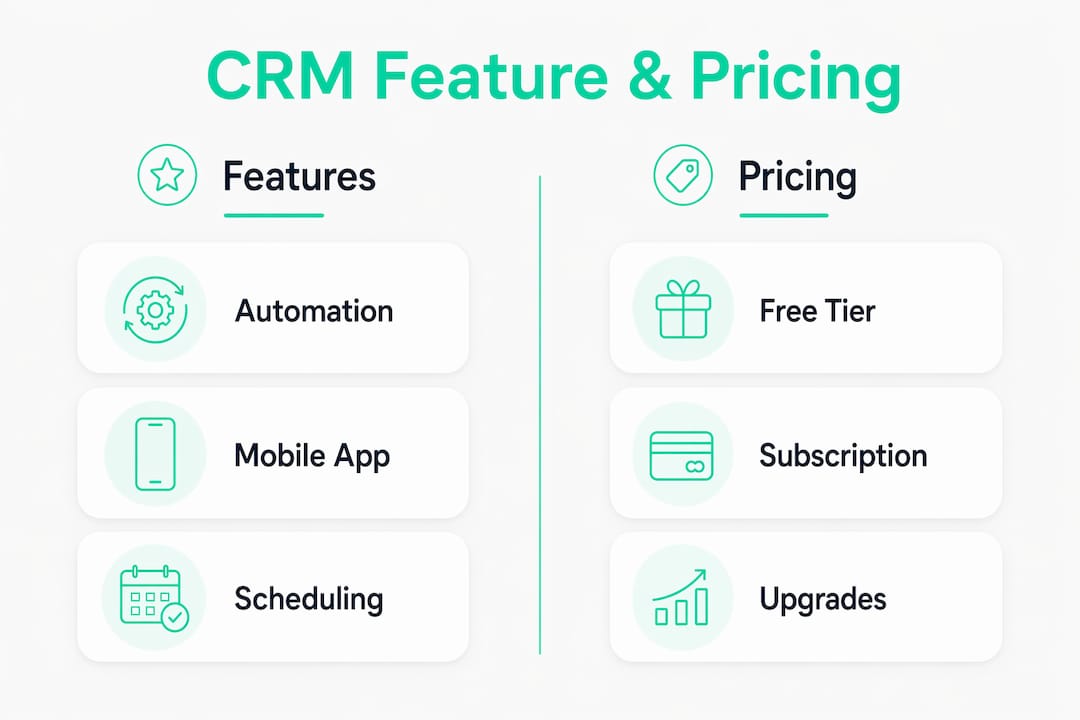
What CRM features do service businesses actually need?
Not every CRM feature matters equally for service work. The capabilities below directly address the day-to-day challenges service business owners face, from scheduling conflicts to slow invoice cycles.
- 360-degree client contact management: Every client interaction, job history, note, and document in one profile. This reduces no-shows and accelerates lead-to-invoice cycles by giving your team instant context before every call or visit.
- Workflow automation for recurring jobs: Automatic reminders, follow-up sequences, and job assignment notifications cut admin time and prevent tasks from falling through the cracks.
- Real-time appointment scheduling: Synced calendars that prevent double bookings and send automated confirmations to clients. Zoho CRM's scheduling tools, for example, let you define service availability and assign staff automatically when a booking is made.
- Automated billing and payment processing: Generating invoices directly from completed jobs and tracking payment status inside the CRM keeps cash flow visible. BigTime PSA and Accelo handle this natively for project-based work. Explore CRM with payment processing options if this is a priority for your business.
- Integrated communication tools: Dedicated business text lines, call logging, and email tracking tied to client records build trust and keep conversations organized. Service businesses that use a dedicated business line rather than a personal phone number project more professionalism and improve client retention.
- Field-to-office data sync: Mobile apps with offline capability, photo capture, and client authorization portals keep field staff and office teams aligned without manual updates.
- Reporting and analytics: Dashboards that show which services drive revenue, which staff members are performing, and where jobs are stalling give owners the visibility to make faster decisions.
Pro Tip: Test your shortlisted CRM's mobile app before you buy. If your field staff can't update a job status or pull up a client's history in under 30 seconds on a phone, adoption will stall within weeks.
How do you choose the right CRM for your service business?
Choosing the right CRM comes down to matching the platform to how your business actually runs, not how you think it should run. A CRM that fits your workflow gets used. One that doesn't gets abandoned.
Work through these steps before you sign up for anything:
- Map your current workflow first. Write down every step from first client contact to final payment. The CRM you choose should cover at least 80% of those steps natively, without heavy customization.
- Prioritize mobile usability. If your team works in the field, a clunky mobile app is a dealbreaker. Test it on the actual devices your staff use.
- Check integration compatibility. List every tool you currently use (scheduling software, accounting apps, communication platforms) and verify the CRM connects to them. Disconnected tool stacks create data silos that hurt productivity and lead to missed follow-ups.
- Evaluate pricing transparency. Some platforms advertise low per-seat costs but charge separately for automation, reporting, or integrations. Get a full cost estimate for your team size before committing.
- Assess scalability. Cloud-based CRM flexibility helps small service businesses scale without heavy IT overhead. Confirm the platform can grow with you without forcing a full migration later.
- Involve your team in the decision. The people who will use the CRM daily should test it. Their feedback on usability matters more than any feature checklist.
- Watch for over-customization traps. Purpose-built vertical CRMs with trade-specific workflows reduce maintenance overhead compared to heavily customized generic platforms. If you're spending more time configuring the CRM than using it, that's a warning sign.
Common pitfalls include underestimating training time, choosing a platform based on features you'll never use, and ignoring vendor support quality. Check whether the CRM offers live support, onboarding assistance, and a knowledge base before you commit. You can also review client management system alternatives to see how different platforms handle these trade-offs.
Pro Tip: Involve at least one frontline team member in your CRM evaluation. They'll catch usability problems in the first 10 minutes that you'd only discover after months of frustration.
Why client portals are worth considering alongside a CRM
A CRM manages your internal operations. A branded client portal manages the client's experience directly. For freelancers, agencies, and small service businesses, the two tools solve different problems, and combining them often produces better results than either alone.
Client portals give your clients a private, organized space to view project updates, download files, sign contracts, and make payments. That structure removes the back-and-forth of scattered emails and missing attachments. Key features that matter most for service professionals include:
- Secure messaging tied to specific projects, keeping communication organized and searchable
- Contract e-signatures that eliminate printing, scanning, and chasing down approvals
- File sharing with version history so clients always access the latest document
- Milestone tracking that keeps clients informed without requiring you to send manual updates
- Appointment scheduling integrated directly into the portal
- Integrated payments via Stripe or PayPal, so clients can pay invoices without leaving the portal
Realclient has processed over $48 million invoiced through its portals, which reflects genuine adoption by freelancers and small service businesses using it as their primary client management layer. Independent studios and agencies using Realclient's platform report faster payment cycles and fewer client communication gaps compared to managing everything through email and separate invoicing tools.
The contrast with a traditional CRM is practical. A CRM like Salesforce or HubSpot is built around your team's internal pipeline. A client portal is built around your client's experience. For service professionals whose work is project-based and relationship-driven, a portal often delivers more immediate impact on client satisfaction than a full CRM implementation.
Does vendor reputation affect which CRM you should choose?
Vendor reputation matters more in CRM than in most software categories because you're trusting a platform with your client data, your billing records, and your team's daily workflow. A vendor that goes quiet when something breaks, or that pushes major pricing changes without notice, creates real operational risk.
HubSpot, Salesforce, and Zoho have long track records and large support ecosystems, including certified partners, active user communities, and extensive documentation. Pipedrive consistently earns high marks for responsive customer support among small business users. Creatio and Accelo are smaller platforms but maintain strong reputations in their respective niches, professional services and agency work.
Before committing, check the vendor's support hours, response time guarantees, and whether live chat or phone support is included in your plan tier. A platform that buries support behind a premium tier is a risk for a small team that can't afford extended downtime.
What security and compliance features should service businesses look for?
Client data in a service business CRM typically includes contact details, payment records, service history, and sometimes sensitive documents. That data needs proper protection.
Look for CRM platforms that offer role-based access controls, so staff only see the data relevant to their role. Encryption at rest and in transit is a baseline expectation for any cloud-based platform in 2026. Zoho CRM includes built-in GDPR compliance tools for businesses serving EU customers. Salesforce Sales Cloud offers extensive compliance certifications including SOC 2 and ISO 27001. For US-based service businesses handling payment data, confirm the platform is PCI DSS compliant or integrates with a compliant payment processor.
Audit logs are worth checking too. Knowing who accessed or changed a client record is useful for both internal accountability and regulatory compliance. Platforms like Accelo and BigTime PSA include audit trail features specifically because their professional services clients often need them for billing disputes or contract reviews.
Can your CRM grow with your service business?
The CRM that fits a five-person team may not work for a 50-person operation. Choosing a platform with clear upgrade paths prevents a painful migration later.
HubSpot's tiered structure scales from a free plan for solo operators up to enterprise plans with advanced automation and reporting. Salesforce Sales Cloud is built for large-scale deployments and handles complex multi-location service organizations. monday.com CRM scales well for growing teams because its workflow customization doesn't require developer involvement. For professional services firms, BigTime PSA and Accelo both offer feature tiers that expand as team size and project complexity grow.
Cloud-based platforms give you the most flexibility here. You can add users, storage, and features without hardware changes or IT projects. The key question to ask any vendor is whether your data migrates cleanly if you ever need to switch, and what the export process looks like. A platform that makes it hard to leave is a risk worth factoring into your decision.
How service businesses are using CRM tools in practice
The most instructive examples come from businesses that chose a CRM based on their specific workflow rather than brand recognition. A consulting firm using Accelo, for instance, gains time tracking and client billing in the same platform where it manages project milestones, eliminating the need for a separate invoicing tool. A home services company using Zoho CRM with the Zoho FSM integration can dispatch technicians, generate work orders, and send invoices from a single dashboard.
Pipedrive's published case study on The Black Ties event services group shows the impact of pipeline visibility on a service business: after implementing Pipedrive's pipeline tracking, the company increased bookings by 120% and doubled its sales conversion rate. That result came from better follow-up visibility, not from adding more staff.
For freelancers and small agencies, the pattern is different. The biggest gains often come from consolidating scattered tools into one platform. Businesses that move from separate email, invoicing, and scheduling tools to a unified system report fewer missed follow-ups and faster payment cycles. Realclient's platform reflects this directly, with over $48 million invoiced through its portals in the last year, showing that consolidation at the client-facing layer produces measurable financial results.
Realclient offers a different approach to client management
The CRMs compared in this article are built around your internal pipeline. Realclient is built around your client's experience, and for freelancers, agencies, and small service businesses, that distinction changes what you actually get done.

With Realclient, you create a private, branded portal for each client where they can view project updates, sign contracts, download files, and pay invoices without a single email thread. No chasing approvals. No lost attachments. Payments go through Stripe or PayPal directly in the portal. Over $48 million has been invoiced through Realclient portals, and the businesses using it consistently report faster payment times and fewer client communication gaps. If you're a freelancer, realtor, or agency owner who wants cleaner client relationships without the complexity of a full CRM, Realclient's client portal is worth a close look.
Key Takeaways
The best CRM for service companies in 2026 depends on team size, workflow complexity, and whether your priority is internal pipeline management or client-facing communication.
| Point | Details |
|---|---|
| Match CRM to your workflow | Choose a platform that covers your actual process natively; heavy customization increases maintenance risk. |
| Mobile usability drives adoption | Field teams need a CRM with a fast, reliable mobile app or adoption will stall regardless of features. |
| Portals complement CRMs | Client portals like Realclient handle the client-facing layer that most CRMs leave to email. |
| Vendor support matters | Check support hours and response guarantees before committing; live support should be included in your plan tier. |
| Realclient for client-facing work | Realclient has processed over $48 million invoiced through its portals in the last year, making it a proven choice for freelancers and agencies managing client relationships. |