
Managing client communication, contracts, invoices, and project tasks in separate tools wastes time for freelancers, small studios, and agencies. Many client portal options lack integrated payments, branding controls, or require multiple subscriptions to cover every client touchpoint. This comparison highlights portal features, branding options, and payment integrations so freelancers, studios, and agencies can pick a tool that streamlines client workflows.
Table of Contents
RealClients
At a Glance
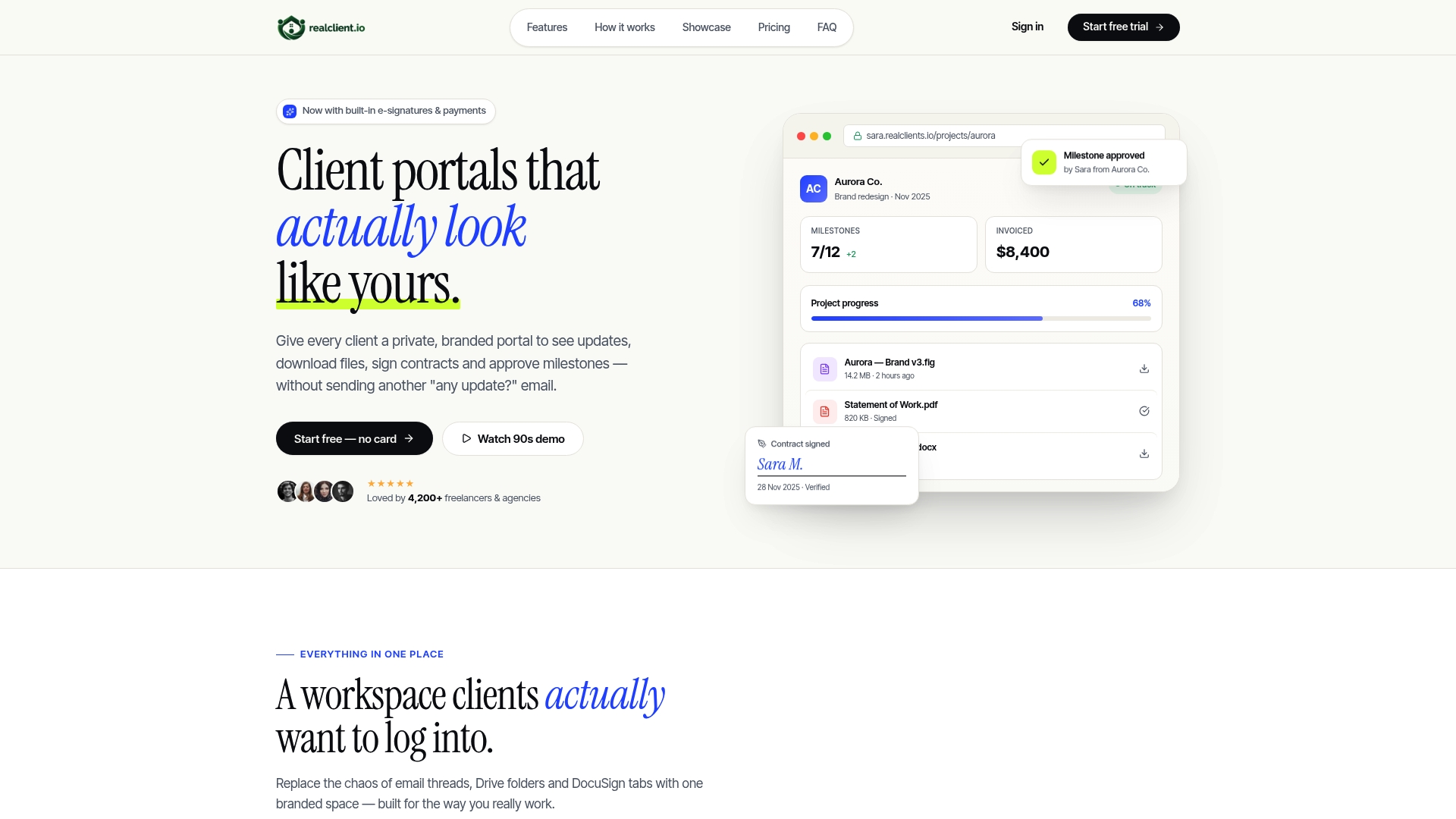
RealClients reports over $48 million invoiced through its portals last year, so payments are a central focus. Each client receives a private branded portal where messages, contracts, invoices, and files live together. That consolidation replaces scattered email threads and external file links for small teams and freelancers.
Core Features
Threaded messaging keeps client conversations in context while plain English timelines show milestones and deadlines. Built-in legal e-signatures and branded invoices work alongside integrated payments via Stripe, PayPal, and bank transfer so transactions happen inside each client portal. File sharing includes version history so you stop sending external links to third party services.
Key Differentiator
RealClients bundles client communication, legal signing, project tracking, invoicing, and secure file sharing into one branded portal per client. That combination keeps every project touchpoint inside a single private space with customizable branding and domain options, which suits small teams and independent studios that prize a polished client experience.
Pros
According to the company, setup takes about 2 minutes, so you can publish a branded portal without a long onboarding process. Consolidating messages, contracts, invoices, and files reduces back-and-forth across email and file services, which shortens administrative work for freelancers and small studios. Built-in e-signatures and integrated payments mean contracts and invoices can be signed and paid inside the same client area.
Cons
- May lack advanced project management features needed for larger or more complex projects.
Who It's For
Freelancers, freelance designers, small design studios, and boutique agencies that want a professional client-facing space. Teams that bill clients directly and want to centralize contracts, invoices, and file delivery will gain the most. Larger firms that need deep task automation or enterprise reporting should evaluate other tools.
Unique Value Proposition
Branded invoices with integrated payments via Stripe, PayPal, and bank transfer let you collect funds inside each client portal. That setup reduces the number of tools you juggle and shortens the path from signed contract to paid invoice. For independent studios, that means fewer missed payments and a cleaner handoff for creative deliverables.
Real World Use Case
A freelance graphic designer creates a portal for each retainer client. Clients sign the scope with the built-in e-signature, download draft files with version history, and pay the branded invoice without leaving the portal. The designer spends less time chasing email threads and more time on billable work.
Website: https://realclient.io
ClientVenue
At a Glance
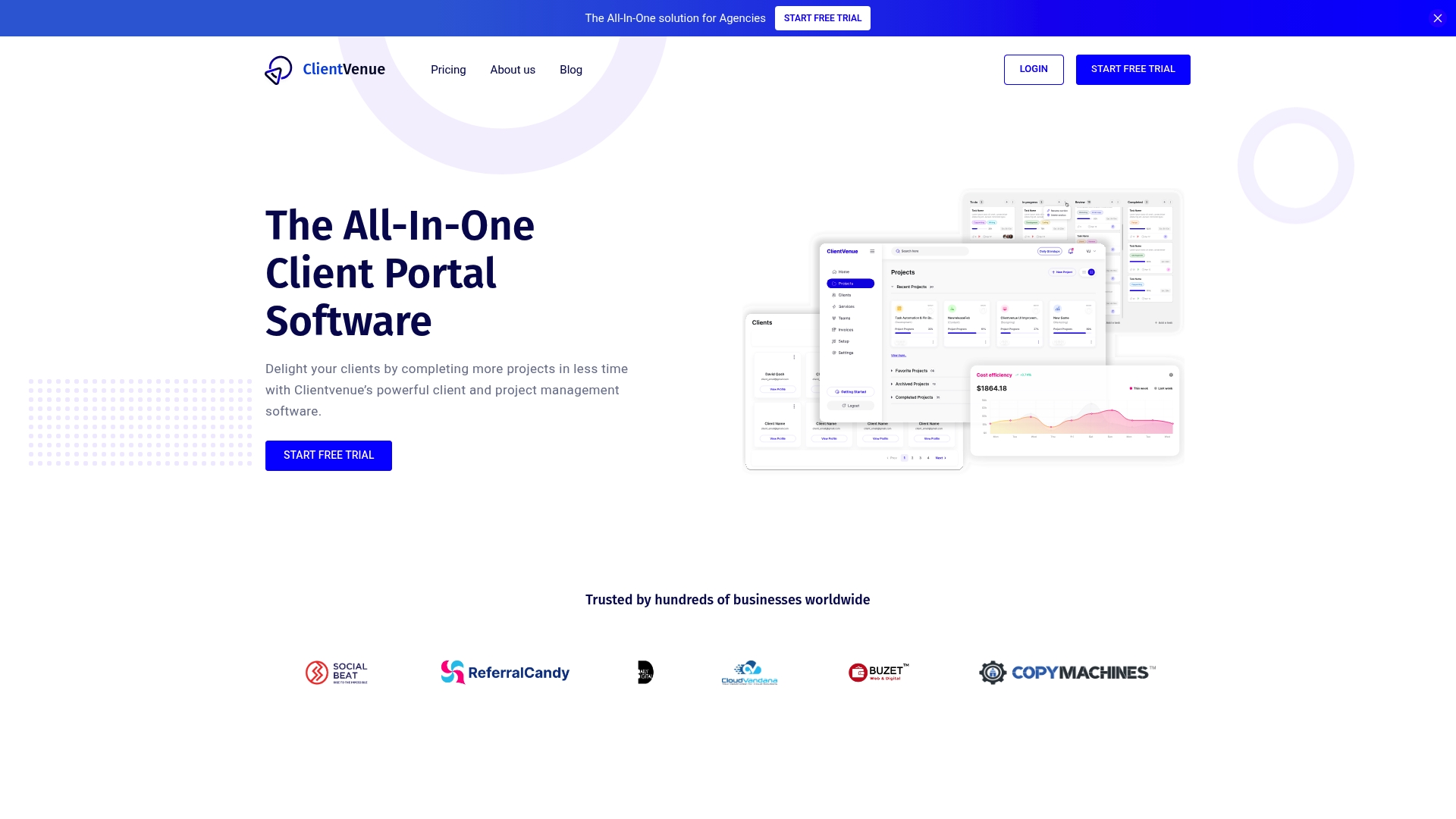
ClientVenue reports being trusted by over 200 marketing agencies globally. The platform targets agencies that want client portals, branded invoices, and automated approvals. It presents project tracking, media storage, and reporting in a whitelabeled interface for agency clients.
Core Features
ClientVenue bundles client onboarding automation, invoice creation with custom branding, and real time project management that supports customizable views, so the platform also stores client media and assets, tracks timesheets, and offers organization wide reports and dashboards on projects, teams, and employees. The product includes whitelabel customization, automated approvals, and native connections to payment and workflow tools.
Key Differentiator
ClientVenue focuses on agency branding and process automation. That focus makes it easier for agencies to deliver a single client experience from onboarding through invoicing while keeping external tool count low.
Pros
The platform consolidates client facing tasks into one place, which reduces the number of separate tools an agency must manage. Its whitelabel customization lets agencies present client portals under their own brand, which improves client perception and keeps communication consistent. Automation for onboarding and approvals cuts repetitive work, and the reporting dashboards give visibility into project and team performance.
Cons
- The platform may have a learning curve for new users unfamiliar with integrated systems. This can slow initial adoption for teams without a dedicated admin.
- Pricing might be a consideration for smaller agencies or startups that prefer single feature tools. Budget conscious teams may need to compare features to plan cost.
- Some users report occasional glitches or UI bugs that require support interventions. Support response times vary by issue.
When It May Not Fit
Teams that need a very simple invoicing or task tracker without client portals will likely find ClientVenue more than they need. Very small boutiques with one or two staff may prefer lighter software with lower cost and fewer features. Agencies that rely on niche specialist tools may face integration gaps.
Notable Integrations
ClientVenue integrates with Stripe, Slack, Zapier, and supports Webhooks. These connections cover payments, notifications, and custom automation workflows for agencies.
Who It's For
Mid sized to large agencies that need integrated project management, client communication, and billing in a branded environment will benefit most. Teams that sell retainers or recurring services and that want a single client facing portal will find ClientVenue aligns with their needs.
Real World Use Case
A digital marketing agency uses ClientVenue to onboard new clients through automated forms, host campaign assets in client portals, and push invoices with agency branding. Internal teams track time via timesheets and review organization wide dashboards to measure campaign profitability.
Pricing
Plans start at $47 per month for the Basic plan and scale up for larger teams with more features and storage. All plans include a 14 day free trial.
Website: https://clientvenue.com
ManyRequests
At a Glance
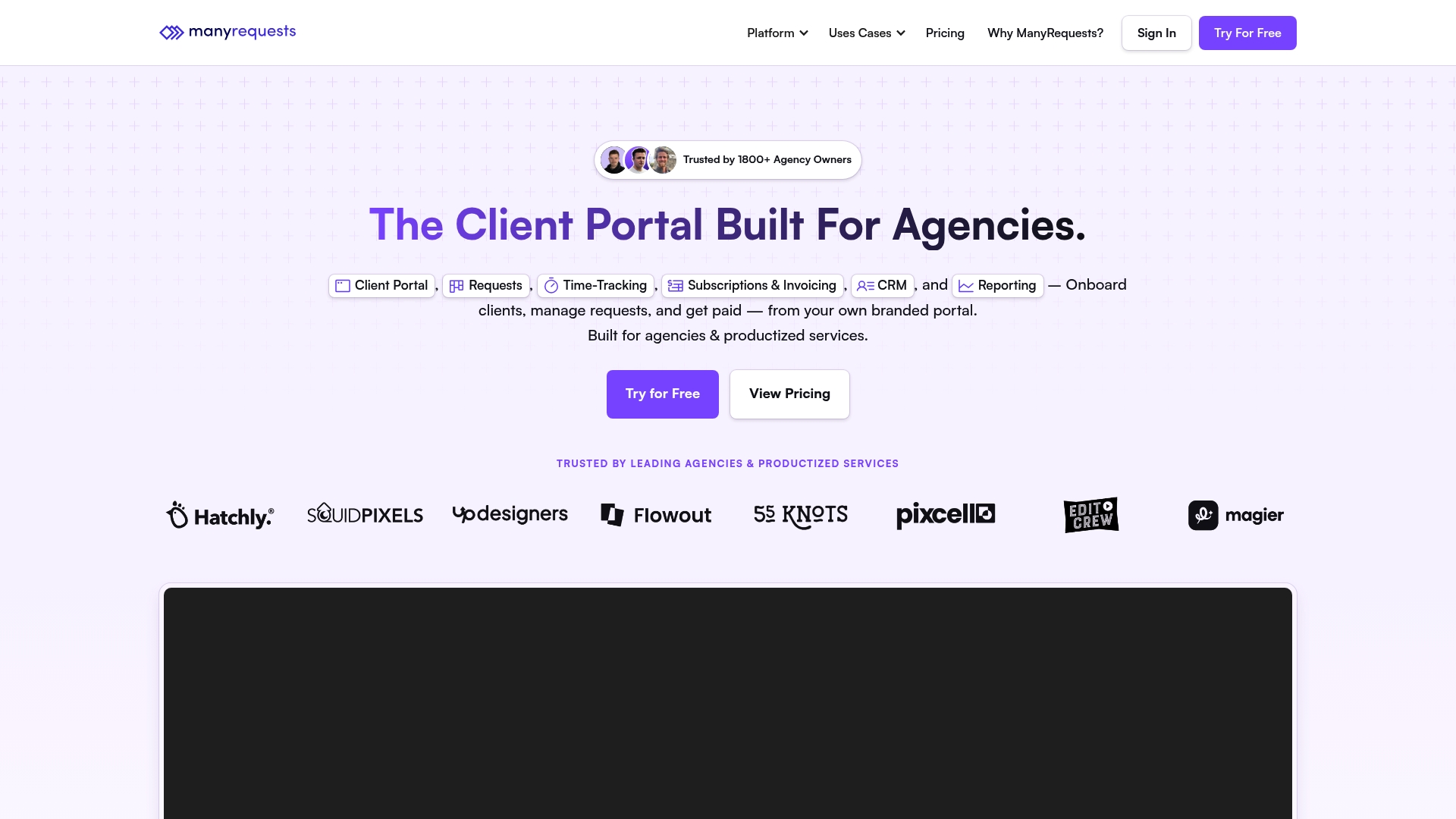
The vendor advertises over 1,000 integrations, including Stripe, Zapier, and ClickUp. ManyRequests targets agencies and productized services by centralizing client onboarding, request intake, billing, and reporting inside a branded portal. The focus is on customization and reducing the number of separate tools an agency must manage.
Core Features
Request intake uses request forms with conditional logic to guide clients and reduce back and forth. Project management supports Kanban, list, and queue views and includes design proofing with version control for creative work. The platform also bundles time tracking, subscriptions and invoicing automation, a client CRM, and reporting for workload and financials.
Key Differentiator
The most distinctive element is the branded portal with deep customization options such as CSS, a custom domain, and multi language support. Native links to common agency tools and automation workflows mean teams can push requests into billing and reporting without complex glue code. That emphasis on client-facing branding separates it from generic task trackers.
Pros
ManyRequests consolidates onboarding, request management, billing, and CRM into a single environment, which cuts the number of tools your team must check daily. The branded portal and customization options let agencies present a polished client experience and host work under their domain. The vendor also advertises broad integrations and offers migration assistance and dedicated support, which helps teams move from fragmented setups.
Cons
- Pricing tiers and included features can be hard to compare across plans, making initial plan selection tricky.
- Some advanced integrations and features require higher tier plans or extra costs.
- Buyer feedback indicates a moderate learning curve when you map complex workflows to the system.
When It May Not Fit
If your agency runs entirely offline or requires an on premises solution, this cloud SaaS will not meet that need. Very small solo practitioners may find an ongoing subscription less attractive than simpler one time tools. Teams that need every advanced integration without upgrading plans should budget for higher tiers.
Notable Integrations
- Stripe, Zapier, Webhooks, Loom, Intercom, Hubspot, Rewardful, ClickUp.
These are representative of the platform connections available and support common agency payment, automation, and communication flows.
Who It's For
Small to medium creative and digital agencies that need a client facing portal and centralized request handling will get the most value. Teams using Webflow or delivering packaged services will appreciate branded client access and request workflows. Freelancers and boutiques can use ManyRequests if they need billing, time tracking, and a unified client experience.
Real World Use Case
A Webflow focused design agency uses ManyRequests to collect scoped design requests through conditional forms. The team tracks time on tasks and ties entries to invoices so billing stays accurate. Clients log into a white labeled portal to view progress, approve proofs, and submit new requests.
Pricing
Plans start at $39/month when paid annually and scale to Core, Pro, and Enterprise tiers. Enterprise options are custom priced and include API access and branded mobile apps. Check the vendor pricing page for exact feature thresholds by plan.
Website: https://manyrequests.com
Agency Handy
At a Glance
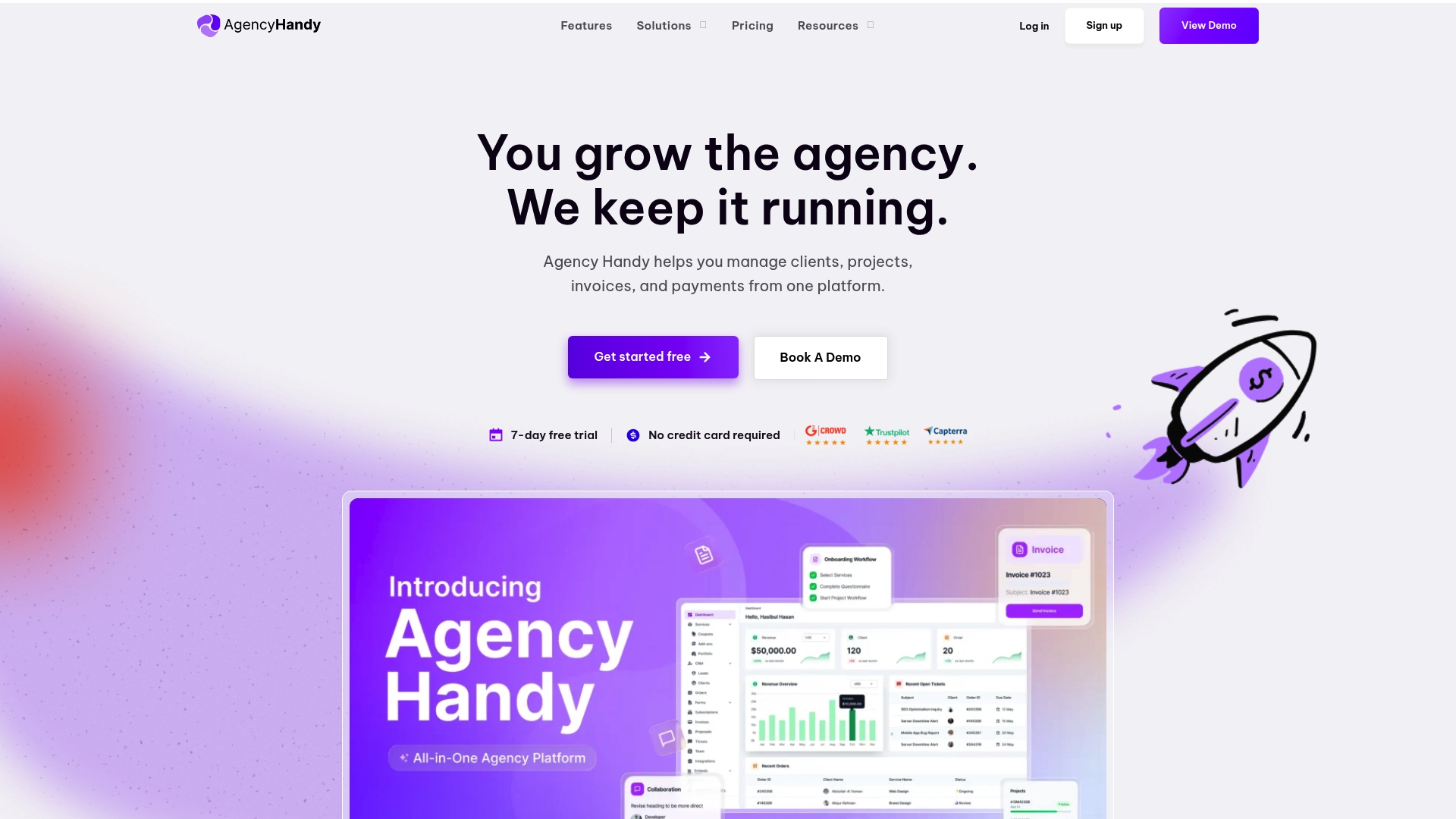
Agency Handy reports being trusted by over 100,000 customers. It bundles CRM, proposals, invoicing, client portals, and project work into a single system. The vendor advertises a 7-day free trial with no credit card required and a starting price of $29/month. That trial and entry price make it easy to test core agency workflows quickly.
Core Features
Agency Handy combines client relationship management with service productization and intake forms, so you can sell packaged services online and convert leads without extra tools. It offers branded invoicing and automated billing alongside project and task tracking that supports customizable properties and progress views. The product also includes proposal creation, file feedback and approvals, a white label client portal, and automations for invoices, subscriptions, and reminders. Several user-facing features link directly to external tools for storage and communication.
Key Differentiator
The product stands out for its white label and customization options that let agencies present a consistent brand across portals, invoices, and proposals. That focus on branding pairs with automation rules aimed at reducing repetitive billing and onboarding work. For agencies that sell fixed packages and want client-facing portals under their own name, the customization set is the primary advantage.
Pros
A single workspace replaces separate CRM, invoicing, proposal, and basic project tools, which reduces subscription bloat and context switching. The interface works for nontechnical team members because it requires no coding to set up intake forms, packages, and workflows. Support options include live chat and guides, which helps teams adopt features faster. Plans scale from freelancers to enterprise customers, so growing agencies can stay on the same platform as they add seats and workspaces.
Cons
-
Some users request the ability to embed videos directly in service thumbnails, which is not available in all plans.
-
File upload size caps of 1GB on some plans limit large media transfers for video or high resolution design work.
-
Advanced integrations and security features are gated behind higher tiers or custom enterprise setups, so smaller teams may lack some connectors out of the box.
When It May Not Fit
If your agency relies on frequent large media uploads, the 1GB cap on some plans will create friction. Teams that need a custom domain, deep app embeds, or advanced security controls may need a higher tier or a different vendor. Agencies with highly specialized integrations may find the included connectors insufficient without enterprise customization.
Notable Integrations
Agency Handy connects to storage and communication tools such as Google Drive, Gmail, and Google Sheets, and it links with collaboration and scheduling apps like Slack, Notion, Calendly, Figma, and YouTube. These integrations cover common agency needs for files, messaging, and meetings.
Who It's For
Solo freelancers, small marketing studios, and midmarket agencies that sell packaged services will find the feature set relevant. Owners who want client portals and branded invoices without building custom systems will benefit most. Larger agencies that require enterprise security or custom domain hosting should evaluate higher tiers.
Real World Use Case
A digital marketing agency uses Agency Handy to publish service packages, capture intake via public forms, and onboard clients into branded portals. The team automates recurring invoices and reminders, tracks campaign tasks, and collects feedback on deliverables through the approval system. That workflow reduces manual admin and keeps client communication centralized.
Pricing
Pricing begins at $29/month for freelancer plans and scales to custom enterprise pricing for larger teams. The vendor advertises a free 7-day trial with no credit card required to test features. Higher tiers unlock additional integrations, storage, and security options.
Website: https://agencyhandy.com
Comparison of alternatives
A comparison of these client portal solutions highlights specific strengths based on individual use cases and workflow preferences.
Flexibility in Customization
Among the reviewed options, ManyRequests demonstrates considerable capability in portal customization. Its support for CSS, custom domains, and multi-language functionality provides agencies the ability to tailor their client interfaces to align with their unique brand identities. This emphasis on customization suits teams that prioritize branded client-facing experiences.
Reporting Features and Detailed Analysis
ClientVenue excels in providing reporting and tracking dashboards, making it suitable for mid-sized to large agencies requiring insights across projects and team performance metrics. The inclusion of organizational analytics offers an advantage for teams focused on data-driven decisions and process optimization.
Best fit
- Freelancers and small studios looking to establish branded portals rapidly will appreciate RealClients for its ease of setup and integration capabilities.
- Medium and large agencies needing rich work tracking tools should explore ClientVenue for its detailed reporting dashboards and automation support.
- Creative agencies aiming for in-depth customization features will find ManyRequests advantageous, particularly for branding flexibility.
- Teams that seek accessible entry-level options with scalable plans may consider Agency Handy for its competitive starting price and trial availability.
Our pick
RealClients offers a suite combining invoicing, file sharing, e-signatures, and payments all within client-specific branded portals. This integration makes it particularly effective for freelancers and small teams that seek to simplify administrative tasks while maintaining a professional appearance. Larger organizations with complex requirements may lean towards alternatives offering advanced analytics or deeper customization features.
Explore the features of different client portal software to determine the one that best matches your business requirements.
| Product | Core Feature | Key Differentiator | Pricing | Notable Limitation |
|---|---|---|---|---|
| RealClients | Branded client portals with e-signatures | Communication and payment consolidation | Price not published | May lack advanced features for large-scale projects |
| ClientVenue | Project management and client onboarding | Agency-centric branding and automation | From $47/month | Initial learning curve and possible support delays |
| ManyRequests | Branded portals with request forms | Deep branding and integration options | From $39/month | Higher tier plans may be needed for advanced features |
| Agency Handy | CRM, invoicing, and client portals | Integration with branding customization | From $29/month | 1GB file upload cap on some plans |
Choosing monday com alternatives that truly solve your client communication challenges
Many freelancers, freelance designers, and small studios face the constant frustration of juggling multiple tools to manage contracts, invoices, messages, and files. The scattered workflows slow down payments and create confusion for both teams and clients. Realclient offers a focused solution by combining these needs into one private, branded client portal. This portal keeps every interaction, contract, invoice, and file in one organized place so you spend less time chasing emails and more time on billable work.
Realclient strengthens your client experience with integrated e-signatures and payments through Stripe, PayPal, and bank transfer. Users reported over $48 million invoiced last year, highlighting the reliability of having payments and contracts in one portal. Freelancers and boutique agencies will find value in this simple setup that launches in minutes with no complicated onboarding.
Learn more about Realclient to see how your agency can reduce tool overload and cut administrative delays. Take the next step and create a branded portal where your clients can sign contracts, download files, and pay invoices all in one secure place.
FAQ
How does Realclient handle client communication and file sharing?
Realclient consolidates client communication, legal signing, project tracking, invoicing, and secure file sharing in one branded portal. This bundling allows users to manage everything from messaging to invoicing without scattered email threads or external file links. Freelancers and small studios can benefit from this centralized approach, reducing administrative work significantly.
What is the difference between ClientVenue and Realclient?
ClientVenue excels in agency branding and process automation, making it easier for agencies to deliver a cohesive client experience. Realclient, on the other hand, is better suited for freelancers and small teams that prioritize a polished client-facing space with integrated payments and e-signatures. Each platform meets different needs based on team size and service delivery.
Which client portal software offers integrated billing options?
Realclient includes integrated payments through Stripe, PayPal, and bank transfer within each client portal. This feature helps freelancers collect payments seamlessly, reducing the number of tools they need to manage and shortening the path from signed contracts to paid invoices.
Can I customize my client portal in Realclient?
Realclient allows customization of branding and domain options for each client portal. This feature is crucial for small design studios and freelancers who want to present a professional client experience without the hassle of external integrations.
How quickly can I set up a Realclient portal?
Realclient reports that setup takes about 2 minutes, making it quick and easy to publish a branded portal. This efficiency is ideal for freelancers and small studios looking for a fast onboarding process.