
A SOC 2 Type II report that explicitly covers your portal, its identity provider, and its storage layer is the baseline enterprise buyers should require before signing. A Type I report or a vendor's marketing page about "bank-grade security" is not enough.
Before you sign anything, prioritize these steps:
- Confirm the vendor holds a SOC 2 Type II report, not just Type I.
- Check that security and confidentiality criteria are in scope, and availability if your SLA depends on uptime.
- Request the full report under NDA and read the auditor's opinion and any noted exceptions.
Pro Tip: If a vendor stalls on sharing the actual report and only sends you a compliance badge or a one-page summary, treat that as a red flag, not a formality.
Key Takeaways
SOC 2 Type II coverage of the portal itself, verified through the auditor's scope and exceptions, matters more than any vendor's compliance badge.
| Point | Details |
|---|---|
| Insist on Type II | Request a report covering six to twelve months of operating effectiveness, not just design at a single point in time. |
| Read the scope section | Confirm the portal, identity provider, storage, and backups are named, not implied. |
| Verify the auditor and exceptions | Look up the CPA firm and read every noted exception before signing anything. |
| Close the configuration gap | Enforce MFA, review access quarterly, and document responsibilities in your own WISP. |
| Realclient builds controls in | Realclient's portal includes SSO, MFA, RBAC, and audit logging natively, with security documentation available for procurement review. |
Table of Contents
- What Is SOC 2 and Which Criteria Matter for Client Portals?
- SOC 2 Type I vs Type II: Which Should You Insist On?
- What Technical Controls Should a Portal Actually Show?
- How Do You Verify a Vendor's SOC 2 Report Is Legitimate?
- Where Does Vendor Responsibility End and Yours Begin?
- How Realclient Builds SOC 2–Aligned Controls Into Client Portals
- Why the Real Work Happens After You Get the Report
- Get a Client Portal Built Around These Controls From Day One
- Frequently Asked Questions
- Sources
What Is SOC 2 and Which Criteria Matter for Client Portals?
SOC 2 is an attestation, not a certification. An independent CPA firm audits a vendor's controls against the AICPA's Trust Services Criteria and issues a report describing what it found. There are five criteria total, and only one is mandatory.
- Security (required for every SOC 2 report) covers access controls, encryption, and system monitoring. This is non-negotiable for any portal handling client files or messages.
- Confidentiality applies when a portal stores contracts, financial documents, or other sensitive files. Look for data classification policies and access controls tied to who can see what.
- Availability matters if you have an SLA with your own clients. It maps to disaster recovery planning and documented uptime commitments.
- Processing integrity covers whether the portal handles files, e-signatures, and payment data accurately and completely, without corruption or duplication.
- Privacy applies mainly to portals collecting personal data for marketing or analytics purposes, which is less common for project-based client work.
Enterprise buyers ask for SOC 2 evidence because it shortens their own vendor risk review. A vendor with a clean Type II report often moves through procurement in weeks instead of months, which is part of why SOC 2 compliance tends to pay for itself through faster deal cycles.
SOC 2 Type I vs Type II: Which Should You Insist On?
Type I and Type II are not two levels of the same thing. They answer different questions entirely.
- Type I confirms that controls were designed correctly on a single date. It tells you the vendor built the right locks, not whether they worked.
- Type II confirms those controls actually operated effectively over a period of time, typically six to twelve months.
For a portal storing client files, contracts, and payment data continuously, Type II is the report that matters. Type I might be acceptable for a brand-new vendor still building its audit history, but only if they pair it with compensating evidence: penetration test results, a documented incident response plan, or a committed timeline to their first Type II report.
What Technical Controls Should a Portal Actually Show?
A SOC 2 report is only useful if the controls behind it are concrete and verifiable. Here's what IT and procurement teams should ask to see, either in the report itself or in a live product demo.
Encryption
- TLS 1.2 or 1.3 for all data in transit.
- AES-256 or equivalent encryption for data at rest.
- Encrypted backups with documented key management practices.
Authentication and identity
- Support for SSO via SAML or OIDC, particularly for agencies managing multiple client accounts.
- Enforced multi-factor authentication for admin-level users at minimum.
- Unique accounts per user, with password policies that block reused or weak credentials.
Authorization
- Role-based access control (RBAC) so a contractor can't see another client's files.
- Least-privilege defaults, not "everyone gets admin" out of the box.
- Tenant separation that keeps one client's data logically isolated from another's.
Logging and monitoring
- Centralized, tamper-evident audit logs.
- Retention of at least 12 months, ideally feeding into a SIEM or log management tool.
Vulnerability and penetration testing
- Regular automated vulnerability scanning.
- An annual third-party penetration test covering OWASP Top 10 categories.
Backup, disaster recovery, and subprocessors
- Documented RTO/RPO targets with evidence of failover testing.
- A public status page tracking uptime history.
- A subprocessor list, and a BAA on file if the portal touches protected health information.
Pro Tip: Ask for a written mapping of these controls to specific report sections. A vendor that can point to page numbers in their SOC 2 report knows their own compliance posture cold; one that can't is probably reciting a sales script.
How Do You Verify a Vendor's SOC 2 Report Is Legitimate?
A logo on a website proves nothing. Verification happens in five concrete steps.
- Request the full report under NDA. A summary page or a "SOC 2 Compliant" badge is not sufficient evidence of anything.
- Confirm scope. Read the system description section and check that it names the portal, identity provider, storage, backups, and support operations you'll actually be using.
- Check the reporting period. A Type II report covering January through June tells you nothing about what changed in the seven months since. Ask for the most recent report available.
- Verify the auditor. Look up the CPA firm issuing the opinion, and read the exceptions section closely; a report with zero noted exceptions across a full year is rare and worth double-checking.
- Ask about subprocessors. If the vendor relies on cloud hosting, email delivery, or monitoring tools, request their subprocessor list and check whether the critical ones carry their own SOC 2 reports.
Sample procurement language that works well here: ask for "a control-objective mapping tied to our use case, along with remediation timelines for any noted exceptions." Vendors with mature compliance programs answer this without hesitation.
Where Does Vendor Responsibility End and Yours Begin?
A SOC 2 report covers the vendor's controls, not how you configure the product. This is the gap that trips up most buyers.
- If MFA is available but optional, and your team never turns it on, the vendor's SOC 2 report won't save you.
- If an admin account is over-provisioned with access to every client folder instead of just their own projects, that's a configuration choice, not a vendor failure.
- If your team never reviews who still has portal access after an employee leaves, that's an internal gap SOC 2 does not close.
Document these responsibilities in your internal written information security program (WISP) and in vendor contracts. A short onboarding checklist covering MFA enforcement, quarterly access reviews, and admin training closes most of the gap in a single afternoon.
Pro Tip: Treat your vendor's SOC 2 report and your own configuration checklist as two halves of the same control. One without the other leaves a real hole in your security posture.
How Realclient Builds SOC 2–Aligned Controls Into Client Portals
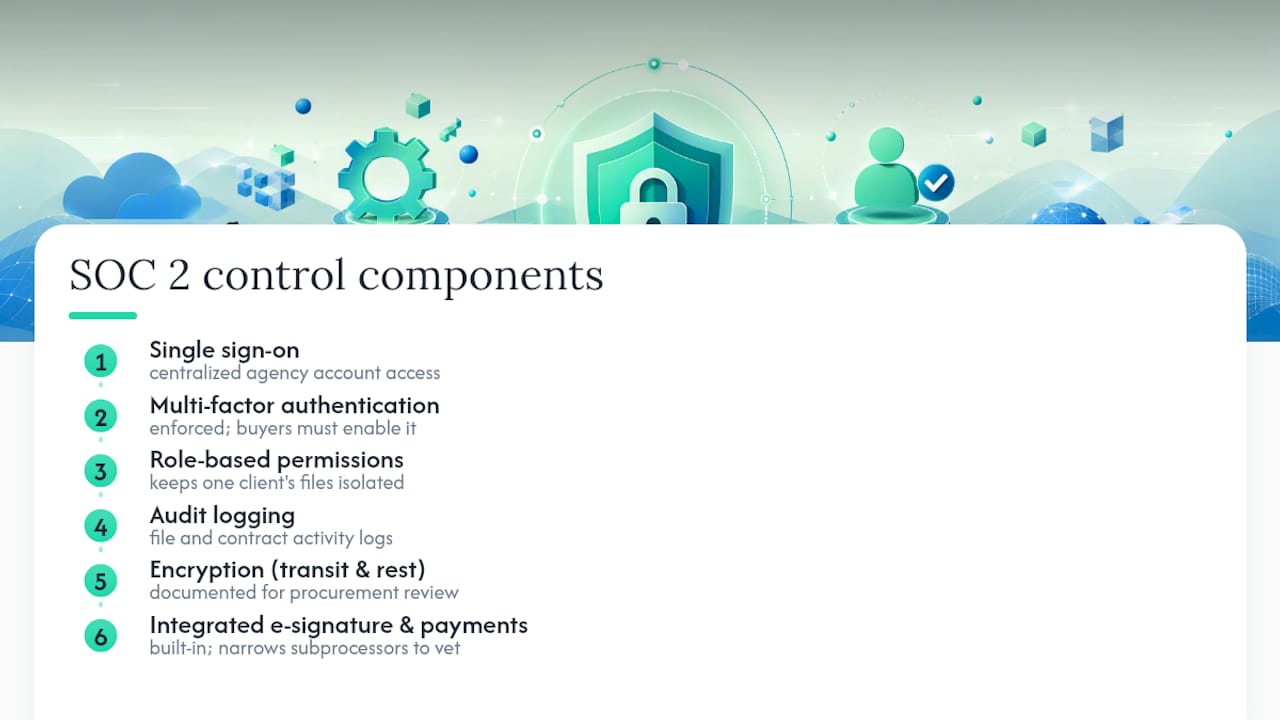
Realclient's platform is built around the same control categories buyers ask about in a SOC 2 review. That includes single sign-on for agency teams managing multiple client accounts, enforced MFA, role-based permissions that keep one client's files invisible to another, and audit logging across file access and contract activity. Encryption in transit and at rest, along with the full detail on how these controls are structured, is documented for procurement teams to review directly.
Realclient's e-signature and payment tools are built into the same portal instead of bolted on through third-party integrations, which narrows the subprocessor list buyers need to vet. Freelancers and agencies using Realclient handled a substantial volume of transactions through their portals, a scale that only holds up when the underlying security controls are solid.
Buyers still need to enable MFA for their own team, set role permissions correctly, and review access lists periodically. Realclient can supply security documentation and control detail during vendor review, but configuration on your end still matters.
Why the Real Work Happens After You Get the Report
Most guides on SOC 2 treat the report itself as the finish line. It isn't. The report tells you what a vendor's controls looked like during a specific window; it says nothing about how your team configures the product the day after signing the contract.
The bigger blind spot is confidentiality and availability criteria getting treated as boxes to check rather than features to actually use. A portal can have flawless encryption and a spotless audit log, and still leak client data because an admin left MFA optional and nobody enforced it. That failure never shows up in the vendor's SOC 2 report, because it isn't the vendor's failure.
If you take one thing from this guide, prioritize scope over headlines. A Type II report that excludes the actual portal your clients log into is close to worthless, no matter how clean its opinion letter reads. Read the system description before you read anything else.
Get a Client Portal Built Around These Controls From Day One
Realclient gives freelancers, agencies, and small businesses a branded portal with SSO, enforced MFA, role-based permissions, and audit logging already built in, so you're not stitching together five tools and hoping their compliance postures line up. Instead of managing separate systems for e-signatures, file sharing, and payments, everything client-facing lives in one place with the access controls procurement teams ask about.

If you're evaluating portal vendors for a compliance review, start by comparing your current checklist against Realclient's plans and features to see where the fit is. You can also browse real portal layouts and configurations to see how the security controls show up in an actual client-facing workspace before you commit to a plan.
Frequently Asked Questions
Does a client portal need to be SOC 2 compliant on its own, or is the vendor's certification enough? The vendor's SOC 2 report covers the infrastructure and controls behind the portal, but the report only matters if its scope explicitly includes the portal service you use, not just the vendor's other products.
What's the difference between SOC 2 and HIPAA compliant document sharing? SOC 2 is a security and operational attestation; HIPAA is a legal requirement for handling protected health information. A HIPAA compliant client portal typically needs SOC 2-level controls plus a signed BAA and specific safeguards around health data access and messaging.
Is SOC 2 or ISO 27001 the better standard for a client portal? SOC 2 is the default expectation in U.S. SaaS procurement, while ISO 27001 carries more weight internationally. The two frameworks overlap heavily on core controls, and many vendors eventually pursue both.
How often should a vendor renew its SOC 2 Type II report? Most vendors issue a new Type II report annually, covering the prior six to twelve months. If a vendor's most recent report is more than a year old, ask why.
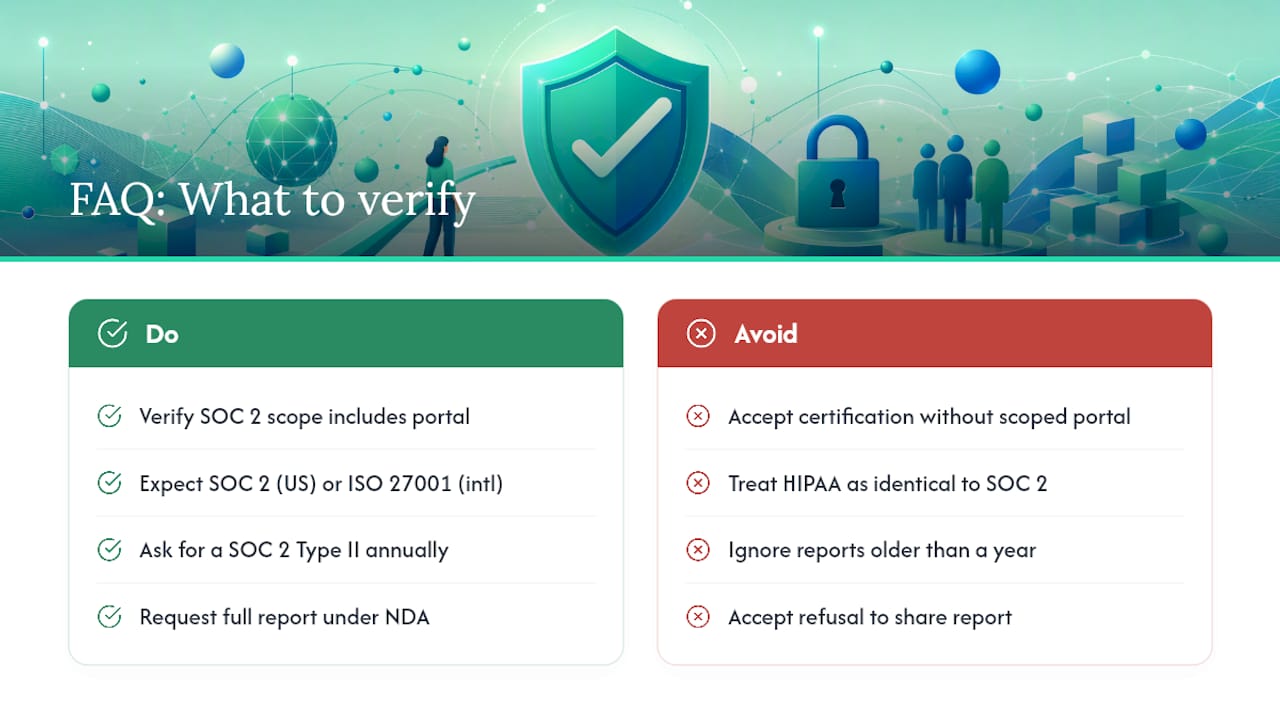
What should I do if a vendor refuses to share their full SOC 2 report? Ask for it under NDA, which is standard practice. A vendor unwilling to share the report at all, even confidentially, is a strong signal to look elsewhere.