
For recurring invoices, subscriptions, and large B2B payments, default to ACH. For one-off consumer checkouts where speed and conversion matter, accept cards. That's the core rule for any freelancer or agency configuring a client portal.
- ACH (governed by NACHA) typically costs a low flat fee or a small capped percentage, making it far cheaper than card rates on invoices over $500.
- Cards (Visa, Mastercard) carry processing fees of 1.5%–3.5% per transaction but settle faster and require no bank verification upfront.
- Realclient portals have processed tens of millions of dollars in invoices, and the pattern is consistent: ACH wins on cost for recurring billing; cards win on conversion for first-time or one-off payments.
Enable both rails in your portal. Default ACH for invoices above $500 and for any recurring retainer. Default cards for immediate one-off payments where friction is the bigger risk.
Table of Contents
- How do ACH and card payments compare side by side?
- How ACH and card payments actually work
- When should you offer ACH, and when should you accept cards?
- What do fees actually cost you on a $500 and $5,000 invoice?
- Fraud, chargebacks, and NACHA returns: what's your actual risk?
- How to add both payment rails to your client portal
- Surcharging, cash discounts, and U.S. legal considerations
- A quick checklist for your portal's payment defaults
- Key Takeaways
- What the $48M in portal invoices actually tells us
- Realclient makes it easy to offer both payment rails in your portal
- Useful sources for further reading
How do ACH and card payments compare side by side?
| Dimension | ACH | Card payments |
|---|---|---|
| Cost / per-transaction fees | typically $0.20–$1.50 flat or 0.5%–1% capped, making it far cheaper above $500 | 1.5%–3.5% per transaction |
| Settlement / funding time | 1 to a few business days, with same-day options available | 1 to a few business days with instant authorization |
| Dispute risk | NACHA returns: narrow, rule-based process | Chargebacks: broader consumer protection, higher reversal risk |
| Customer friction | Bank verification required upfront; lower friction for repeat billing | Familiar checkout; higher friction for manual card entry |
| Best-for use cases | Recurring billing, large B2B invoices, subscriptions | One-off consumer purchases, fast checkout, lower invoice amounts |
| Integration & verification | Plaid instant verification or micro-deposits; Stripe ACH | Stripe, PayPal; tokenization via card vault |
| Transaction size / limits | Same Day ACH up to a high transaction limit | Varies by card network and processor |
| Security & compliance | NACHA rules; bank-level encryption | PCI DSS required; tokenization standard |

How ACH and card payments actually work
ACH moves money in batches through the NACHA-managed network. When a client pays an invoice via ACH, their bank sends a debit instruction through the network, which routes it to your bank. Standard settlement takes 1–3 business days. Same Day ACH now handles payments up to a high transaction limit within the same business day, which closes most of the speed gap with cards for high-value transactions.
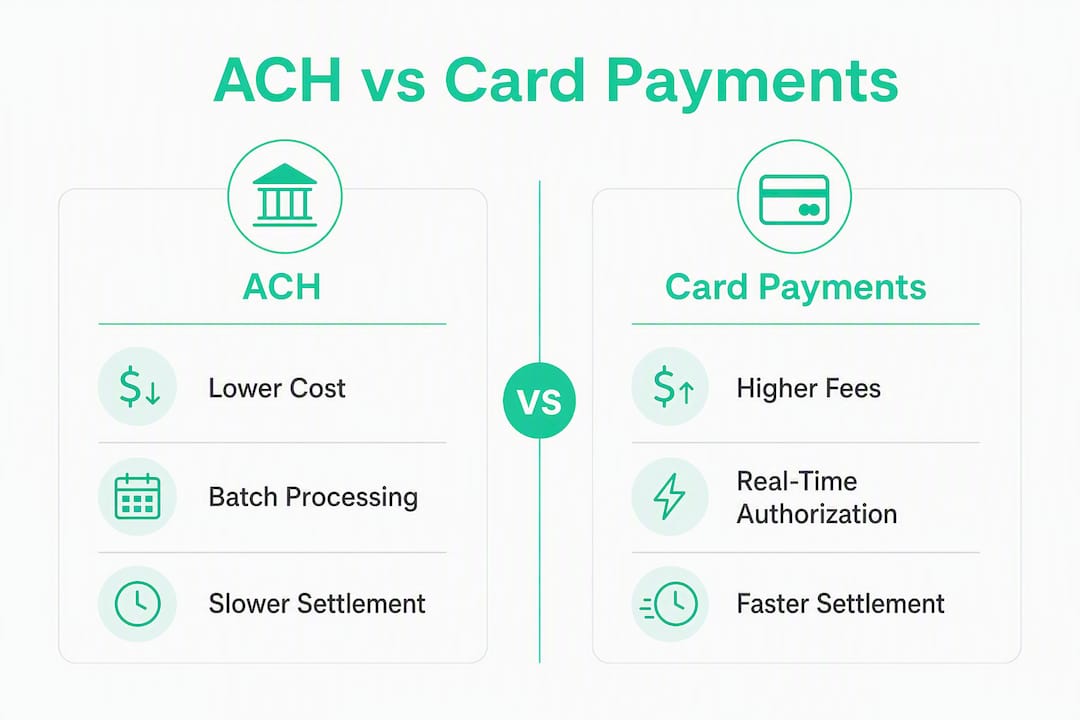
Card payments work differently. The card network (Visa, Mastercard) authorizes the transaction in real time, then settles funds to your processor within 1–2 business days. Authorization is instant, but actual funding is not. For a freelancer, the practical difference is smaller than it sounds.
| Settlement type | Typical timeline | Notes |
|---|---|---|
| Standard ACH | 1–3 business days | Most common; lowest cost |
| Same Day ACH | Same business day | Slightly higher fee; up to $1M per transaction |
| Card authorization | Instant | Funds arrive in 1–2 business days |
| FedNow / RTP | Near-instant | Emerging; best for payouts, not yet universal |
The dispute profiles are where the two rails diverge most sharply. Card chargebacks give consumers broad reversal rights, and the process can take weeks. ACH returns are governed by NACHA and follow a narrower, more predictable set of return reason codes, which makes the outcome easier to anticipate for a small service business.
Verification also differs. ACH requires confirming the client's bank account before the first debit, either through Plaid's instant verification or micro-deposits. Cards use tokenization: the card number is replaced with a secure token stored by your processor. Stripe's ACH integration handles both verification methods, so the UX burden on your client is manageable once set up correctly.
When should you offer ACH, and when should you accept cards?
The industry consensus is clear: use cards for consumer-facing checkouts where conversion speed matters, and ACH for recurring billing and large B2B invoices to protect margins. Here's how that translates to portal defaults:
- Default ACH for monthly retainers, project milestones over $500, and any subscription-style billing.
- Default cards for first-time clients paying a deposit, one-off project fees under $200, and any checkout where you want zero friction.
- Offer both on every invoice above $200, with ACH presented as the "pay by bank" option.
According to Plaid research, 85% of consumers are open to using ACH for recurring bills, and 51% have used or would use it for larger purchases. That's a strong signal that steering clients toward ACH on recurring invoices won't cost you conversions.
For client-facing copy, keep it simple. A prompt like "Save time and pay directly from your bank account" outperforms technical language. Avoid "ACH transfer" in the button label; "Pay by bank" tests better with clients unfamiliar with the term.
Pro Tip: Instead of surcharging card payments, offer a small ACH discount (e.g., "Save $X when you pay by bank"). Discounts feel like a reward; surcharges feel like a penalty. The net revenue outcome is similar, but client satisfaction is meaningfully better.
What do fees actually cost you on a $500 and $5,000 invoice?
Card processing fees typically run 1.5%–3.5% of the transaction amount, with interchange, assessments, and processor markup all bundled in. ACH costs a flat fee or a small capped percentage.
The math gets dramatic fast. On a $5,000 project invoice, ACH saves you $120 compared to a typical card rate. Across a year of recurring retainers, that compounds into real money. Plaid's internal research found an average a substantial reduction in payment processing costs when businesses shift from cards to pay-by-bank.
Settlement timing also affects cash flow. ACH funds typically arrive within 1–3 days, which is close enough to card settlement that it rarely disrupts a small agency's working capital. Same Day ACH closes the gap entirely for time-sensitive invoices.
Fraud, chargebacks, and NACHA returns: what's your actual risk?
Card chargebacks are the bigger operational headache for service businesses. A client can dispute a charge with their card issuer, and the burden of proof falls on you. The process can take 30–120 days, and you may lose the funds plus a chargeback fee even when you're in the right.
ACH returns follow NACHA rules and are more structured. Return reason codes are specific (insufficient funds, account closed, unauthorized), and the return window is generally 2 business days for most consumer entries. That predictability makes ACH easier to manage for recurring billing.
Practical steps to reduce losses on both rails:
- Use Plaid for instant bank account verification before the first ACH debit; this eliminates most "account not found" returns.
- Require micro-deposit confirmation for large first-time ACH debits (over $2,000) if instant verification isn't available.
- Keep signed contracts and payment authorization records in your portal for every client; this is your primary defense against both chargebacks and ACH unauthorized return claims.
- For cards, use AVS (Address Verification Service) and CVV checks to reduce fraud-related chargebacks.
Pro Tip: For recurring ACH billing, send a reminder email 3 days before each debit. NACHA rules require advance notice for variable-amount debits, and proactive communication cuts "unauthorized" return claims significantly.
How to add both payment rails to your client portal
Getting both ACH and cards live in a portal is a straightforward process when you follow the right order.
- Choose a payments provider. Stripe and PayPal both support ACH and card processing with built-in verification flows.
- Confirm your business bank account is ACH-enabled. Not all business accounts are automatically enabled for ACH debits and credits; call your bank to confirm before going live.
- Set up card processing with PCI DSS-compliant tokenization through your provider.
- Connect Plaid or enable micro-deposits for ACH bank account verification on your portal's payment form.
- Configure webhooks for settlement events so your portal updates invoice status automatically when funds clear.
- Set retry logic for failed payments: one automatic retry after 3 days for ACH, immediate retry option for declined cards.
Security checklist before going live:
- PCI DSS compliance confirmed with your card processor
- NACHA authorization language included in your payment form
- Bank-grade encryption on stored payment credentials
- Reconciliation report scheduled weekly (daily for high-volume months)
Automated follow-up sequences for failed payments recover a meaningful share of revenue that would otherwise require manual chasing.
Surcharging, cash discounts, and U.S. legal considerations
Surcharging card payments is legal in most U.S. states, but several states restrict or prohibit it, including Connecticut, Massachusetts, and Oklahoma. Card brand rules cap surcharges and require advance disclosure to clients. Always verify your state's rules and your acquirer's requirements before adding a surcharge.
A cash or ACH discount is simpler and carries fewer legal complications. You set your standard price, then offer a reduced rate for bank payment. Steering clients toward ACH with a discount typically produces better net revenue and fewer disputes than an explicit card surcharge.
Pro Tip: Label your ACH option "Pay by bank (save $X)" rather than framing it as a card surcharge. Clients respond better to gaining something than to avoiding a fee.
Before changing your pricing structure, confirm your business bank account supports ACH debits (see NACHA's B2B Quick Start), review your card processor's surcharging addendum, and check your state's consumer protection rules. This is general guidance; confirm the current rules with a qualified professional for your specific situation.
A quick checklist for your portal's payment defaults
Set these up before your next billing cycle:
- ACH and card both enabled in your portal's payment settings
- ACH set as the default for invoices over $500
- Cards set as the default for one-off payments under $200
- Plaid or micro-deposit verification active for ACH
- Retry logic configured (3-day delay for ACH, immediate for cards)
- NACHA authorization language on your payment form
- Reconciliation report scheduled weekly
- "Pay by bank" discount language live on invoices over $500
- Saved payment method option enabled for recurring clients
Pro Tip: Track your ACH adoption rate monthly. If fewer than 40% of recurring clients are paying by bank after 90 days, test a slightly larger discount or adjust the placement of the ACH option in your portal's checkout flow.
Key Takeaways
ACH is the lower-cost, lower-churn default for recurring and large invoices; cards are the right choice for one-off consumer checkouts where conversion speed matters most.
| Point | Details |
|---|---|
| Default by invoice size | Use ACH for invoices over $500 and recurring billing; use cards for one-off payments under $200. |
| Fee advantage of ACH | ACH typically costs $0.20–$1.50 flat or 0.5%–1% capped, which is dramatically cheaper than card rates (1.5%–3.5%), saving about $120 on a $5,000 invoice. |
| Dispute risk differs | Card chargebacks are broader and slower; NACHA returns are rule-based and more predictable. |
| Verify before debiting | Confirm your bank account is ACH-enabled and use Plaid or micro-deposits before the first debit. |
| Realclient portal proof | Realclient portals have processed a significant volume of invoices, validating the portal-first billing approach at scale. |
What the $48M in portal invoices actually tells us
The pattern across Realclient portals is consistent: freelancers and agencies who offer both ACH and cards, with ACH as the default for recurring work, collect faster and spend less on processing fees. Bank account credentials stay valid far longer than credit cards, which typically expire or get replaced every 3–5 years. Bank accounts average 17 years of use, which means an ACH-connected client is far less likely to experience involuntary payment failures than one paying by card.
The $48 million invoiced through Realclient portals reflects what happens when billing is built into the client relationship from the start, not bolted on afterward. Portals that combine contracts, invoices, and payment collection in one place see fewer disputes and faster payment cycles than businesses relying on separate tools.
Realclient makes it easy to offer both payment rails in your portal
Realclient's branded client portals bring together invoicing, e-signatures, and payment collection in one place, with Stripe and PayPal integrations built in. You can configure ACH and card defaults by invoice type, set up automated payment reminders, and give clients a clean, professional checkout experience without managing multiple tools.

Over $48 million has been invoiced through Realclient portals, and the platform's security infrastructure covers PCI compliance and bank-grade encryption so you're not building that from scratch. If you're ready to cut processing costs and reduce billing friction, explore Realclient's plans and see which tier fits your client volume.
Useful sources for further reading
- NACHA B2B Quick Start: The official starting point for understanding ACH rules, return codes, and business account requirements before going live.
- Plaid: ACH vs. credit cards: Covers ACH benefits, consumer adoption data, and use cases for recurring billing and B2B payments.
- Plaid: Payment processing costs: Detailed breakdown of ACH vs. card fee structures, including the 40% cost-reduction finding for pay-by-bank.
- Stripe: ACH vs. card transactions: Stripe's guide to how each rail works, pros and cons, and integration mechanics for businesses.
- Paymotile: ACH vs. credit cards vs. FedNow: Covers Same Day ACH, FedNow, and practical rail-selection guidance for 2026.
- Square: ACH for small business: Accessible overview of ACH mechanics and expectations for small-business owners new to the rail.
- Citi: How to accept ACH payments: Banking-level perspective on ACH setup, recurring payment use cases, and cost comparisons.