
An effective project status update leads with a one-line verdict on project health (on track, at risk, or blocked), then backs it up with four components: an executive summary, milestone and deliverable status, KPIs and budget tracking, and next steps with named owners and due dates. A status report structured this way should be scannable by a stakeholder in under five minutes, not read like a diary of the week's activity.
That last point matters more than most project managers realize. You're not writing a log. You're writing a decision tool.
The right cadence depends on who's reading. Delivery teams usually need weekly updates with operational detail; leadership tends to want a monthly snapshot focused on trend lines and budget variance. Milestone-driven updates fill the gap when a major handoff or client deliverable doesn't fit neatly into either calendar.
Delivery format matters almost as much as content. Some updates belong in an email. Formal reviews call for a slide or PDF. Ongoing client relationships do best with a live link or dashboard that updates in place instead of flooding inboxes with new attachments every week.
Here's what a complete update needs, at minimum:
- A one-sentence health verdict, stated plainly, not buried
- An executive summary that says what happened and why it matters
- Milestone and deliverable status with owners and percent complete
- KPIs or budget figures with variance against target
- Next steps, blockers, and any decisions you need from the client or leadership
The templates and examples further down give you formats to copy directly into your next report.
Key Takeaways
An effective project status update leads with a health verdict, covers four core components, and matches cadence and delivery channel to the audience reading it.
| Point | Details |
|---|---|
| State the verdict first | Open with on track, at risk, or blocked before any other detail. |
| Cover four components every time | Executive summary, milestones, KPIs/budget, and next steps with owners. |
| Match cadence to the audience | Weekly for delivery teams, monthly for leadership, milestone-driven for handoffs. |
| Summarize metrics, don't dump them | Show three to five KPIs with variance, then link to the full dashboard. |
| Realclient supports live reporting | Branded portals combine status links, documents, e-signatures, and invoicing in one place. |
Table of Contents
- What Should Go in a Project Status Update?
- How Often Should You Send Status Updates?
- Which KPIs and Budget Visuals Actually Matter?
- Email, Slides, or a Live Dashboard: What's the Right Channel?
- Copy These Templates for Your Next Update
- How Do You Assemble a Status Update Fast?
- Turning Status Updates Into a Living Client Portal
- Why Most Status Update Advice Misses the Point
- Get Your Status Updates Off Email and Into a Portal Clients Actually Use
- Sources
What Should Go in a Project Status Update?
Every strong status update breaks into four sections, and each one earns its place by answering a specific question a stakeholder actually has.
1. Executive summary: the "what" and the "so what"
Lead with impact, not activity. Instead of "We held three planning meetings and finalized the wireframes," try "Design is locked, which keeps us on track for the March 14 development handoff." Atlassian's guidance on status reporting singles out chronology as the most common mistake new project managers make. Listing what you did in order feels productive to write but tells a stakeholder nothing about whether the project is healthy.
Follow the impact sentence with one or two context bullets, then a RAG (red, amber, green) indicator if the project has enough complexity to warrant one. Keep the whole summary under four sentences. If a reader only skims this section and nothing else, they should still know exactly where things stand.
2. Milestone and deliverable status
Every milestone entry needs four fields: name, owner, percent complete, and planned date versus actual date. Skip the narrative description. A table or simple list does this better than prose because the reader is scanning for gaps between planned and actual, not reading for pleasure.
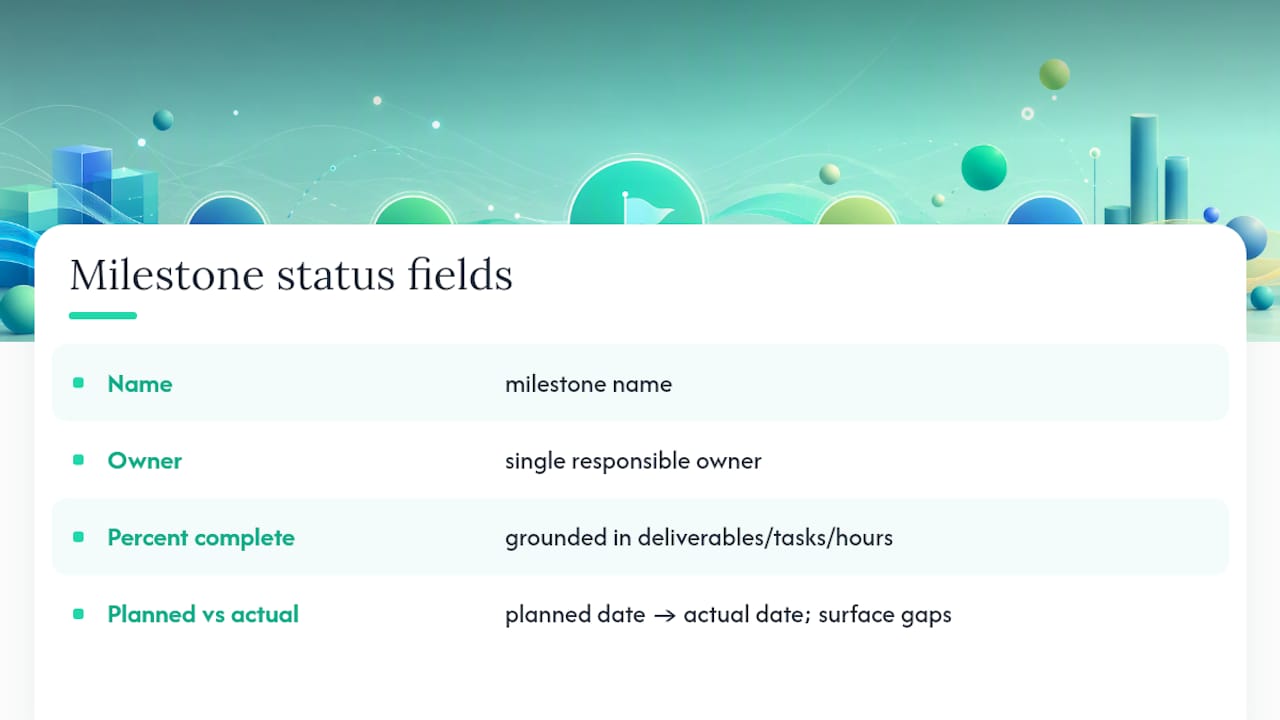
Milestone tracking works best when the percentages are grounded in something concrete, deliverables completed, tasks closed, hours logged, rather than a gut-feel guess. A milestone stuck at "80% complete" for three weeks running is a red flag your report should surface, not smooth over.
3. KPIs and budget tracking
Choose three to five metrics tied to actual business outcomes, and show variance against target rather than a raw number sitting alone. "Budget: $42,000 spent" tells a stakeholder nothing.

Pro Tip: If a KPI has stayed flat or on-target for three straight reporting periods, consider dropping it from the top-line summary and moving it to a linked dashboard. Recurring good news doesn't need repeating every week; it just adds noise that competes with the metric that's actually moving.
4. Next steps, blockers, and decisions needed
This section only works when it's explicit. "Waiting on client feedback" is not an ask. "Need sign-off on the revised scope by Friday, March 20, or the launch date slips a week" is an ask. Every blocker needs an owner and a deadline attached, and every open decision needs to name who's expected to make it.
Reports built around Mailchimp's four-part structure tend to stay scannable precisely because this section forces specificity. Vague asks get ignored. Specific asks with deadlines get answered. Surfacing approval requests clearly also speeds up the sign-off cycle instead of letting them stall in someone's inbox for a week.
How Often Should You Send Status Updates?
Cadence should match the tempo of the work and the stakeholder's actual need for detail, not a calendar habit you inherited from a previous job.
Daily updates work for execution teams in active sprints or crunch periods. Keep these to one line: what shipped, what's blocked, nothing else. Anything longer defeats the purpose of a daily check-in, which is speed, not thoroughness.
Weekly updates are the default for most project teams, and for good reason. A week gives you enough movement to report meaningfully without losing the reader in noise. This is where the four-component structure earns its keep: executive summary, milestone status, KPI snapshot, next steps. Asana's research on recurring status reports points to weekly cadence as the format most teams settle on once they've tried daily and found it too granular for anyone above the execution level.
Monthly updates suit leadership and finance stakeholders who care about trend lines more than week-to-week fluctuation. Trade granular milestone detail for trend KPIs: burn rate over the quarter, cumulative percent complete, budget variance trajectory. A leadership audience wants to know if the trend is improving or deteriorating, not which specific ticket closed on Tuesday.
Milestone-driven updates fill the gaps between scheduled cadences. A major client handoff, a phase gate, or a big deliverable justifies a standalone update regardless of where it falls in your regular rhythm.
Watch for signals that your cadence is wrong. If stakeholders keep emailing you between updates asking "where are we on X," you're updating too infrequently or leaving out the wrong detail. If people stop opening your reports, you're probably sending too often or including too much noise, PMI's guidance on status reporting puts real weight on filtering for relevance and matching delivery to what the audience actually needs, not what's easiest for you to produce.
Which KPIs and Budget Visuals Actually Matter?
Pick KPIs that map to five categories: scope, schedule, budget, quality, and utilization. Most projects don't need more than three to five metrics tracked at once. Beyond that, you're building a data dump instead of a status update, and stakeholders start skipping the section entirely.
Practical choices per category:
- Schedule: percent complete versus baseline, milestone slippage in days
- Budget: spent versus forecast, burn rate, variance percentage
- Quality: defect rate, rework hours, client-reported issues
- Utilization: team capacity used versus planned
- Scope: approved change requests, scope creep percentage
Show budget health with a simple visual: spent-versus-forecast bar, percent-used indicator, and a one-line variance callout when the number moves more than a few points from target. A customer success metrics framework built around outcomes rather than activity translates directly to project reporting; you're always better off showing "why this number matters" than showing the number alone.
Schedule visuals work best as a milestone strip: a horizontal timeline showing planned dates against actuals, color coded for on-track, at-risk, and missed. Percent-complete alone hides the more important question, which is whether you're ahead or behind where you planned to be at this point.
Resist the urge to paste raw spreadsheet exports into your update. Summarize the finding, then link to the source dashboard for anyone who wants to dig into the underlying numbers. This keeps the report itself readable while still giving stakeholders a path to detail if they want it. Tracking outcomes tied to client satisfaction alongside operational KPIs also helps you catch a project that's on schedule and on budget but quietly losing the client's confidence, a gap pure delivery metrics won't show you.
Email, Slides, or a Live Dashboard: What's the Right Channel?
Match the channel to the relationship, not to whatever's fastest to produce.
Email works well for quick touchpoints with internal stakeholders who already have context. It's fast, it lands in an inbox they already check, and it doesn't need much formatting overhead.
Slides or PDFs suit formal reviews, quarterly business reviews, steering committee meetings, board updates, where the audience expects a polished, presentable document and may reference it later in a meeting.
Live links and dashboards are the strongest option for ongoing client relationships, and the reasoning is straightforward: you can update the content in place instead of re-sending a new file every period, and you can track who opened it and how long they spent reviewing it. That engagement data tells you when to follow up and when a client has genuinely gone quiet on a project that needs their attention.

A persistent URL also solves a problem PDFs create by accident: version confusion. Nobody has to wonder if they're looking at last week's attachment or this week's. There's one source of truth, and everyone points to the same link.
Automation cuts the manual work further. Scheduled exports from your project management tool, templated narrative sections that only need the numbers swapped in, and integrations that pull KPI snapshots automatically all shrink the time between "the data is ready" and "the client has seen it."
Pro Tip: If you're sharing a live dashboard with an external client, set granular permissions before you send the link. Give them exactly what they need to see, current status, milestones, documents, and hold back internal notes, margin details, or anything meant for your team's eyes only.
Copy These Templates for Your Next Update
Templates remove the blank-page problem and, done right, enforce a consistent structure that makes month-over-month comparison easier for the reader.
Weekly email template
- Subject line: "[Project Name] Status: On Track" or "[Project Name] Status: Action Needed by Friday"
- One-line verdict: State health status in the first sentence, no preamble.
- Three highlight bullets: Milestone completed, KPI movement, one risk or blocker worth flagging.
- One clear ask: Named owner, specific deadline, nothing vague.
One-slide executive summary
Structure the slide in four quadrants: top left holds the health verdict and one-sentence summary; top right holds the KPI snapshot; bottom left holds the milestone strip; bottom right holds next steps and asks. A RAG-style summary format works particularly well here because the color coding does half the communication work before anyone reads a word.
Dashboard layout
A client-facing dashboard needs four core widgets: a KPI summary strip at the top, a milestone timeline beneath it, a recent-actions feed showing what's changed since the last visit, and a documents panel for shared files.
Quick status line examples
- On track: "Design phase complete on schedule. Development begins Monday, budget tracking at 68% spent against 65% timeline complete."
- At risk: "Development is two days behind schedule due to a dependency delay. No budget impact yet; will need client input on scope by Wednesday to hold the launch date."
- Delayed: "Launch is pushed one week to March 21 due to a vendor integration issue outside our control. Budget unaffected. Updated timeline attached."
How Do You Assemble a Status Update Fast?
- Pull the data first. Milestone status comes from your project plan, hours and utilization from your time tracker, spend numbers from finance or your invoicing tool.
- Draft in the result-first pattern. Write the impact sentence, then three supporting bullets, then owners and asks, in that order every time.
- Run a two-minute review. Check accuracy, confirm every blocker has a named owner, verify the timeline reflects reality, and make sure the ask is unmissable.
- Save the shell. A templated narrative with placeholders you swap out each period turns a 45-minute writing task into a 10-minute update.
Pro Tip: Keep a running document of stock phrases for common scenarios, delays, scope changes, budget variance, so you're editing existing language instead of writing from scratch under deadline pressure.
Turning Status Updates Into a Living Client Portal
A branded client portal solves the version-control and access problems that come with emailing reports back and forth. Realclient lets you publish milestone status, KPI snapshots, documents, and e-signature requests to one live link instead of rebuilding a report from scratch each period.
Freelancers and agencies using this approach invoiced more than $48 million through their client portals last year, a sign that combining reporting with payment and contract tools inside one workspace holds up at scale. You publish the update once, the client checks it on their own time, and you can see when they've opened it.
| Point | Details |
|---|---|
| Lead with the verdict | State project health (on track, at risk, blocked) in the first sentence. |
| Structure around four parts | Cover executive summary, milestones, KPIs/budget, and next steps every time. |
| Match cadence to audience | Use daily for execution teams, weekly as the default, monthly for leadership. |
| Choose live links for clients | Persistent URLs let you update content in place and track who's viewing it. |
| Realclient centralizes delivery | Publish status, files, and e-signatures to one branded portal link per client. |
Why Most Status Update Advice Misses the Point
Most guidance on this topic focuses on formatting, headers, bullet counts, ideal report length, and skips the harder discipline underneath: deciding what's actually worth reporting. The mistake isn't verbosity for its own sake. It's mistaking activity for progress, and a well-formatted list of activities is still a chronology, just a tidier one.
The bigger gap I see in how project managers report status is treating the update as a one-way broadcast instead of a living record the client can return to. A weekly email gets read once and forgotten. A live link with the same structure becomes a reference point, something a client checks before a call instead of asking you to repeat what you already told them.
If you take one thing from this guide, prioritize the result-first sentence over everything else. A stakeholder who reads nothing but your opening line should still know exactly where the project stands. Get that right, and the rest of the report, milestones, KPIs, next steps, becomes supporting detail instead of the thing doing all the work.
— Real
Get Your Status Updates Off Email and Into a Portal Clients Actually Use
Realclient gives you a branded portal where status updates, files, e-signatures, and invoices live in one place instead of scattered across email threads and shared drives. For a freelancer or small agency, that means no more re-sending PDFs every week or chasing sign-off through a chain of replies, your client checks one persistent link and sees exactly where things stand.

If you've been building weekly reports in email or slides, moving that same structure, executive summary, milestones, KPIs, next steps, into a live client portal means the update stays current without extra work on your end. The showcase page has real examples of how other freelancers and agencies structure client-facing reports and documents inside their portals. When you're ready to see how it fits your own reporting workflow, check the pricing plans and set up your first branded portal.
Sources
- Project status report (Mailchimp resources)
- Project Status Report: Tips and Templates for Success | Atlassian
- Monthly client report template — Xtensio