
Juggling contracts, messages, and billing across multiple tools slows down client management for accounting firms, freelancers, and studios. Many alternatives tie advanced features or branding behind expensive plans, or lack strong integrations with accounting and tax platforms. This guide weighs setup speed, price, and core integrations across six TaxDome alternatives so you can match one to your practice needs.
Table of Contents
RealClients
At a Glance
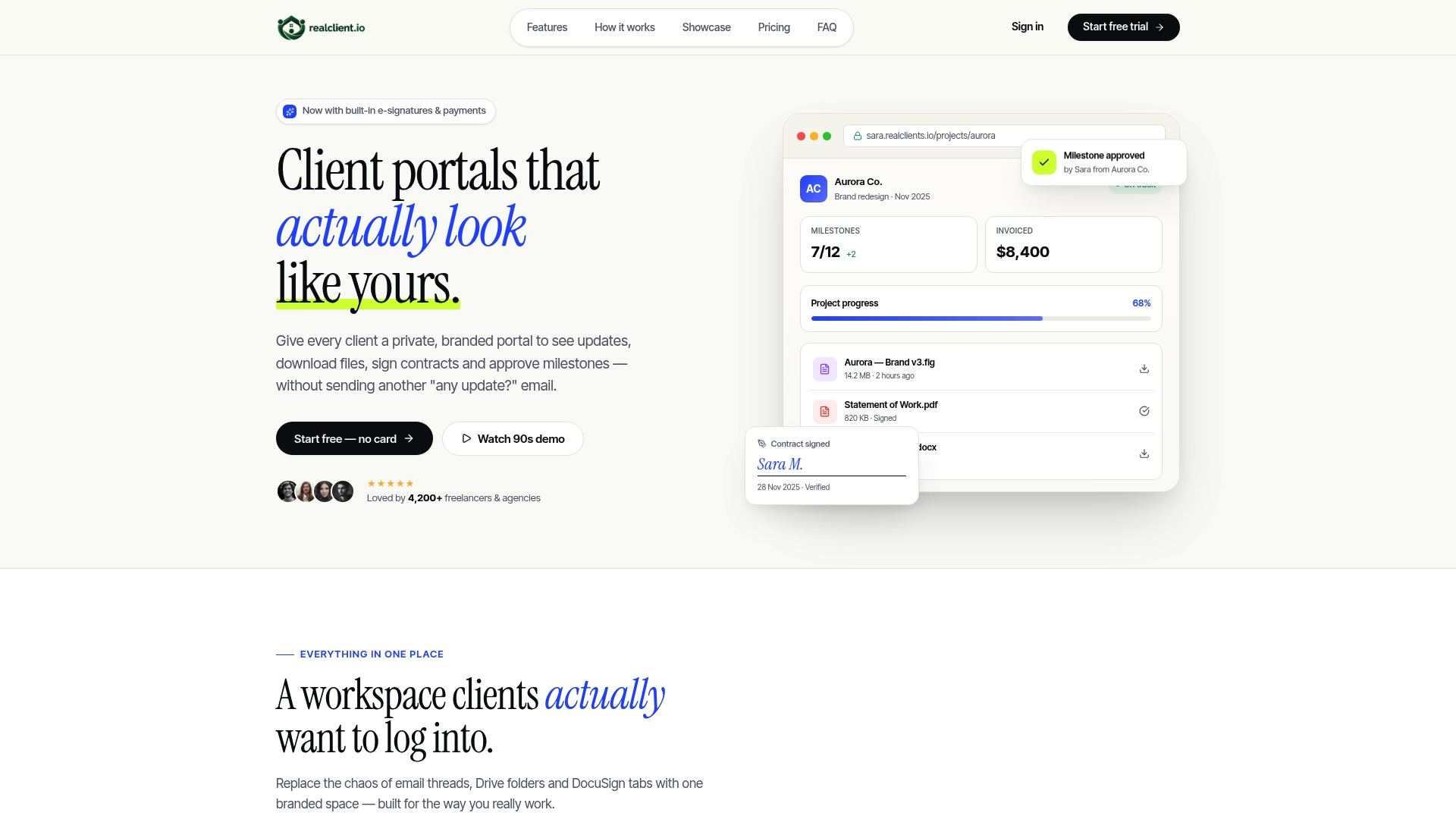
RealClients reports over $48 million invoiced through its portals last year. The product targets freelancers and small studios with private, branded client portals that consolidate contracts, messaging, and payments into one workspace.
Core Features
RealClients keeps conversations and approvals together with Threaded messaging and built-in legally binding e-signatures. The product also includes plain English project timelines, branded invoicing, integrated payments, and file sharing with version control and no external link dependencies. Security uses bank level encryption, SOC 2, and GDPR compliance for client data.
Key Differentiator
Fast setup and fully customizable portals that look like your brand set RealClients apart. Its intent is to replace multiple disconnected tools with a single, client-facing workspace.
Pros
A single workspace replaces email chains, separate contract tools, and third-party invoicing for many small teams. That reduces the number of logins and the chance of lost files. RealClients also emphasizes branding with custom domains and portal appearance, which helps freelancers present a professional face to clients.
The vendor lists quick setup as a benefit, and that claim supports rapid onboarding for new projects. Security and compliance appear in the feature set, and the product connects to common payment processors for faster client payments.
Cons
- May not be suitable for clients requiring more advanced project management features like Gantt charts or resource planning.
Notable Integrations
- Stripe
- PayPal
Who It's For
Freelancers and small studios who want a branded, all-in-one client portal to handle communication, contracts, and billing. Independent consultants who prefer a single client-facing hub instead of juggling multiple tools will find the workflow useful. Larger teams that need complex project scheduling are less likely to benefit.
Unique Value Proposition
RealClients claims you can set your first portal in about two minutes. That setup claim matters if you want to replace scattered tools quickly and start billing clients through the same place. For freelancers who bill regularly, consolidating contracts, messages, and invoices in one branded portal can shorten payment cycles compared with using separate systems.
Real World Use Case
A freelance graphic designer hosts each client project inside its portal, posts progress in threaded messages, and invites clients to sign agreements with the built-in e-signature. Files arrive in versioned folders, and invoices send through the same portal, keeping the entire engagement under one branded URL.
Pricing
Plans start with a Free tier, move to Pro at $12.99/month, and Business at $29.99/month. The free plan supports a small number of clients, so businesses that manage more clients will likely need a paid plan.
Website: https://realclient.io
Client Hub
At a Glance
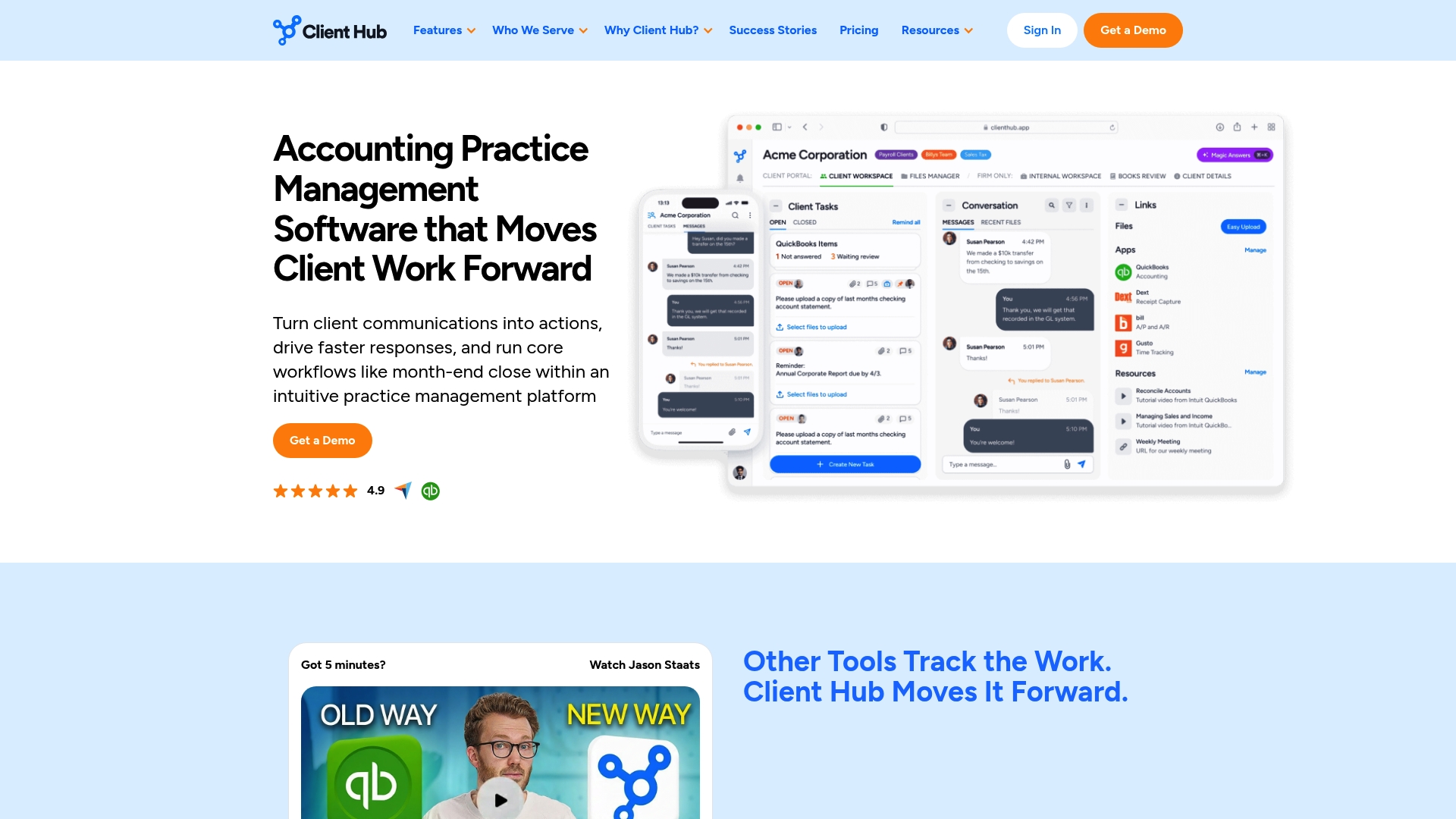
Starts at $49 per month for solopreneurs. That entry price makes Client Hub accessible for small firms that want practice management without a large upfront commitment. The platform combines a client portal, mobile apps, and deep connections to QuickBooks Online and Xero.
Core Features
Client Hub packs practice management with workflow boards and dashboards that track deadlines, capacity, and performance. The client portal supports messaging, file sharing, e signatures, and mobile access so your clients can send documents and sign forms on the go. AI powered tools generate tasks, summarize emails and reports, and analyze ledger data while Zapier links automate repeatable steps.
Key Differentiator
Client Hub is built specifically for accounting firms and embeds AI powered automation into everyday accounting workflows. That focus ties AI features to bookkeeping tasks and financial data rather than generic project management. Firms that need accounting aware automation will notice the difference.
Pros
Client Hub combines practice management, client communication, and accounting integrations in one place. The platform integrates deeply with QuickBooks Online and Xero while offering Zapier for custom automations. Its AI powered helpers reduce repetitive work by generating tasks and summarizing communications. Plans advertise unlimited client and storage capacity, which removes growth constraints for many firms.
Cons
-
Public user review detail is limited, which makes independent sentiment hard to verify.
-
Pricing uses tiered firm user charges and may feel costly for solo practitioners on tight budgets.
-
Third party review coverage is sparse, so real world performance and long term reliability are not well documented.
When It May Not Fit
If you are a solo accountant who needs the lowest possible monthly cost, Client Hub's higher tiers may not fit your budget. Firms that rely on broad third party review data to choose software will find limited coverage. Practices that need niche integrations outside the listed connections should confirm availability first.
Notable Integrations
- QuickBooks Online
- Xero
- Zapier
- Gmail
- Microsoft Outlook
- SignWell
Who It's For
Accountants, bookkeepers, and CPA firms that want an accounting aware practice management system with AI features benefit most. Small and scaling firms that use QuickBooks Online or Xero will get the fastest setup. Solo practitioners should weigh the cost versus the included capabilities.
Real World Use Case
A small CPA firm uses Client Hub to automate client onboarding and to manage recurring engagements. The system generates follow up tasks from client messages and pulls ledger context from QuickBooks Online for faster review. That reduces manual steps in month end close and speeds client responses.
Pricing
Plans start at $49 per month for solopreneurs. A practice manager tier begins at $59 per month per firm user, with higher tiers available that include added integrations and features. Confirm seat pricing when evaluating team size.
Website: https://clienthub.app
Engager.app
At a Glance
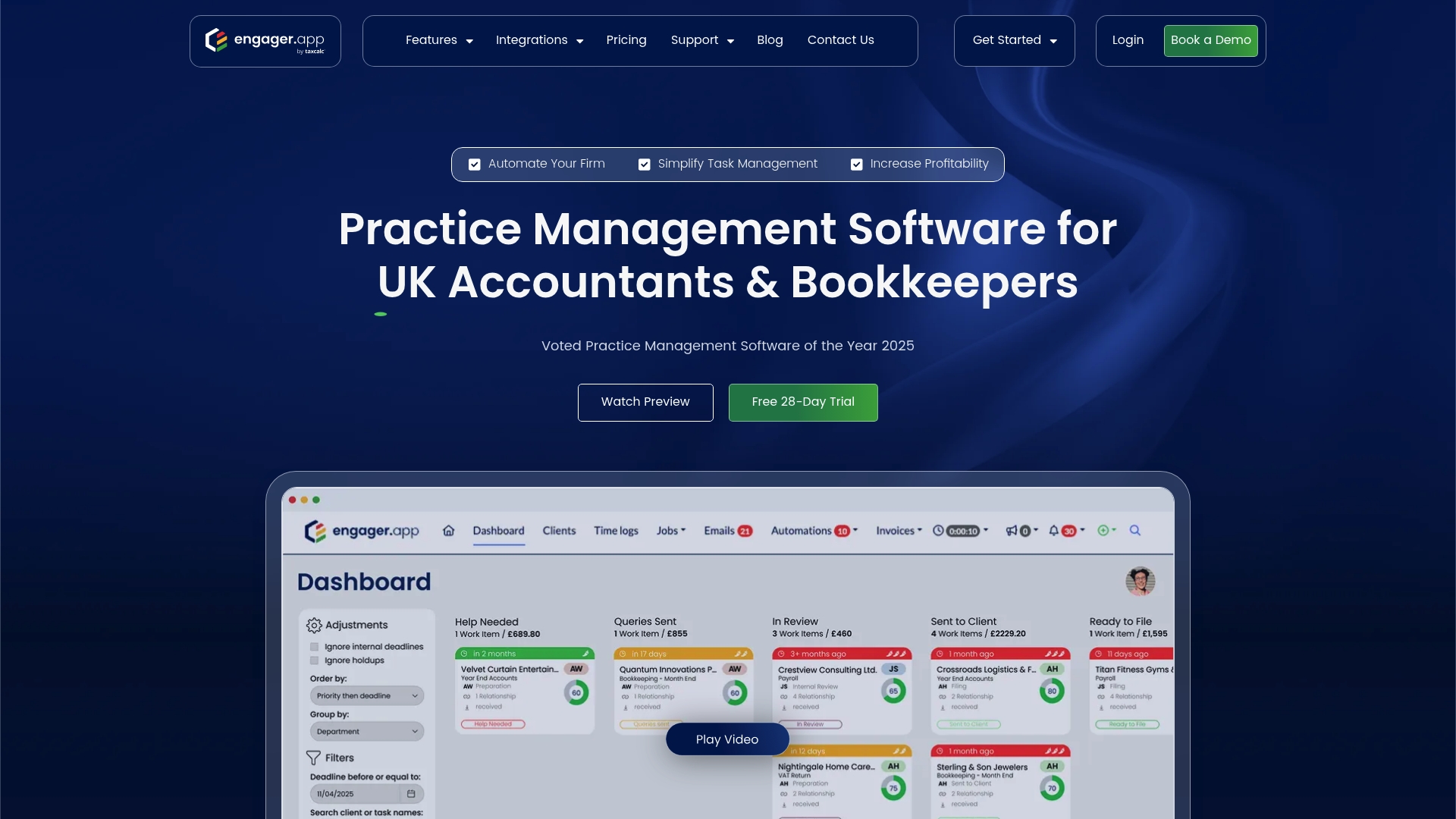
Engager.app's marketing materials state it was voted Practice Management Software of the Year 2025. As a TaxDome alternative aimed at UK accountants, it emphasizes automated workflows, a branded client portal, and integrations with major accounting services. That award claim and its UK focus make it worth checking if your practice handles compliance and client exchanges locally.
Core Features
Engager.app groups task management, document templates, and automated reminders into a single practice management workspace. The platform includes a secure client portal for document exchange and client messaging, plus customizable dashboards and engagement letter templates. It also connects directly to accounting systems so records and deadlines stay aligned with your bookkeeping tools.
Key Differentiator
The vendor advertises powerful integrations tuned for UK accounting work alongside automation built for common practice workflows. That combo targets firms that must handle HMRC interactions, Companies House filings, and client onboarding repeatedly. The product narrows its focus to accountants and bookkeepers rather than general professional services.
Pros
The interface is clear and approachable, which helps teams adopt task boards and document templates faster. The feature set covers client onboarding, proposal and engagement letter generation, and task reminders, so you can reduce manual coordination. Customer support receives regular updates and practical help, and the product offers good value through plans that scale by firm size. Strong integrations with Xero, QuickBooks, FreeAgent, and UK compliance services keep data flowing between accounts and tasks.
Cons
- Initial setup has a steep learning curve and can feel overwhelming during the first weeks. Training time is often required for partners and admins.
- Early implementation complexity may demand a dedicated staff member to manage templates and automation. That adds overhead for very small practices.
- Limited flexibility with AI assistants affects users who expect conversational retrieval of past chats. Some users report trouble finding older conversations quickly.
When It May Not Fit
If you run a solo practice with minimal onboarding needs, the setup effort may outweigh the benefits. Firms that require highly flexible AI assistants or advanced conversation history search will find limitations. Practices outside the UK should compare integration coverage before committing. Teams that need simple invoice-only client portals may prefer a lighter, cheaper tool.
Notable Integrations
Engager.app links to core accounting and compliance platforms used in UK practice workflows.
- Xero
- QuickBooks
- FreeAgent
- HMRC
- Armalytix
- Companies House
- TaxCalc
- Crezco
Who It's For
UK-based accounting and bookkeeping practices of all sizes that need an integrated platform for client onboarding, task tracking, and compliance workflows. It fits firms that want a single place for engagement letters, client documents, and automated reminders tied to accounting records.
Real World Use Case
A mid-sized UK accountancy firm uses Engager.app to automate client onboarding flows, manage tasks on Kanban boards, and generate engagement letters from templates. The firm reduces admin handoffs by keeping client files and communications inside the branded portal and pushing status updates into their accounting software.
Pricing
According to the company, plans start from £9+VAT per month, with tiers scaled to firm size and needs. Pricing rises as you add seats, branded portals, and advanced workflow features.
Website: https://engager.app
Gabbian
At a Glance
External reviews report major reliability problems with Gabbian, including faulty hardware, unreliable GPS or location tracking, poor connectivity, and weak customer support. The platform still offers a free personal tier plus paid Starter and Pro plans. Organizations use it to centralize client histories, documents, and shared resources.
Core Features
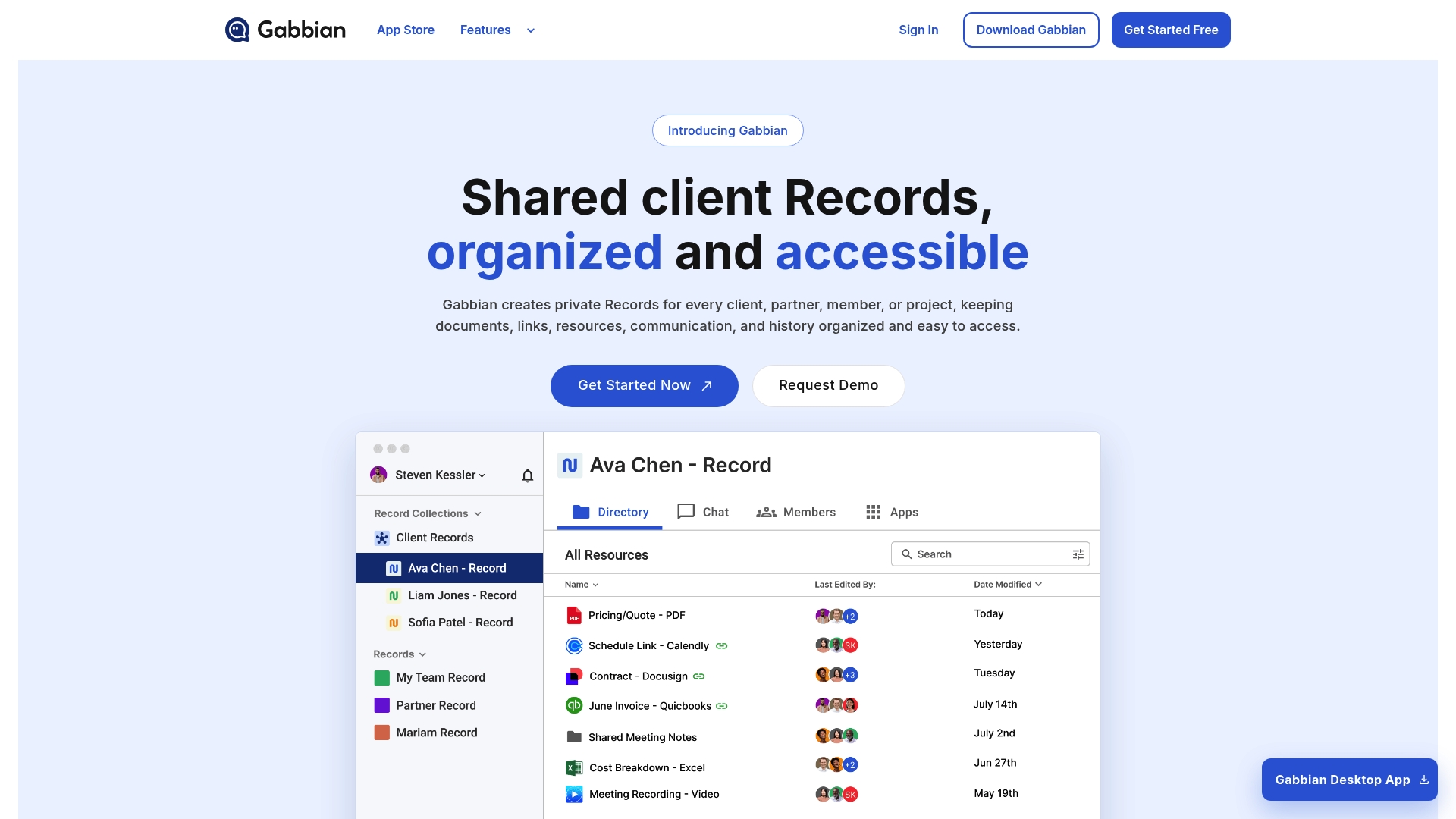
Gabbian stores private records for clients, partners, or projects and lets you organize files, links, and interaction history inside each record. You can group records into collections that reflect your company structure and share access with a single universal link. The product also provides a broadcast feature to send updates and resources to many records at once, and an app store for adding extra tools.
Key Differentiator
Gabbian focuses on record-level control that you can group and share quickly. The universal link plus broadcasting means you can grant access and push the same update to multiple client records in a few clicks. That combination targets teams that need one-to-many communications tied directly to client histories.
Pros
Gabbian offers flexible ways to map relationships through custom groupings and collections, which helps keep client work and partner resources organized. The universal link simplifies sharing a consistent view with stakeholders without attaching files. The broadcast tool reduces repetitive messages by letting you send the same update to many records at once. A free plan exists for personal use, and paid plans scale to organizations that need more features. The app store allows adding third-party tools for specific workflows.
Cons
- External reviews report recurring reliability problems, including hardware faults and connectivity failures, which can disrupt record access and tracking.
- Reported issues with location tracking reduce trust for teams that rely on accurate GPS data for client work.
- Several reviewers cite poor customer support and low stability, which may lengthen incident resolution times.
When It May Not Fit
If you require rock-solid uptime or dependable location services for field work, Gabbian may not meet your needs because of the reliability complaints. Teams that depend on fast, responsive vendor support should plan for delays. Enterprises with strict uptime or tracking SLAs should consider alternatives with stronger operational reviews.
Who It's For
Gabbian fits professionals and organizations that prioritize centralized client histories and file collections and who want a single link for stakeholder access. It suits consulting shops, small agencies, and internal teams organizing partner records. Choose it only if you can tolerate potential reliability tradeoffs for its sharing and broadcast features.
Real World Use Case
A consulting firm creates private records per client to store contracts, correspondence, and deliverables. They share a universal link with stakeholders so everyone sees the same resource set. When a regulation update arrives, the firm uses broadcast to push the new guidance to all affected client records at once.
Pricing
Gabbian offers a free plan for personal use. Paid plans include a Starter Plan at $20/month and a Pro Plan at $100/month. The tiered approach lets practices scale from a single consultant to a larger team.
Website: https://gabbian.com
TaxDome
At a Glance
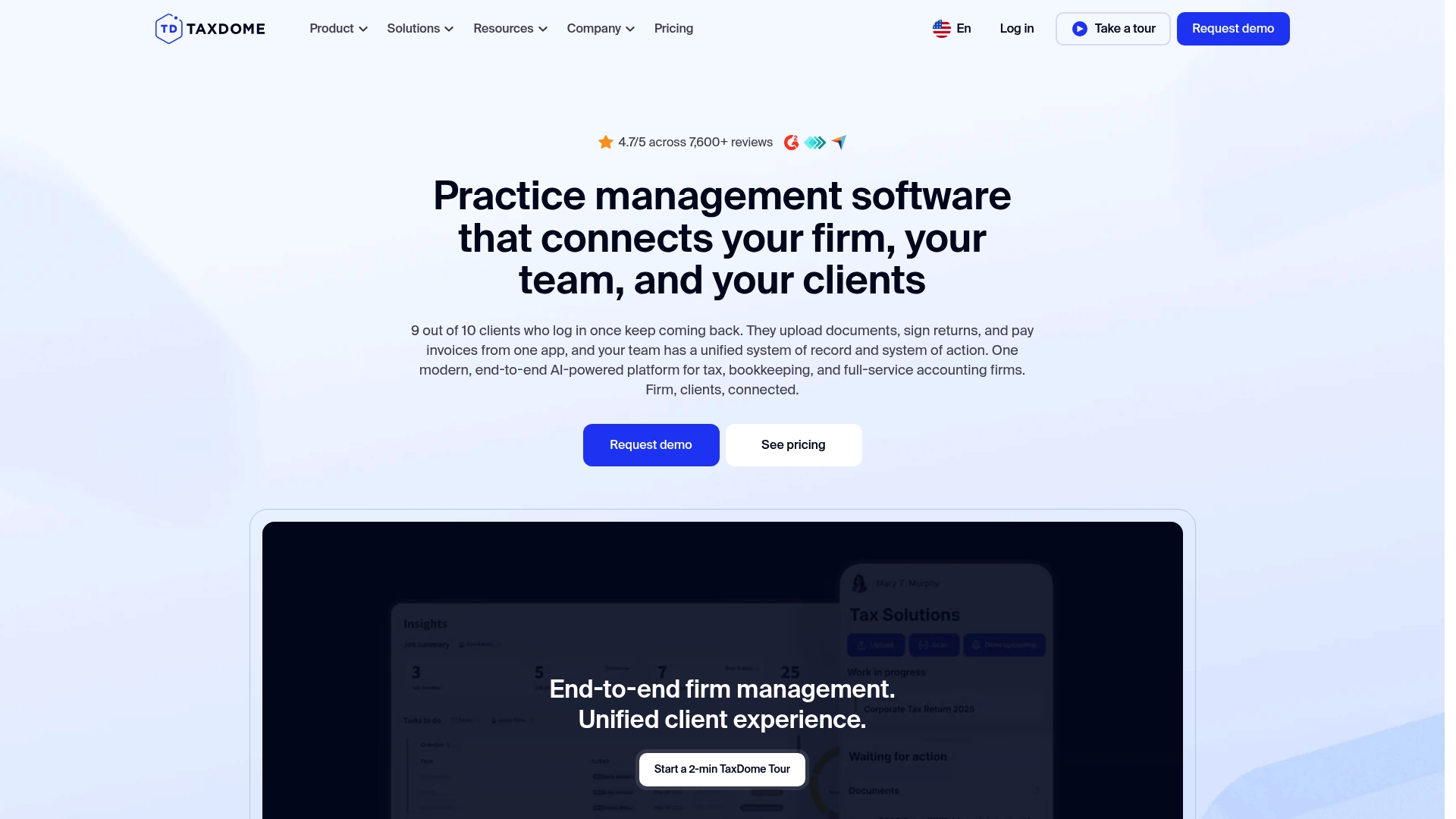
TaxDome reports being trusted by over 15,000 firms and more than 5 million clients. The platform targets tax, bookkeeping, and accounting practices with an emphasis on client portals and automation. It bundles workflows, billing, and document management into a single product aimed at firms from solo practitioners to larger teams.
Core Features
TaxDome combines a unified client portal and mobile app for document exchange, e-signatures, messaging, and payments with automated workflows and AI-powered reporting. The platform includes CRM and pipeline tools, time tracking, unlimited document storage, and integrated billing that links to QuickBooks Online and payment processors. Security controls, intake forms, scheduling links, and client onboarding tools round out the operational core.
Key Differentiator
The platform’s defining angle is its all-in-one approach that pairs automation and branded client experiences with practice-specific integrations. Firms get client-facing mobile apps they can white label alongside workflow automation tuned for tax and bookkeeping work. That combination positions TaxDome as a single place to run client lifecycle tasks without stitching many apps together.
Pros
TaxDome reduces the number of separate tools a firm needs by bringing client communication, documents, invoicing, and CRM into one product. The mobile app and portal improve client accessibility and make file exchange and e-signatures straightforward for nontechnical clients. Automation and AI reporting help firms spot workflow bottlenecks and push routine reminders automatically, which frees staff for higher value tasks.
Cons
-
Steep learning curve and complex initial setup that can lengthen onboarding time for small teams.
-
Occasional bugs and performance issues reported by users, which can interrupt day-to-day work.
-
Customer support responsiveness is inconsistent and can be slow during busy periods.
-
Perceived high upfront costs, especially for firms adding many seats or requesting custom branding.
When It May Not Fit
Firms with minimal internal IT support will struggle with the setup and customization demands. Practices that prefer a lightweight tool for invoicing and scheduling only will find TaxDome heavier than needed. Teams that need the fastest possible customer support response or very simple out-of-the-box configurations may prefer a simpler product.
Notable Integrations
TaxDome connects with QuickBooks Online, major tax engines like Drake Software and UltraTax CS, CCH Axcess, scheduling tools such as Calendly, payment processors including Stripe and PayPal, and Zapier for broader automation. These links allow firms to pass billing and tax data without manual exports.
Who It's For
Small to large tax, bookkeeping, and accounting firms that want a single system to manage client intake, secure documents, workflows, and billing. Firms planning to brand a client portal or mobile app and those that need deeper integration with tax engines will find the feature set aligned to their needs.
Real World Use Case
A mid-sized CPA firm centralized client communications, automated routine reminders, and routed documents through branded portals. The firm reduced manual follow ups, accelerated payments, and improved client onboarding while keeping access controls and audit trails in place.
Pricing
Pricing starts at $700/year per seat for solo plans with discounts for longer commitments. Tiered plans exist for small, mid-sized, and enterprise firms with add-ons for client care, branding, and advanced automation. Enterprise quotes are available on request.
Website: https://taxdome.com
ShareFile
At a Glance
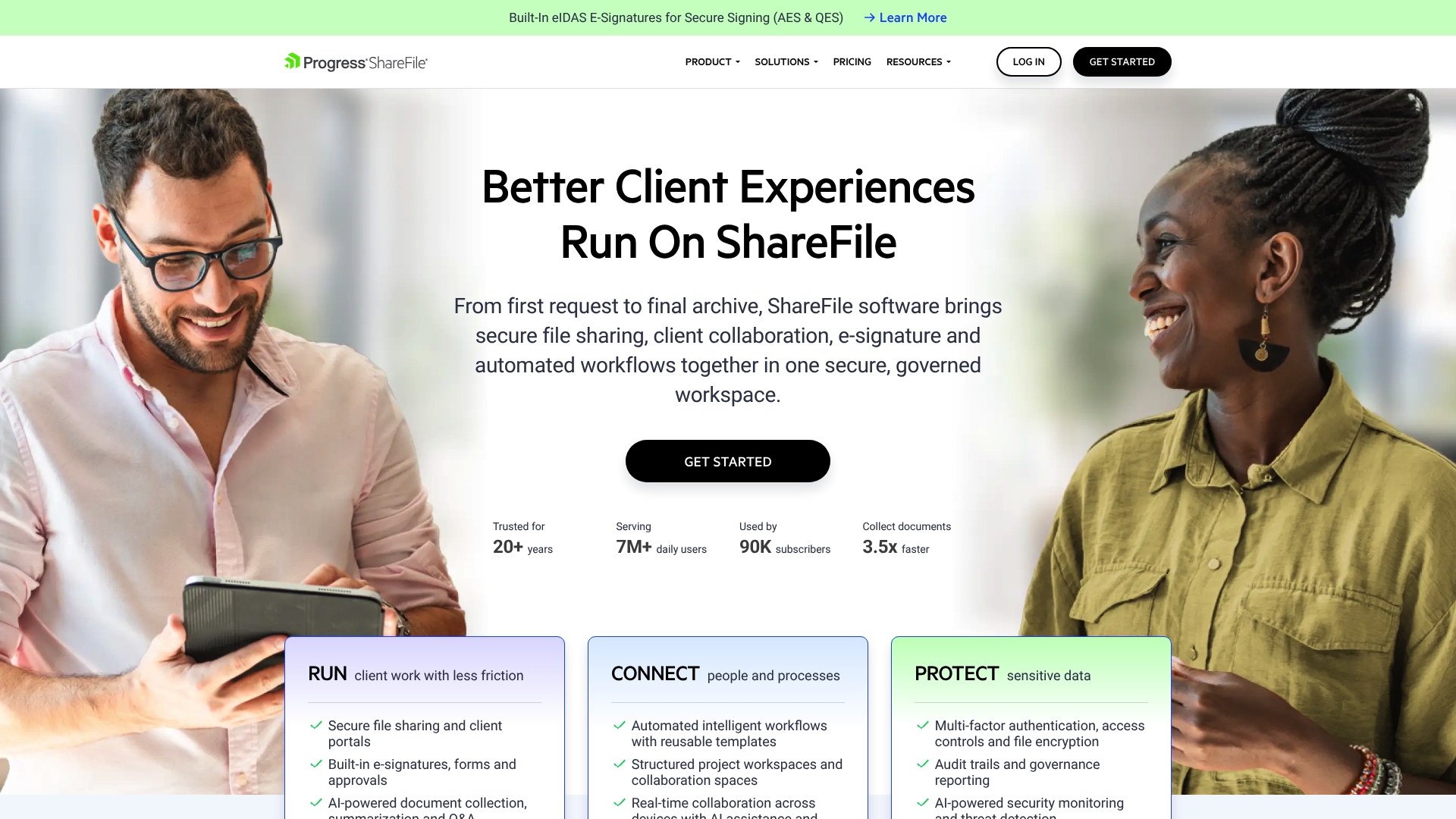
ShareFile reports over 20 years of industry leadership and millions of daily users. The platform combines secure file sharing, client portals, and built in e signatures in governed workspaces. Those usage and longevity claims support its position with regulated teams that handle sensitive documents.
Core Features
ShareFile offers secure file sharing and client portals, built in e signatures, forms, and approvals, and AI powered document collection with summarization and Q&A. The product includes automated workflows with reusable templates and structured project workspaces for team and client collaboration. These capabilities aim to keep documents, approvals, and audit trails together inside a single governed workspace.
Key Differentiator
ShareFile pairs workflow automation and digital signatures with AI assisted document handling inside a security focused platform. That combination helps teams manage compliance and reduce manual steps when collecting documents and approvals. The emphasis on governance and industry compliance sets it apart for regulated professions.
Pros
ShareFile is trusted for secure and reliable file sharing and offers a clear interface that clients can use without training. Its e signature and approval features handle common signing workflows and reduce back and forth on contracts. Email integration options help move attachments into controlled folders while preserving audit trails. The platform includes AI assisted features for faster document collection and basic summarization.
Cons
- Potential performance slowness with large files. Uploads and previews can lag when files are very large.
- Occasional issues with file version syncing. Teams may see conflicting versions during heavy collaboration.
- Limited mobile app experience compared to competitors. Mobile editing and review feel constrained.
- Customer support responsiveness variability. Some buyers report inconsistent support response times.
When It May Not Fit
If you rely on fast mobile approvals and frequent on device edits, ShareFile's mobile feature set may frustrate you. Teams that transfer very large media files often hit the reported performance limits. If you need consistently fast support response times, investigate service level terms before committing.
Notable Integrations
ShareFile integrates with Microsoft 365, Google Workspace, QuickBooks, Salesforce, and Zapier. These connections let you sync documents with productivity suites, push data to accounting, or automate simple cross platform tasks.
Who It's For
ShareFile fits teams in legal, healthcare, finance, and accounting that must keep document access and approvals auditable. Small firms that need governed client portals and built in signing will find the workspace useful. Larger organizations with strict compliance requirements will appreciate the governance features.
Real World Use Case
A law firm uses ShareFile to deliver matter specific workspaces, collect client documents with AI assisted prompts, and gather signatures on engagement letters. The firm tracks access and preserves audit logs for regulatory reviews and litigation hold scenarios.
Pricing
Pricing starts at $16.50/month per user for the Advanced plan with a minimum of 3 users. Higher tiers are available for additional features and industry specific workflows.
Website: https://sharefile.com
Comparison of alternatives
RealClient.io's strength lies in its ability to provide intuitively branded client-facing portals with rapid deployment, making it particularly advantageous for freelancers and small teams needing straightforward yet professional client interaction platforms.
Setup and Branding Capabilities
RealClients stands apart with its highly customizable and brand-focused portals set up in minutes. Unlike Engager.app, which requires a more extensive initial provisioning phase, RealClients enables freelancers to begin operations swiftly. Additionally, the branding flexibility surpasses ShareFile, ideal for professionals prioritizing visual consistency in client interactions.
Integrated Functionalities for Finance Professionals
Client Hub provides financial integrations like QuickBooks Online and Xero. This targeted functionality specifically supports accounting workflows, such as ledger management and financial report summaries. In contrast, professionals outside the accounting domain might find the features overly niche to justifying the costs. Conversely, TaxDome boasts an expansive feature set aimed at multitiered tax and bookkeeping firms, but these additional capabilities may require a steeper learning curve for smaller practices.
Best fit
- Independent freelancers valuing customized portals for streamlined client communication will find RealClients their best choice.
- Accounting teams requiring integrated financial tools, such as ledger synchronization, will achieve greater efficiency with Client Hub.
- UK-based firms prioritizing compliance automation and task integration will benefit the most from Engager.app’s feature compliance alignment.
- Consulting services aiming for centralized client histories and broad resource sharing could effectively use Gabbian’s broadcast capabilities.
Our pick
For professionals and freelancers seeking efficiently branded client-facing solutions with minimal setup time, RealClients aligns most effectively. However, those requiring advanced integration with financial tools should explore Client Hub for its tailored automation. Each platform supports its intended audience uniquely, demonstrating that the best choice depends on matching specific needs with each product's strength.
This table highlights the unique features, target users, and limitations of prominent client portal software options to help professionals identify the best choice for their needs.
| Product | Key Differentiator | Best For | Pricing | Notable Limitation |
|---|---|---|---|---|
| RealClients | Fully customizable and branded client-facing workspaces | Freelancers and small studios | Free tier, Pro at $12.99/month, Business at $29.99/month | Limited advanced project management features |
| Client Hub | AI-powered practice management tailored for accounting firms | Accountants and bookkeepers | Starts at $49/month per user | Limited third-party reviews |
| Engager.app | UK-specific integrations for compliance and client workflows | UK-based accounting and bookkeeping practices | Starts at £9+VAT/month with scaled tiers | Initial setup complexity |
| Gabbian | Universal single-link sharing and broadcast capabilities | Consulting, small agencies | Free tier, Starter at $20/month, Pro at $100/month | Reported reliability issues and weak customer support |
| TaxDome | Comprehensive automation paired with branded client interfaces | Accounting, bookkeeping, and tax firms | Starts at $700/year per seat | Steep learning curve |
| ShareFile | Secure document sharing with audit controls for regulated environments | Legal and regulated professions | Starts at $16.50/month per user with minimum requirements | Limited mobile functionality |
Why Realclient Stands Out Among TaxDome Alternatives for Client Management
Managing client communication, contracts, and payments across multiple tools can slow freelancers and small studios down. The article highlights common challenges like scattered emails and disconnected apps that create confusion and delay payments. Realclient solves these by combining branded client portals with threaded messaging, e-signatures, file sharing, and payments — all in one secure workspace.
Realclient helps freelancers, realtors, and agencies stay organized and get paid faster. The platform’s quick setup means less waiting and more doing. Over $48 million was invoiced last year through Realclient portals, showing real impact on cash flow and client satisfaction.
If your practice needs a simple but powerful alternative with integrated billing and communication, see how Realclient can reduce complexity and improve your client experience. Start your first branded portal in minutes and keep all project details in one place.
FAQ
How does RealClients enhance client communication for freelancers?
RealClients consolidates contracts, messaging, and payments into one workspace. Its threaded messaging feature keeps conversations and approvals together, streamlining interactions and reducing confusion. Freelancers can expect seamless communication with their clients across different stages of engagement.
What is the difference between Client Hub and RealClients?
Client Hub combines practice management tools with deep connections to accounting services for accounting professionals. In contrast, RealClients focuses on providing a fully branded client portal that centralizes contracts, communication, and billing for freelancers and small studios. Choose RealClients if you prefer a dedicated client portal that simplifies client transactions in a single interface.
Which platform is more suited for tax professionals — Engager.app or RealClients?
Engager.app specializes in tasks specific to accountants and tax professionals, including HMRC interactions and compliance workflows. RealClients offers a broader service aimed at freelancers, focusing on branding and quick setup for various client types. If you are primarily a freelancer or small studio, RealClients might better align with your needs for ease of use and rapid onboarding.
Can I use RealClients if I have multiple clients but want a free plan?
RealClients offers a Free tier, but it supports only a limited number of clients, making it ideal for freelancers just starting out. For those managing more clients, transitioning to a paid plan may be necessary to access additional features and support.
What features help RealClients maintain security for client data?
RealClients employs bank-level encryption, adheres to SOC 2 standards, and complies with GDPR regulations to protect client data. This means freelancers can trust that their client communications and financial transactions remain secure throughout their engagements.