
Contract redlining is the practice of marking proposed edits to a contract using tracked changes and margin comments, so both parties can see exactly what changed, why, and what the final text would look like if accepted. Before you do anything else: open the master file, turn on Track Changes in Microsoft Word or enable suggestion mode in Google Docs, and share both a clean copy and the marked-up version with your counterparty. That single habit prevents the version sprawl and lost edits that derail more negotiations than any clause dispute.
- Turn on Track Changes before making a single edit
- Keep one internal master file; share copies, never the master
- Always send the redline and a clean copy together
Table of Contents
- What is contract redlining, exactly?
- Why you redline a contract — the goals that drive every edit
- When does redlining belong in the negotiation process?
- Who should edit, comment, and approve redlines?
- How to redline a contract — a step-by-step workflow
- Common redlining problems and how to avoid them
- Contract redlining best-practices checklist
- Which tools make redlining simpler?
- Your ready-to-use redlining playbook and comment templates
- How long does redlining take, and what does it cost?
- Key Takeaways
- The trade-offs every negotiator has to make
- Realclient makes the redlining process cleaner for freelancers
- Further reading and authoritative sources
What is contract redlining, exactly?
Contract redlining is the collaborative process of negotiating agreement terms by marking up, editing, and annotating document text until both parties reach a final clean version. The term comes from the days when lawyers literally drew red lines through unwanted text on paper. Today the mechanics are digital, but the vocabulary has stuck.
Three terms come up constantly, and mixing them up causes real confusion:
- Tracked changes: Edits made inside the document that are visually flagged (strikethrough for deletions, underline for additions). These are the redlines themselves.
- Comments/annotations: Margin notes that explain why an edit was made without altering the document text. Think of them as negotiation signals.
- Blackline (or comparison): A document generated by comparing two versions side-by-side, showing every difference automatically. Useful when a counterparty returns a draft without tracked changes.
A redline is a draft-stage tool. It is not a contract review (which happens before you send your first draft) and it is not execution (which happens after both parties accept all terms). Redlining lives in the middle: the back-and-forth negotiation rounds.
"Editing a contract offer can legally function as a counteroffer under common-law principles — even small changes may terminate the original offer and produce a counteroffer." — LegalClarity
A single-word change to a payment term is still a material edit. Treat it as a counteroffer and document acceptance explicitly.
Why you redline a contract — the goals that drive every edit
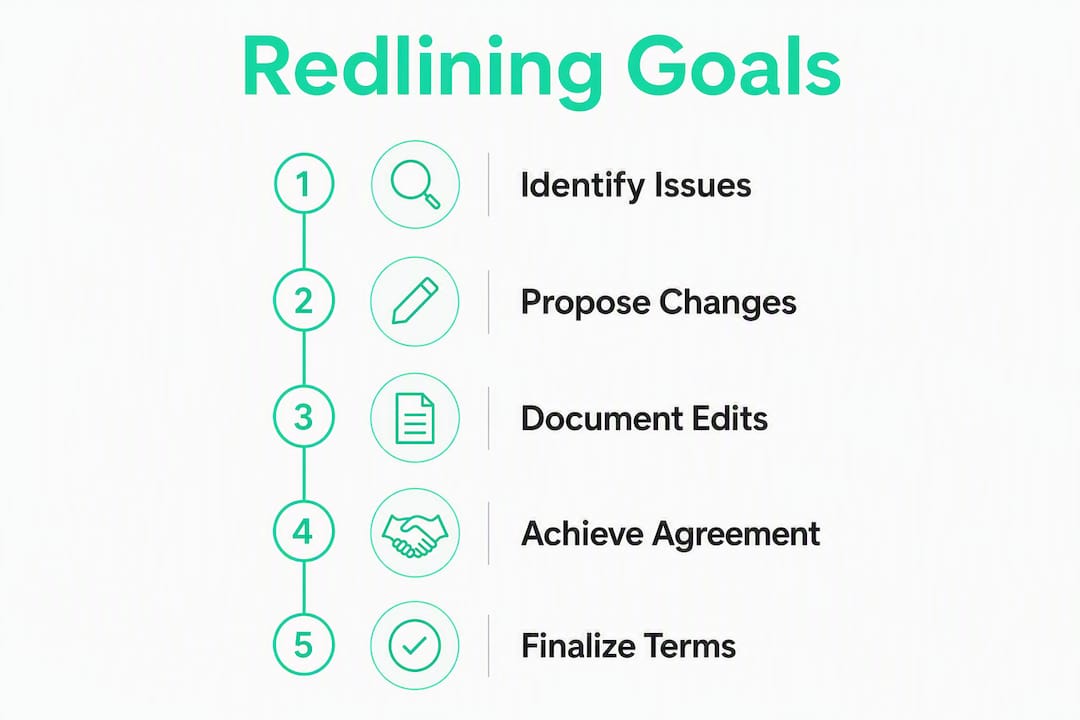
Redlining without a clear goal produces noise. Every edit you make should serve one of these purposes:
- Risk mitigation: Shift or cap liability before you are bound by it
- Clarifying obligations: Remove ambiguous language that could be read against you later
- Locking business terms: Confirm price, deliverables, and timelines in writing
- Preserving an audit trail: Create a documented record of what each party proposed and accepted
The clauses that most often move a deal are liability caps, indemnification language, payment schedules, intellectual property ownership, and termination rights. A freelancer negotiating a design contract, for example, might accept a client's standard payment terms but push hard on IP ownership and kill-fee provisions. An agency reviewing a vendor agreement will typically focus on indemnities and limitation-of-liability caps first.
The process is iterative by design. Each party edits and returns drafts until all terms are finalized. Knowing your goal for each clause keeps that iteration short.

When does redlining belong in the negotiation process?
Timing matters as much as technique. A few practical rules:
- Loop in legal for high-risk contracts — Contracts involving IP assignment, personal guarantees, exclusivity, or significant liability exposure need a qualified attorney's review before you send redlines.
Who should edit, comment, and approve redlines?
Version confusion almost always traces back to unclear ownership. Define roles before the first draft goes out.
- Drafter/owner: The person who creates and controls the master file. Only this person accepts or rejects tracked changes in the internal master.
- Negotiator (business lead): Proposes edits on commercial terms (price, scope, timeline). Does not have authority to accept legal concessions unilaterally.
- Reviewer (legal/compliance): Reviews and marks up legal clauses (liability, indemnity, IP, termination). Escalates anything outside pre-approved playbook positions.
- Approver (budget owner or executive): Signs off on any concession above a monetary threshold or outside standard positions before the redline goes back to the counterparty.
A practical handoff checklist:
- Confirm the file version number before passing it on
- Note which clauses are open vs. agreed in a cover note or comment thread
- Flag any clause where you deviated from the standard playbook
- Get written approval (email is fine) before accepting a non-standard concession
Pro Tip: Set a simple monetary threshold in writing — for example, any payment-term concession above 30 days or any liability cap below your standard position requires the approver's sign-off before you send the redline. This one rule prevents unauthorized concessions from slipping through during fast-moving negotiations.

How to redline a contract — a step-by-step workflow
This process works whether you are a solo freelancer or part of a legal-operations team.
- Triage the contract. Read the full document once without editing. Flag clauses that are non-standard, missing, or directly contrary to your interests.
- Prioritize your edits. Rank clauses: must-change (deal-breakers), should-change (meaningful risk), and nice-to-change (minor preferences). Work in that order.
- Turn on Track Changes. In Word: Review → Track Changes. In Google Docs: Edit → Suggesting mode. Never edit without it.
- Make one change per edit. Change a single concept at a time so the counterparty can accept or reject each point independently. Bundling multiple changes into one tracked edit forces all-or-nothing decisions.
- Add an explanatory comment to every substantive edit. Failing to explain reasoning behind redlines is one of the most common negotiation mistakes. A brief comment reduces follow-up questions and rounds.
- Route for internal approval. Share the redlined file internally (not with the counterparty yet). Get sign-off from the approver on any non-standard positions.
- Send both the redline and a clean copy. Sending both versions reduces ambiguity and speeds acceptance by showing the counterparty what the contract looks like if they accept all changes.
- Accept or reject incoming redlines in a controlled sequence. Work clause by clause. Never accept all changes at once without reviewing each one.
- Preserve the audit trail. Save every exchanged version with a clear file name (see the playbook section below). Do not delete earlier drafts.
Sample comment text for common edits:
- Payment term change: "We propose Net 30 in place of Net 60 to align with our standard cash-flow terms. Happy to discuss if your AP cycle requires flexibility."
- Indemnity narrowing: "We have limited indemnification to claims arising from our own negligence. Mutual indemnity for third-party IP claims is acceptable."
- Termination clause: "We propose 30 days' written notice for convenience termination (reduced from 90). This reflects standard practice for service agreements of this scope."
Pro Tip: One change per tracked edit is the single habit that most reduces negotiation friction. When a counterparty can accept a payment-term change without touching your indemnity edit, rounds close faster.
Sign-off checklist before sending:
- All internal approvals obtained
- Both redline and clean copy attached
- File named with version number and date
- Cover note summarizing open issues included
Common redlining problems and how to avoid them
| Problem | Practical Fix |
|---|---|
| Version sprawl | Use a single internal master; share numbered copies only |
| Untracked edits | Lock the master; require Track Changes for all contributors |
| Simultaneous edits | One person edits at a time; share clean copies, not the master file |
| Incompatible file formats | Agree on .docx or PDF+comment format before the first exchange |
| Lost metadata | Save each version separately; never overwrite a prior draft |
| Tone problems | Keep comments factual and solution-focused; avoid adversarial language |
Beyond the table, a few troubleshooting steps when negotiations go sideways:
- If you receive a draft with no tracked changes, run a blackline comparison against the prior version immediately to find hidden edits.
- If formatting breaks after a file conversion, revert to the last clean .docx and redo the conversion rather than trying to fix corrupted styles.
- If a counterparty accepts changes verbally but the written draft does not reflect them, send a summary email confirming the agreed positions before the next redline round.
Contract redlining best-practices checklist
The habits below separate negotiators who close deals quickly from those who trade drafts for weeks.
Core checklist:
- Work from a pre-approved playbook with standard positions, fallbacks, and escalation rules
- Prioritize high-risk clauses first (liability, indemnity, IP, payment)
- Explain every substantive edit in a comment
- Keep version control tight with a single internal master
- Always send the clean copy alongside the redline
- Preserve every exchanged version as a dated file
- Apply approval rules before sending non-standard positions
Prioritization matrix:
| Clause type | Priority | Rationale |
|---|---|---|
| Liability cap | Must-change | Directly limits your financial exposure |
| Indemnification | Must-change | Defines who pays for third-party claims |
| IP ownership | Must-change | Determines who owns the work product |
| Payment terms | Should-change | Affects cash flow and dispute risk |
| Termination rights | Should-change | Controls exit options for both parties |
| Notice provisions | Nice-to-change | Procedural; rarely deal-critical |
| Governing law | Nice-to-change | Matters most in cross-border deals |
Tone and etiquette rules:
- Frame edits as proposals, not demands: "We propose..." rather than "We require..."
- Keep comments brief and factual; save relationship-building for calls
- Never use all-caps or exclamation points in contract comments
Which tools make redlining simpler?
Tool choice depends on volume and risk. Here is how the categories stack up:
- Word processor + email (Word, Google Docs): Sufficient for low-volume, low-risk work. Track Changes in Word and Suggesting mode in Google Docs handle most freelance and small-business contracts. The limitation is version control: email chains scatter files fast.
- Cloud editors with shared access: Google Docs lets multiple reviewers comment in real time, but simultaneous editing of the same file risks overwrites. Use it for internal review, not for live counterparty exchanges.
- Contract collaboration platforms / CLM: Centralized workspaces hold the redline and clean copy in one place, integrate e-signatures, and maintain a full version history. Worth the investment when you handle repeat, high-volume contracts or when governance and audit trail requirements are strict.
- AI-assisted review tools: AI can run the first-pass review, compare versions, flag noncompliant language against a playbook, and propose fallback wording. Human approval remains necessary on high-stakes clauses. AI accelerates the mechanical work; it does not replace judgment on relationship-sensitive concessions.
- E-signature integrations: Connecting your redlining workflow to an e-signature platform closes the loop from negotiation to execution without switching tools.
Realclient's client portal brings several of these capabilities together for freelancers and small businesses: a centralized workspace where both parties can access the current version, file sharing with version history, and built-in e-signature so the contract moves from redline to signed without leaving the platform.
Your ready-to-use redlining playbook and comment templates
Copy and adapt this compact playbook for your next negotiation.
Playbook template:
| Clause | Preferred position | Acceptable fallback | Walk-away threshold |
|---|---|---|---|
| Payment terms | Net 30 | Net 30 | Net 60+ |
| Liability cap | 1× contract value | 2× contract value | Uncapped |
| IP ownership | Full assignment to client on payment | License with reversion if unpaid | Perpetual license, no reversion |
| Termination (convenience) | 30 days' notice | 30 days' written notice | 90+ days' notice |
| Governing law | Your state | Neutral state | Counterparty's state (escalate) |
Sample comment snippets (copy-paste ready):
- Payment schedule: "Proposing 50% upfront, 50% on delivery. Reduces payment risk for both parties on a fixed-scope project."
- Liability cap: "Cap proposed at 1× total contract value. Standard for service agreements of this type."
- IP language: "All work product assigns to client upon receipt of full payment. Added payment condition to protect both parties."
- Delivery dates: "Milestone dates adjusted to reflect a 5-business-day review window per deliverable. Keeps the schedule realistic."
- Indemnity scope: "Indemnity limited to claims arising from our direct negligence or willful misconduct. Mutual indemnity for IP infringement retained."
- Confidentiality term: "Proposing a 2-year confidentiality term post-termination. Perpetual confidentiality is not standard for this engagement type."
- Dispute resolution: "Added mediation as a required step before arbitration. Reduces cost and time for both parties."
- Auto-renewal: "Removed auto-renewal clause. Prefer explicit renewal with 30 days' written notice."
File naming convention:
ContractName_v1_[YourInitials]_[MMDDYYYY]— your first redlineContractName_v2_[CounterpartyInitials]_[MMDDYYYY]— their responseContractName_FINAL_[MMDDYYYY]— agreed clean copy
For freelance contract templates you can adapt directly, Realclient's blog has clause-level examples worth bookmarking.
How long does redlining take, and what does it cost?
Realistic expectations prevent deals from stalling.
Typical timelines:
- Simple contracts: Usually close within a few business days per round and one or two rounds.
- Mid-size commercial agreements: Typically take one to two weeks total over a few negotiation rounds.
- Complex or high-value contracts: Can take multiple weeks due to extensive reviews and approvals.
Factors that lengthen rounds: missing playbook positions (negotiators pause for internal approval on every unusual clause), incompatible file formats, counterparty legal review queues, and unclear escalation rules.
Cost drivers:
- Internal review hours (business lead + legal reviewer)
- External legal fees (attorney hourly rates in the US typically range from $200–$500+ per hour for commercial contract work)
- Number of back-and-forth rounds
Quick cost-reduction tactics:
- Use a pre-approved playbook to eliminate internal approval delays on routine clauses
- Delegate standard-clause review to a trained business lead; reserve attorney time for non-standard positions
- Run an AI first-pass to flag noncompliant language before human review begins
- Set a round limit upfront and communicate it to the counterparty
Building fallback positions into your playbook is the single fastest way to preserve deal momentum. Without pre-approved fallbacks, negotiators pause for internal review on every unusual clause — and that pause is where deals lose energy.
Key Takeaways
Effective contract redlining requires tracked changes, explanatory comments, a pre-approved playbook, and strict version control to close deals faster and protect your interests.
| Point | Details |
|---|---|
| Turn on Track Changes first | Enable tracking before any edit to preserve a complete, auditable record of every change. |
| Explain every substantive edit | A brief comment on each redline reduces follow-up rounds and signals good faith to the counterparty. |
| Send clean copy with the redline | Counterparties accept changes faster when they can see the proposed final text alongside the markup. |
| Use a playbook with fallback positions | Pre-approved fallbacks eliminate internal approval delays and keep deal momentum intact. |
| Realclient centralizes the workflow | Realclient's client portal combines version history, file sharing, and e-sign in one place for freelancers and small businesses. |
The trade-offs every negotiator has to make
Speed and thoroughness pull in opposite directions in every redline round. Push too hard on every clause and you signal distrust, slow the deal, and sometimes lose it entirely. Accept too much and you carry risk you did not price in.
The heuristic that works: fight hard on clauses where the downside is asymmetric (uncapped liability, broad indemnities, IP you cannot get back) and let go of clauses where the practical risk is low or the relationship value outweighs the legal exposure. A freelancer working with a long-term client on a $3,000 project does not need to redline the governing-law clause. The same freelancer absolutely should push back on a clause that assigns all future IP to the client without a payment condition.
Escalation rules matter here. When a counterparty pushes back hard on a must-change clause, the right move is usually to call, not to trade more written redlines. A 20-minute conversation resolves positions that would take three more rounds of markup to reach on paper. Document whatever you agree verbally, then reflect it in the next clean draft.
The negotiators who close deals efficiently are not the ones who accept everything or fight everything. They are the ones who know, before the first draft arrives, exactly which clauses they will hold and which ones they will trade.
Realclient makes the redlining process cleaner for freelancers
Scattered email chains, mismatched file versions, and a separate e-sign tool at the end of the process are the friction points that slow down contract negotiations for freelancers and small businesses. Realclient removes all three in one place.

With Realclient's client portal platform, you get a private, branded workspace where your client can access the current contract version, review files, and sign, without you forwarding attachments across five email threads. Version history is built in, so you always know which draft is current. E-signature is integrated, so the moment redlines are resolved, execution happens in the same workspace. The platform has processed over $48 million in invoiced work, which tells you it handles real-volume contracting, not just demo scenarios.
Realclient's security page covers the bank-grade protections in place for confidential contract data. For freelancers and agencies ready to see plans, pricing is here.
Further reading and authoritative sources
- What Are Contract Redlines? | Workday US — Product documentation explaining the redlining process and CLM context from Workday.
- What does redlining mean in contracts? | LegalClarity — Explanatory article covering the legal effect of redlines as counteroffers under common law.
- 10 Contract Redlining Best Practices Legal Teams Should Know | Harvey AI — Legal-operations blog post covering playbook discipline, comment etiquette, and version control habits.
- Contract redlining: Process, Best Practices and AI | Legartis — Detailed article on AI-assisted redlining, tool categories, and governance requirements.
- Contract redlining in 2026: what it is and how to do it | Juro — Platform-neutral guide covering centralized workspaces, version history, and e-sign integration.
- Contract Redlining Best Practices | DocuSign — Vendor documentation on sending clean copies alongside redlines and e-sign workflow tips.
- A Step-by-Step Look at the Contract Redlining Process | BoostDraft — Step-by-step walkthrough of the redlining workflow with practical examples.
- SEO Contract Agreement: A Complete Guide for Freelancers | Realclient Blog — Clause-level contract guidance written specifically for freelancers; useful for adapting playbook positions.