
For freelancers, agencies, and small businesses that need branded client portals, Realclient is the CRM alternative worth your attention. It replaces the scattered email threads, disconnected invoicing tools, and generic CRM dashboards with a single private workspace your clients actually enjoy using.
- Branded client portals + unified invoicing: Clients get a private, white-labeled workspace to view project updates, download files, sign contracts, and pay invoices without ever leaving your branded environment.
- Built for small teams, not enterprise sales floors: Traditional CRMs are designed around large sales pipelines and complex automations. Realclient is designed around the service relationship, keeping setup fast and overhead low.
- Start free: Realclient offers a free plan so you can build your first branded portal before spending a dollar.
Realclient has facilitated $48M invoiced through its portals, a proof point that reflects real payment volume from real freelancers and agencies.
Table of Contents
- Why are small teams walking away from traditional CRMs?
- How do you pick the right CRM alternative for your business?
- How does Realclient map to that checklist?
- Portal-first platform vs. traditional CRM: which fits your business?
- What should you expect for pricing, setup, and your first invoice?
- Key Takeaways
- Why a client-portal approach is the right call
- Try Realclient free and see the difference
- Useful sources and further reading
Why are small teams walking away from traditional CRMs?
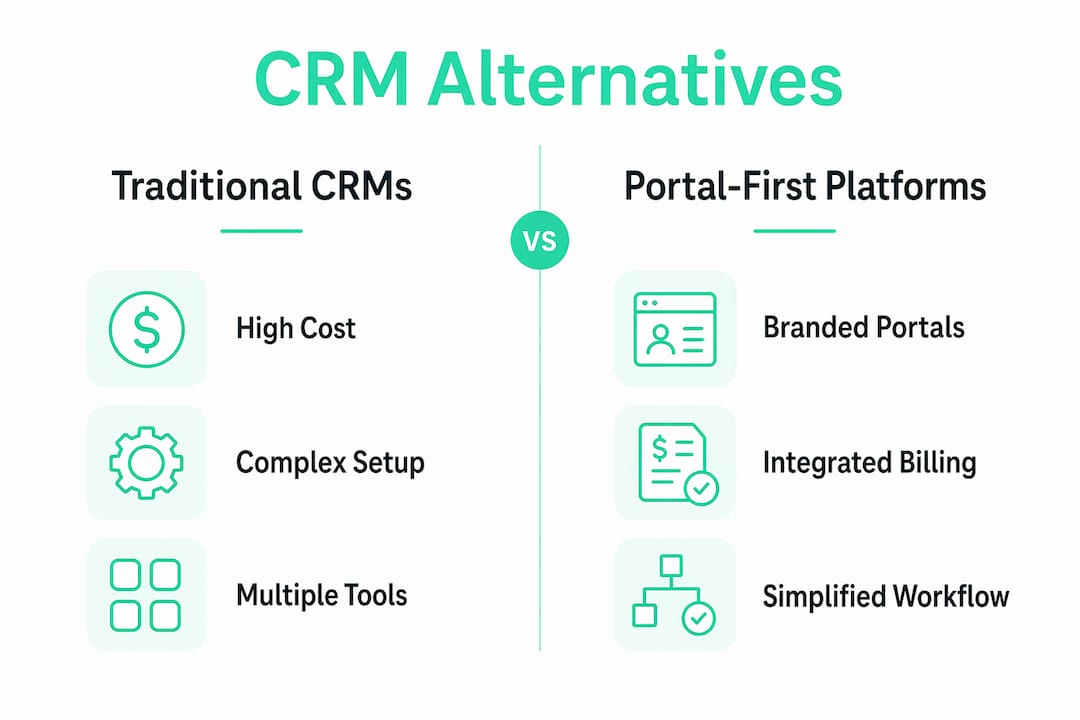
The short answer: the tool starts costing more than it gives back. Small businesses and freelancers consistently report that enterprise CRM platforms become bloated, driving them toward simpler alternatives that prioritize usability over feature count. You spend more time maintaining the CRM than actually serving clients.

Enterprise platforms like Microsoft Dynamics 365 are doubling down on AI-powered agentic automation built for large sales organizations. That direction makes sense for a 200-person revenue team. For a five-person agency, it adds complexity without adding value.
What small teams actually want looks very different:
- A branded client portal where clients can log in and see their project, not just receive emails
- Integrated invoicing and payments so billing happens inside the same workspace
- E-signatures and contract management without a separate tool
- Project milestones clients can track in real time
- Granular privacy controls so each client only sees their own work
The shift toward "stackless" workflows is real. Teams are consolidating from five or six point tools into one platform that handles client communication, billing, and project tracking together.
Pro Tip: Before evaluating any new platform, list every tool your team currently uses for client work and count the monthly cost. That number usually surprises people and makes the case for consolidation faster than any feature comparison.
How do you pick the right CRM alternative for your business?
Not every platform fits every workflow. Industry analysts note that sales-velocity teams prioritize pipeline visualization, while service businesses want invoicing, project management, and contract tools in one workspace. Your evaluation should reflect which camp you're in.
Must-have criteria to evaluate:
- Client-facing features: branded portal, client login, file sharing, messaging
- Billing and payments: invoicing, Stripe or PayPal integration, payment fee transparency
- Project tracking: milestones, task visibility, version history
- Data ownership and security: who owns your client data, how it's encrypted, export options
- Integrations: calendar, email, payment processors
- Pricing model: flat subscription vs. per-seat vs. usage-based
- Support: onboarding help, documentation, live support availability
Questions to ask any vendor before signing up:
- Who owns the client data if I cancel?
- Can clients access a portal on a custom or branded domain?
- Are e-signatures included, or is that a paid add-on?
- How are payment processing fees structured?
- What's the data export process?
- Is there a free plan, and what does it actually limit?
- How long does initial setup realistically take?
- What security certifications or standards does the platform meet?
Red flags to watch for:
- Per-seat-only pricing with no usage tiers (costs spiral as you add clients)
- No clear data export or opaque cancellation terms
- No client-facing portal at all (just internal pipeline views)
- Vague security documentation
Free plans often limit contacts and features, which helps initial adoption but can create friction as you grow. Confirm exactly what the free tier includes before building your workflow around it. Similarly, usage-based pricing models frequently yield lower total cost for growing small teams compared with per-seat billing. Verify actual usage tiers before committing.
How does Realclient map to that checklist?
| Evaluation Criteria | Realclient Capability |
|---|---|
| Branded client portal | Private, white-labeled workspace with custom domain support |
| Invoicing and billing | Built-in invoicing with itemized line items and payment history |
| Payment processing | Stripe and PayPal integration, fees transparent at checkout |
| E-signatures | Included natively, no third-party add-on required |
| File sharing | Version history, organized file library per client |
| Project milestones | Milestone tracking visible to both team and client |
| Permissions | Granular access controls per client and team member |
| Security | Bank-grade encryption, data ownership stays with you |
| Pricing | Tiered subscription with a free plan available |
Two scenarios where this plays out practically: A solo web designer sends a project proposal, collects a signature, and receives a deposit payment before the first call ends. A small marketing agency gives each client a branded portal where they can approve deliverables, download assets, and pay retainer invoices without a single email thread. Both outcomes come from centralizing the entire client relationship in one place.
Security and data ownership specifics:
- Client data is encrypted at rest and in transit
- You retain ownership of all client data
- Granular permissions mean clients only see their own workspace
- Realclient's security documentation details compliance standards and data handling practices
Realclient has processed $48M invoiced through its portals, which reflects the platform's reliability for real payment volume across freelancers and agencies.
Portal-first platform vs. traditional CRM: which fits your business?
The tradeoff comes down to what your daily work actually looks like.
Portal-first platforms (like Realclient) win when:
- Your revenue comes from ongoing service relationships, not high-volume deal pipelines
- Clients need visibility into project progress, not just a contact record
- You bill by project or retainer and need invoicing inside the workflow
- Your team is small and setup time matters
Traditional CRMs win when:
- You run outbound sales with hundreds of leads moving through stages
- Your primary need is pipeline visualization and sales forecasting
- You have a dedicated sales ops person to manage the tool
A freelance brand strategist with 15 active clients needs a portal, not a pipeline. A SaaS startup with a five-person sales team closing 50 deals a month needs a CRM. The complexity tax of maintaining an enterprise CRM is a real cost for small service businesses. Tools with minimal UI friction see higher long-term adoption, and that matters when you're the one maintaining the system.
For creative agencies and freelancers, portal-focused solutions consistently outperform generic CRMs on client satisfaction and payment speed.
What should you expect for pricing, setup, and your first invoice?
Onboarding checklist (in order):
- Create your account and connect your custom domain
- Upload your logo and set brand colors
- Add your first client and invite them to their portal
- Set up your service catalog or project template
- Connect Stripe or PayPal for payment processing
- Send a test invoice and confirm the payment flow works
For a solo freelancer, this process typically takes a few hours. A small team migrating five to ten active clients can usually complete setup within a day or two. The goal is to send your first real invoice within 48 hours of signing up.
Pricing factors to compare across platforms:
- Monthly or annual subscription cost
- Payment processing fees (usually 2–3% per transaction via Stripe or PayPal)
- Storage limits and per-client caps on free or entry tiers
- Cost to unlock e-signatures or custom domains
For CRM platforms with payment processing, the processing fee structure matters as much as the subscription price. A platform charging $0/month but 3.5% per transaction can cost more than a $30/month plan at standard Stripe rates.
Migration tips: Export your existing client contact list as a CSV before switching. Bring over your top five active clients first, confirm the workflow works end-to-end, then migrate the rest. Avoid migrating historical data in bulk before you've tested the new system with a live client.
For agencies evaluating affordable client management alternatives, starting with a free plan and a single client portal is the lowest-risk path to validating fit.
Key Takeaways
Realclient is the strongest CRM alternative for freelancers and agencies that need branded client portals, built-in invoicing, and e-signatures in a single workspace.
| Point | Details |
|---|---|
| Portal-first beats pipeline-first | Service businesses need client visibility and billing, not sales forecasting. |
| Evaluate data ownership first | Always confirm who owns client data and how export works before committing. |
| Usage-based pricing saves money | Per-seat billing scales poorly for small teams; verify usage tiers before signing. |
| Onboard in under 48 hours | Freelancers and small teams can go live and send a first invoice within two days. |
| Realclient's proof point | $48M invoiced through portals reflects real payment volume from real service businesses. |
Why a client-portal approach is the right call
The conventional wisdom says "get a CRM" when you want to organize client work. That advice made sense when CRM was the only category. It doesn't hold up when your actual problem is client communication, not sales pipeline management.
Most freelancers and small agencies don't have a lead-tracking problem. They have a "my client doesn't know where the project stands and I'm chasing invoices" problem. A traditional CRM solves neither. A branded client portal solves both, because it puts the client inside the workflow instead of outside it.
The $48M invoiced through Realclient portals isn't a marketing number. It's evidence that service businesses are collecting real money faster when clients have a clear, organized place to review work and pay. That's the outcome worth optimizing for.
Try Realclient free and see the difference
Realclient gives freelancers and agencies a branded client portal with invoicing, e-signatures, file sharing, and milestone tracking built in. No patchwork of tools. No per-seat pricing surprises. Just a clean workspace your clients will actually use.

The free plan lets you build your first portal and send your first invoice before you spend anything. Realclient has processed $48M invoiced through its portals, and the free plan is a real starting point, not a stripped-down demo. See real portal examples from agencies and freelancers, review the security and privacy documentation, or start your free portal today.
Useful sources and further reading
- G2 CRM Reviews and Buyer Guides — vendor comparisons, user reviews, and category trend data for CRM and client management software
- U.S. Chamber CO: Low-Cost CRM Guidance — practical guidance on free and low-cost CRM options for small businesses and startups
- Microsoft Dynamics 365 CRM — enterprise CRM and agentic AI direction, useful for understanding where traditional CRM is heading
- CRMTechZone Industry Analysis — analyst coverage of unified platform trends and the shift toward stackless workflows
- Nxcode: SaaS Pricing Strategy — analysis of per-seat vs. usage-based pricing models and total cost of ownership for small teams
- Freshworks Product Commentary — insights on the complexity tax and UI friction in CRM adoption
- Realclient Security Page — data ownership, encryption standards, and compliance documentation
- CIO: Automation and Agentic CRM Trends — enterprise technology coverage on automation and AI integration in CRM platforms
- Top 3 Best Client Portal Software Alternatives — overview of portal-first solutions and tradeoffs versus traditional CRMs