
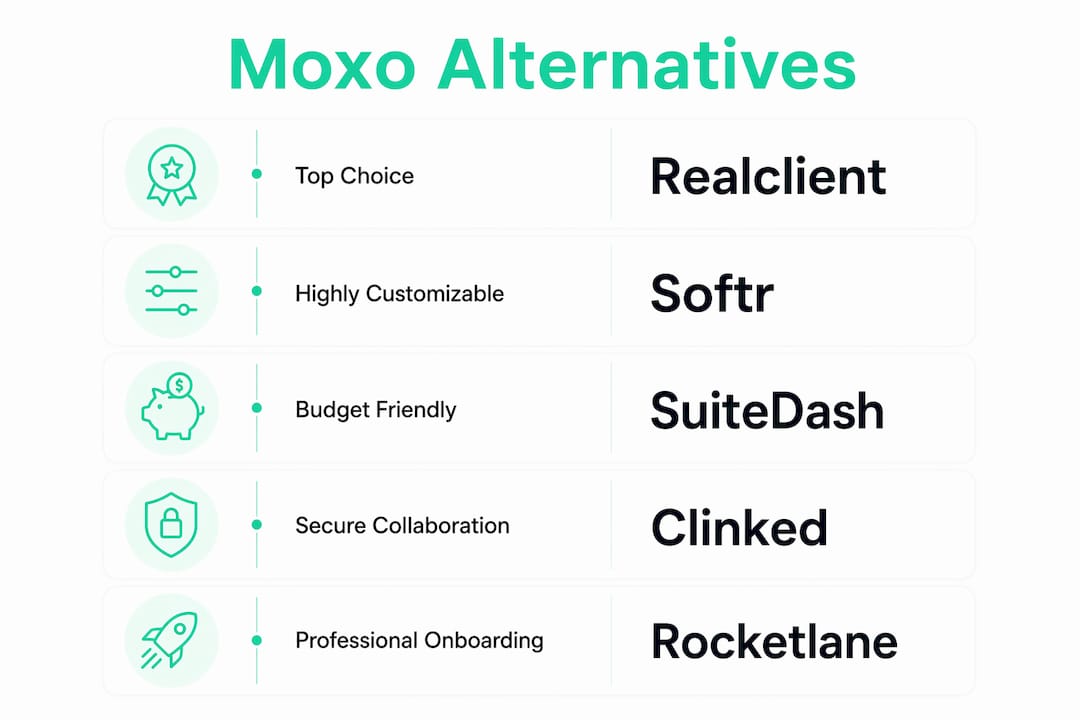
For most small teams and freelancers, Realclient is the strongest Moxo alternative in 2026. It combines branded client portals, integrated e-signatures, Stripe/PayPal payments, and bank-grade security in one workspace, with over $48 million invoiced through its portals last year. That kind of real-world volume signals a platform people actually use to run their businesses, not just demo.
Here is the shortlist if you need to move fast:
- Realclient — Best for freelancers, agencies, and small businesses that want a branded portal with built-in payments and e-sign, no extra tools required.
- SuiteDash — Best for budget-conscious teams that want an all-in-one platform covering portals, CRM, and billing.
- Rocketlane — Best for professional services teams focused on client onboarding and project delivery tracking.
- Clinked — Best for firms in regulated industries that need secure file sharing and document controls.
- Softr — Best for teams that want a no-code portal builder connected to their existing data backend.
- Assembly — Best for teams that want CRM-style client data features layered on top of portal functionality.
- Zoho — Best for organizations already inside the Zoho ecosystem that need wide app coverage.
- Airtable — Best for technical teams designing custom, data-driven portals and workflows from scratch.
SOC 2-grade security, Stripe integration, and significant invoicing volume through Realclient portals make it the recommended starting point for any small team replacing Moxo.
Table of Contents
- How do these Moxo alternatives compare at a glance?
- Detailed reviews: which tool should you actually trial?
- How do you choose the right Moxo alternative for your business?
- What does Realclient look like in practice?
- What is the best Moxo alternative for your specific use case?
- Key Takeaways
- Why the "best features" argument misses the point
- Realclient gives you a branded portal that clients actually use
- Useful sources for verifying feature and security claims
How do these Moxo alternatives compare at a glance?
The table below maps all eight options against the dimensions that matter most in a buying decision. Pricing reflects publicly listed entry points as of 2026; where a vendor does not publish pricing, that is noted.
| Tool | Best For | Client Portal (Messaging, Files, Version History) | Workflow Automation | E-Sign & Payments | White-Labeling | Integrations | Pricing (Entry) | Security & Compliance | Support & Onboarding |
|---|---|---|---|---|---|---|---|---|---|
| Realclient | Freelancers, agencies, small businesses | ✓ Messaging, file sharing, version history | Milestone tracking, task management | ✓ E-sign + Stripe/PayPal | ✓ Custom domain, branded portal | Zapier, Stripe, PayPal, API | Free plan; paid tiers by client count | Bank-grade encryption, SOC 2-level | Guided setup; dedicated support |
| Assembly | CRM-forward teams | ✓ Messaging, files | CRM-style workflow features | Limited | Partial | Native + Zapier | Paid; pricing on request | Standard | Standard |
| Softr | No-code portal builders | ✓ Files, basic messaging | Conditional logic, no-code flows | Via integrations | ✓ Custom domain | Airtable, Google Sheets, Zapier, API | Free plan; paid from ~$49/mo | Standard; SOC 2 in progress | Self-serve docs; email support |
| Clinked | Regulated-industry firms | ✓ Files, version history, messaging | Task management | Limited | ✓ Full white-label | API, Zapier | From ~$83/mo | SOC 2, GDPR, 256-bit encryption | Onboarding assistance available |
| SuiteDash | Budget-conscious small agencies | ✓ Files, messaging | CRM, billing, automation | ✓ E-sign + payments | ✓ White-label | Zapier, API | From ~$19/mo | SSL encryption; GDPR-aware | Community + email support |
| Rocketlane | Professional services / onboarding | ✓ Files, project timelines | Delivery-first project workflows | Limited | ✓ Branded portal | Slack, Salesforce, Zapier, API | Paid; from ~$19/mo per user | SOC 2 Type II | Dedicated CSM on higher tiers |
| Zoho | Zoho ecosystem users | ✓ Files, messaging (via Zoho suite) | Extensive via Zoho Flow | ✓ Via Zoho Sign | Partial | 40+ native Zoho apps, Zapier, API | Free tier; paid from ~$14/mo | SOC 2, ISO 27001, GDPR | Tiered; enterprise CSM available |
| Airtable | Custom data-driven portals | ✓ Files; messaging via integrations | Highly flexible automations | Via integrations | Limited | Zapier, API, 50+ native integrations | Free plan; paid from ~$20/mo | SOC 2 Type II, GDPR | Self-serve; CSM on enterprise |
A few things worth noting as you scan this:
- Free tiers at Realclient, Softr, Zoho, and Airtable let you test before committing. SuiteDash and Rocketlane offer trials but do not publish a permanent free tier.
- Pricing transparency is itself a buying signal. Vendors that show entry prices on their website shorten your evaluation cycle. If a vendor asks you to "contact sales" before sharing a number, budget extra time for that conversation.
- White-labeling matters more than most buyers realize at the start. If your clients will see the portal, your brand should be on it, not the software vendor's.
Detailed reviews: which tool should you actually trial?
1. Realclient
Realclient is purpose-built for freelancers, agencies, and small businesses that want a single, branded workspace where clients can view project updates, download files, sign contracts, and pay invoices. There is no need to stitch together a separate e-sign tool, a payment processor, and a file-sharing app. Everything lives in one client-facing portal.
Why pick it over Moxo: Moxo leans toward enterprise messaging workflows. Realclient is built around the freelancer and agency use case, with invoicing and e-sign baked in from day one rather than bolted on.
Pros:
- Integrated Stripe and PayPal payments mean clients can pay directly inside the portal
- E-signature and contract management without a third-party add-on
- Custom domains and full branding so clients see your name, not the platform's
- Milestone and project tracking keeps both sides aligned without extra project management software
- Bank-grade security and granular permissions protect sensitive client data
Cons:
- Designed for smaller teams; very large enterprise deployments may need to evaluate scaling limits
- Ecosystem breadth is narrower than Zoho's full suite
Pricing: Free plan available; paid tiers scale by client count, storage, and team members. Pricing is published on the website.
Best for: Freelancers, agencies, and small businesses that want a branded client portal with built-in payments and e-sign.
2. Assembly
Assembly positions itself as a CRM-influenced client portal, giving teams deeper visibility into client data alongside the standard portal features. If your team spends as much time managing client relationships as delivering work, the CRM-style layer adds real value.
Pros:
- CRM-style client data and history alongside portal features
- Workflow features that go beyond basic task lists
- Solid for teams that need to track client touchpoints over time
Cons:
- Pricing is not publicly listed, which adds friction to the evaluation
- E-sign and payment features are limited compared to dedicated portal tools
Pricing: Paid; pricing available on request.
Best for: Teams that want client relationship data and portal features in one place.

3. Softr
Softr is a no-code portal builder that connects to Airtable, Google Sheets, and other data backends. You can spin up a client-facing app quickly without writing a line of code. The trade-off is that you are assembling a portal from components rather than getting a finished product.
Pros:
- Fast to build; no developer required
- Flexible front-end customization for teams with specific UI needs
- Free plan available for small projects
- Connects natively to Airtable and Google Sheets
Cons:
- E-sign and payment features require third-party integrations
- More setup time than a purpose-built portal tool
- SOC 2 certification is listed as in progress, which may slow procurement in regulated industries
Pricing: Free plan available; paid plans from approximately $49/month.
Best for: Organizations that want a highly customizable, no-code portal tied to their existing data backend.
Pro Tip: If you are already using Airtable as your data layer, Softr is the fastest way to put a client-facing interface on top of it without hiring a developer.
4. Clinked
Clinked focuses on secure, branded client portals with strong document controls. It targets firms in regulated industries where file version history, audit trails, and compliance certifications are non-negotiable. The HIPAA-compliant document management angle is relevant here for healthcare-adjacent buyers.
Pros:
- SOC 2, GDPR, and 256-bit encryption out of the box
- Full white-label with custom domain
- Version history and audit trails for document compliance
- Onboarding assistance available
Cons:
- Entry price is higher than most alternatives (~$83/month)
- Payment processing is not built in
- Less suited to teams that need heavy workflow automation
Pricing: From approximately $83/month.
Best for: Legal, financial, and regulated-industry firms that need secure file collaboration and document controls.
5. SuiteDash
SuiteDash bundles portals, CRM, billing, and automation into one platform at a price point that undercuts most competitors. For a small agency or consultant who wants to stop paying for five separate tools, it is worth a serious look.
Pros:
- All-in-one: portals, CRM, billing, e-sign, and automation in one subscription
- White-label with custom domain
- Very competitive entry price (~$19/month)
- Zapier and API integrations available
Cons:
- The interface can feel dense given the breadth of features
- Community and email support only on lower tiers; no dedicated CSM
- Security documentation is less detailed than Clinked or Rocketlane
Pricing: From approximately $19/month.
Best for: Small agencies and consultants on a tight budget who want an integrated toolset without managing multiple subscriptions.
6. Rocketlane
Rocketlane is built for professional services teams where client onboarding and project delivery are the core product. It blends a client-facing portal with structured project timelines, making it easy for both your team and your clients to see exactly where a project stands.
Pros:
- Delivery-first workflows designed around client onboarding
- Client-facing project timelines with clear milestone visibility
- SOC 2 Type II certified
- Native integrations with Slack and Salesforce; Zapier available
- Dedicated CSM available on higher tiers
Cons:
- Less suited to freelancers or teams with simple file-sharing needs
- E-sign and payment features are limited
- Per-user pricing adds up for larger teams
Pricing: From approximately $19/month per user.
Best for: Professional services teams and agencies where structured onboarding and delivery tracking are central to the client experience.
7. Zoho
Zoho is not a single product; it is an ecosystem. The portal and CRM features are part of a suite that includes Zoho Sign, Zoho Projects, Zoho Invoice, and 40+ other apps. If your business already runs on Zoho, adding portal functionality is straightforward. If you are starting fresh, the breadth can be more than you need.
Pros:
- Extensive app ecosystem with deep native integrations
- SOC 2, ISO 27001, and GDPR certifications
- Free tier available; paid plans start around $14/month
- Zoho Sign handles e-signatures natively
Cons:
- Portal features are spread across multiple Zoho products, requiring configuration
- White-labeling is partial compared to dedicated portal tools
- Onboarding complexity scales with the number of Zoho apps you activate
Pricing: Free tier available; paid plans from approximately $14/month.
Best for: Organizations already invested in the Zoho ecosystem or those that need wide app coverage across CRM, billing, and project management.

8. Airtable
Airtable is a flexible data platform, not a finished client portal. When paired with a front-end builder like Softr or a custom interface layer, it can power highly bespoke portals and workflows. The ceiling for customization is high, but so is the setup investment.
Pros:
- Highly flexible data model for custom workflow automation
- SOC 2 Type II and GDPR compliant
- Free plan available; 50+ native integrations plus Zapier and API
- Works well as the backend for teams building with Softr or similar tools
Cons:
- Not a portal out of the box; requires additional tools to create a client-facing experience
- E-sign and payments require third-party integrations
- Technical setup time is significant for non-developers
Pricing: Free plan available; paid plans from approximately $20/month.
Best for: Technical teams that want to design bespoke, data-driven portals and workflows with full control over the data model. For a broader look at client portal software options, the comparison goes deeper on feature sets across the category.
How do you choose the right Moxo alternative for your business?
The right tool depends on what broke down with Moxo. Before you evaluate anything, get specific about the gap. Here is a prioritized checklist to work through.
Prioritized buyer checklist
- Client workspace needs. Does your team need messaging, file sharing, and version history in one place? Or is file delivery the only real requirement? Tools like Realclient and Clinked cover the full workspace; Airtable and Softr require assembly.
- Workflow automation depth. Do you need milestone tracking, automated task assignment, or conditional logic? Realclient handles milestones natively. Airtable and Softr offer deeper custom automation but require more setup.
- E-sign and payments. If you invoice clients and collect signatures through the portal, this is non-negotiable. Realclient, SuiteDash, and Zoho handle both natively. Most others require a third-party integration.
- Branding requirements. Will clients see the portal? If yes, custom domains and white-labeling matter. Realclient, Clinked, SuiteDash, and Rocketlane all offer full white-label options.
- Integration requirements. Map your existing stack before you evaluate. Check whether the tool connects natively to your CRM, accounting software, or communication tools. Gartner Peer Insights highlights integration capability as one of the top buyer-evaluation dimensions alongside deployment and support.
- Security and compliance. For regulated industries, SOC 2 and GDPR certifications shorten procurement. Ask for the vendor's security documentation before the demo, not after. Data exportability is equally important and often overlooked, per CB Insights' competitive mapping.
Questions to ask vendors in demos
- What are the API rate limits, and do they apply to our expected usage volume?
- What is the onboarding SLA, and is a dedicated CSM included in our plan tier?
- How do we export all client data if we decide to switch tools in 18 months?
- Can we use a custom domain on the entry-level plan, or is that a paid upgrade?
- What are the white-label terms? Does the vendor's branding appear anywhere in the client-facing experience?
30-day pilot plan
A structured pilot beats a feature checklist every time. Run it like this:
- Week 1: Provision a sandbox workspace. Configure branding, custom domain, and payment flows. Invite one internal team member as a test client.
- Week 2: Migrate one or two live client projects. Set up milestones, upload files, and send a test invoice.
- Week 3: Invite a real client. Track time-to-first-invoice and whether they complete the e-sign step without contacting you for help.
- Week 4: Measure client adoption rate (did they log in and engage?) and payment speed compared to your previous process.
Red flags to watch for
- Surprise fees for features listed as "included" on the pricing page (custom domains, API access, extra storage)
- No clean data export option or export locked behind a support ticket
- Vague or missing uptime and security documentation
- Pricing that requires a sales call before any number is shared
What does Realclient look like in practice?
The numbers tell a clear story. Over $48 million has been invoiced through Realclient portals in the last year alone. That is not a demo metric; it reflects real freelancers and agencies using the platform to run their billing day to day.
Here is what deployment typically looks like:
- Sign up and configure branding. Set your logo, colors, and custom domain. Most teams complete this in under an hour.
- Create client workspaces. Each client gets a private portal with their files, messages, contracts, and invoices in one place.
- Migrate active projects. Upload existing files, set milestones, and connect your Stripe or PayPal account for payment processing.
- Invite clients. Clients receive a branded invitation and can access their portal immediately, no app download required.
- Go live. Most teams are fully operational within a few days of signing up.
Key outcomes teams report after switching to Realclient:
- Faster payment cycles because clients pay directly inside the portal rather than chasing a separate invoice link
- Fewer "where is my file?" messages because everything is in one organized workspace
- Higher contract completion rates because e-sign is built into the same environment where the work lives
Realclient processed a substantial amount in invoices through its portals recently, making it one of the most actively used client portal platforms for independent professionals and small agencies.
For teams evaluating client management system alternatives, Realclient's combination of invoicing, e-sign, and project tracking in a single workspace is the differentiator that most point tools cannot match.
What is the best Moxo alternative for your specific use case?
For most small teams and freelancers, Realclient is the right starting point. It covers the core use case, branded client portal plus payments plus e-sign, without requiring you to integrate three separate tools. The free plan lets you test it before committing.
Here are the alternate picks by use case:
- Best for regulated industries: Clinked, for its SOC 2 certification, GDPR compliance, and document version controls.
- Best budget option: SuiteDash, for the broadest feature set at the lowest entry price.
- Best for professional services onboarding: Rocketlane, for its delivery-first project timelines and client-facing milestone tracking.
- Best no-code portal: Softr, for teams that want to build a custom portal on top of Airtable or Google Sheets without writing code.
- Best for Zoho ecosystem users: Zoho, for the depth of native integrations across CRM, billing, and project management.
Concrete next actions:
- Start a free Realclient trial and configure your branding and first client workspace within the first session.
- In your pilot, track one metric above all others: time from sending an invoice to receiving payment. That number tells you whether the portal is actually reducing friction.
- When evaluating any vendor, ask for a trial contract with a defined proof-of-concept scope and a 30-day timeline. Do not commit to an annual plan before you have completed at least two live client interactions through the portal.
Pro Tip: Run your pilot with a real client, not a test account. The adoption rate you see from an actual client in week three is the only metric that predicts whether the tool will stick.
Key Takeaways
Realclient is the strongest Moxo alternative for most small teams, combining branded portals, integrated e-sign, Stripe/PayPal payments, and bank-grade security with substantial invoicing volume through its platform recently.
| Point | Details |
|---|---|
| Start with Realclient | Branded portals, built-in e-sign, and Stripe/PayPal payments make it the most complete option for freelancers and small agencies. |
| Prioritize integration over features | Map your existing stack first; tools that connect natively to your CRM and accounting software deliver faster time-to-value. |
| Run a structured 30-day pilot | Track time-to-first-invoice and client adoption rate, not feature checklists, to validate your choice. |
| Security documentation is a buying signal | Ask for SOC 2 and data-export details before the demo; vendors that share these upfront reduce procurement risk. |
| Realclient's free plan | Start a free trial at realclient.io to configure branding and test a live client workflow before committing to a paid tier. |
Why the "best features" argument misses the point
Most buyers approach a tool switch by building a feature checklist. That instinct is understandable, but it tends to produce the wrong outcome. A platform with 40 features you never configure is not better than one with 12 features your clients actually use.
The real question is not "which tool has the most?" It is "which tool will your clients open without you asking them twice?" Client adoption is the metric that determines whether a portal investment pays off. A beautifully built workspace that clients ignore because the login flow is confusing, or because they cannot find their invoice, delivers no value.
Realclient's design philosophy reflects this. The platform is built around the client experience first: branded, simple, and with payments and e-sign in the same place where the work lives. That is why the invoice volume figure matters. It is evidence that clients are actually completing transactions through the portal, not just logging in once and abandoning it.
The tools in this list that require the most setup, Airtable and Softr, are powerful precisely because they are flexible. But flexibility has a cost in adoption. Every configuration decision you make is a potential point of confusion for a client who just wants to download a file and pay their invoice. If your team has the technical capacity to build and maintain a custom portal, those tools are worth evaluating seriously. If you want something that works on day three, not day thirty, start with a purpose-built option.
Realclient gives you a branded portal that clients actually use
If you have read this far, you already know what you need: a client portal that handles messaging, files, e-sign, and payments in one place, without a six-week implementation project. That is exactly what Realclient delivers.
Your clients get a private, branded workspace with your logo and domain. You get integrated invoicing, Stripe and PayPal payment processing, e-signature, and milestone tracking, all secured with bank-grade encryption. No duct tape. No three-tool stack.

The free plan is available now, with tiered paid plans that scale by client count, storage, and team size. Most teams are live within a few days. Start your free trial at Realclient and see how fast your first client workspace comes together. Want to see examples before you sign up? The Realclient showcase has live portal examples across freelancer and agency use cases.
Useful sources for verifying feature and security claims
Before you commit to any platform, verify the claims directly. Here are the sources worth bookmarking.
| Source | What It Verifies | Why It Matters |
|---|---|---|
| G2 — Moxo Alternatives 2026 | Peer reviews and feature comparisons for Moxo competitors | Aggregated buyer experience across real deployments |
| Gartner Peer Insights — Moxo Alternatives | Buyer-evaluated alternatives with integration and support ratings | Authoritative enterprise-level evaluation framework |
| SoftwareSuggest — Moxo Alternatives | Categorized list of paid and free alternatives with feature tags | Useful for building an initial longlist quickly |
| CB Insights — Moxo Competitors | Market-position mapping and competitor overlap analysis | Helps contextualize where Moxo sits in the broader collaboration market |
| Realclient — Client Portals | Platform features, security details, and usage statistics | Primary source for Realclient's e-sign, payments, and portal capabilities |
| Clinked — G2 Reviews | Verified user reviews for Clinked's security and portal features | Independent validation of Clinked's compliance and document control claims |