
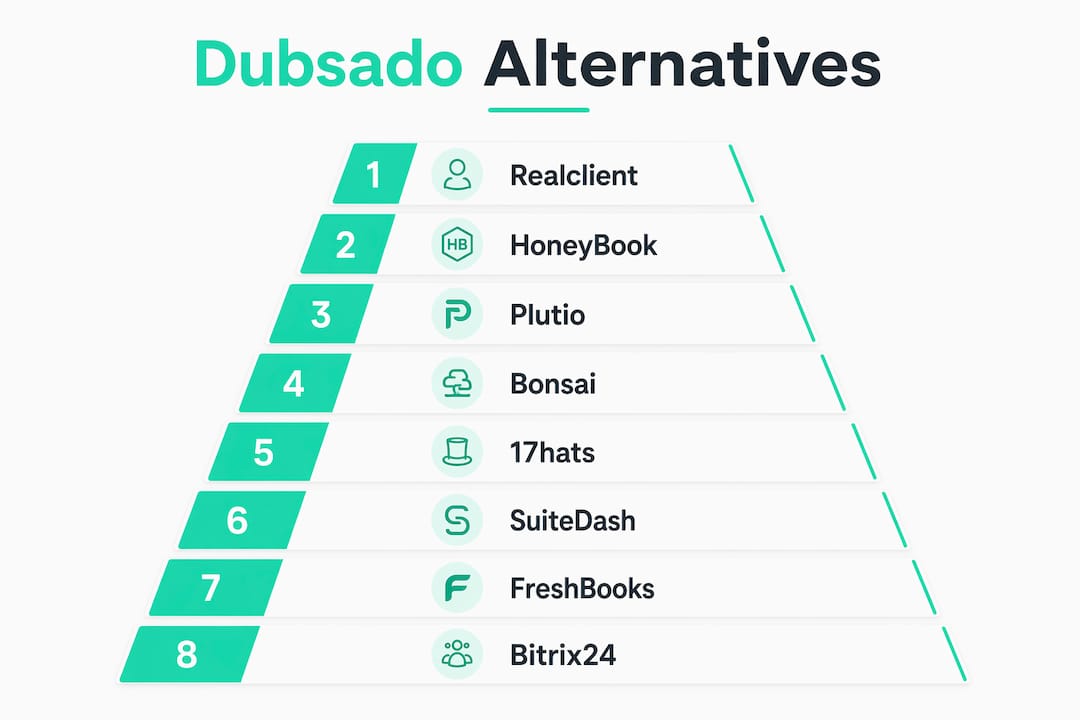
For most freelancers and small agencies, Realclient is the strongest Dubsado alternative when branded client portals, integrated payments, and fast onboarding are the priority. If speed-to-lead is your main concern, HoneyBook gets you live faster. If you need deep accounting, pair any CRM with QuickBooks Online. The shortlist worth your time: Realclient, HoneyBook, Plutio, Bonsai, 17hats, SuiteDash, FreshBooks, and Bitrix24.
Dubsado's conditional workflows and white-labeling make it genuinely powerful, but that power comes with a setup cost many freelancers never fully pay. If you've stalled on configuration, or if your business has outgrown what Dubsado does well, you're in the right place.

Table of Contents
- Which alternative fits your use case right now?
- How do these tools compare across the dimensions that matter?
- A closer look at each Dubsado alternative
- How do you choose the right tool and plan your migration?
- Why Realclient stands out as a Dubsado alternative
- What's the best pick for your situation?
- Key Takeaways
- The case for choosing your next tool based on longevity, not just ease
- Realclient gives you a branded client portal built for the way you work
- Sources and further reading
Which alternative fits your use case right now?
Pick the row that matches your biggest pain point and jump to that section.
- Fastest setup, mobile-first: HoneyBook. Pick this if you want to send a proposal today, not next week.
- Branded client portal + integrated payments: Realclient. Pick this if clients need a private workspace to view files, sign contracts, and pay, all in one place.
- All-in-one freelance workspace on a budget: Plutio. Pick this if you want proposals, contracts, invoicing, and project management under one roof without a premium price tag.
- Clean contracts + invoicing for solo freelancers: Bonsai. Pick this if you bill straightforward projects and want a polished, low-friction experience.
- Photography and event-based workflows: 17hats. Pick this if your business runs on questionnaires, booking forms, and repeat client types.
- Agency-grade portal with white-labeling: SuiteDash. Pick this if you run a team and need a fully branded client-facing environment.
- Invoicing and accounting depth: FreshBooks. Pick this if tracking expenses, time, and P&L matters as much as sending invoices.
- Free CRM with project management: Bitrix24. Pick this if you need a no-cost starting point with room to scale.
How do these tools compare across the dimensions that matter?
| Dimension | Realclient | HoneyBook | Plutio | Bonsai | 17hats | SuiteDash | FreshBooks | Bitrix24 |
|---|---|---|---|---|---|---|---|---|
| Best for | Freelancers & agencies needing branded portals | Speed-focused freelancers | Budget all-in-one | Solo freelancers | Photographers & event pros | Agencies, white-label | Invoicing-first businesses | Teams needing free CRM |
| Client portal | Private, branded workspaces | Basic | Basic | Basic | Basic | Strong, white-label | Limited | Basic |
| Proposals & contracts | Yes, with e-signatures | Smart Files (bundled) | Yes | Yes | Yes | Yes | Limited | Basic |
| Invoicing & payments | Stripe & PayPal integrated | Yes | Yes | Yes | Yes | Yes | Strong | Basic |
| Automations | Milestone-based workflows | Good | Good | Basic | Basic | Strong | Basic | Good |
| Project management | Milestone tracking | Basic | Strong | Basic | Basic | Good | Basic | Strong |
| Scheduling | Appointment scheduling | Yes | Basic | Basic | Yes | Yes | No | Yes |
| Custom domain / branding | Yes | Limited | Limited | No | No | Yes | No | Limited |
| Mobile apps | Good | Strong | Good | Good | Good | Good | Strong | Strong |
| Free plan / trial | Free plan available | Free trial | Free trial | Free trial | Free trial | Free trial | Free trial | Free plan |
| Starting price | Free tier available | ~$19/mo | Competitive | ~$21/mo | ~$45/mo | ~$19/mo | ~$19/mo | Free |
| Integrations | Stripe, PayPal, Zapier | Stripe, Zapier | Zapier, API | Stripe, Zapier | Stripe, Zapier | Stripe, Zapier, API | QuickBooks, Stripe | Zapier, API |
| Security | Bank-grade, granular permissions | Standard | Standard | Standard | Standard | Good | Standard | Standard |
| Migration support | Guided onboarding | Good | Community | Basic | Basic | Good | Basic | Basic |
A closer look at each Dubsado alternative
Realclient
Realclient is built around one idea: your clients deserve a private, branded workspace, not a generic email thread. Where Dubsado asks you to configure complex automations to approximate a client portal, Realclient starts there. Clients log in to view project updates, download files, sign contracts, and pay, all without leaving your branded environment.

The platform covers every stage of the client lifecycle: appointment scheduling, milestone tracking, team collaboration, granular permissions, and bank-grade security. E-signatures and Stripe/PayPal payment processing are built in, not bolted on. Realclient has processed over $48 million invoiced through its portals, which tells you this isn't a tool people set up and abandon.
Standout features:
- Private, branded client portals with custom domains
- Integrated e-signatures and contract management
- Stripe and PayPal payment processing
- File sharing with version history
- Appointment scheduling and milestone tracking
- Granular permissions and team collaboration
- Analytics dashboard
Pricing: Free plan available; paid tiers scale by number of clients, storage, and team members.
Pros:
- Fastest path to a professional, branded client experience
- No need to stitch together a portal from separate tools
- Strong security posture with granular permissions
- Free plan lets you test a real client cycle before committing
Cons:
- Less suited to businesses that need deep double-entry accounting
- Newer platform, so the template library is still growing
Switching notes: Migration from Dubsado is straightforward for client-facing assets. Export your contracts and invoice history from Dubsado, rebuild your core templates in Realclient (budget a few hours for this), and run one real client through the full cycle before going live. Setup time for a solo freelancer is typically a few hours; a small agency with multiple team members should allow a few days for permissions and portal configuration.
User feedback: Freelancers consistently praise the clean portal experience and the speed at which clients actually engage. The most common note is that the platform removes the "where did I send that file?" conversation entirely.
HoneyBook
HoneyBook is the go-to choice when speed matters most. Its Smart Files feature bundles proposal, contract, and invoice into a single client-facing page, which means a prospect can review, sign, and pay in one sitting. The mobile app is genuinely strong, and the onboarding experience is guided enough that most freelancers are live within a day or two.
Standout features:
- Smart Files (proposal + contract + invoice in one)
- Mobile-optimized client experience
- Automated follow-ups and reminders
- Scheduler and contact form integrations
Pricing: Starter plans are around $19/month according to expert reviews; free trial available.
Pros:
- Fastest setup of any tool on this list
- Excellent mobile experience for both freelancer and client
- Guided onboarding reduces abandonment risk
Cons:
- Less white-labeling than Dubsado or SuiteDash
- Automation depth doesn't match Dubsado's conditional logic
- Client portal is more limited than dedicated portal tools
Switching notes: HoneyBook's import tools handle contacts and basic project data. Template rebuilds are the main time investment. Expect a few hours for a solo freelancer, a day or two for an agency with multiple service types.
User feedback: Reviews on G2 consistently highlight the Smart Files experience as a genuine differentiator. The most common complaint is that power users who relied on Dubsado's conditional workflows find HoneyBook's automation simpler than they'd like.
Plutio
Plutio positions itself as an all-in-one workspace: proposals, contracts, invoicing, project management, and time tracking in a single subscription. The pricing is competitive, which makes it a natural fit for freelancers who want broad coverage without paying for separate tools.
Standout features:
- Proposals, contracts, and invoicing in one place
- Built-in project management and task boards
- Time tracking and client billing
- Zapier integration and API access
Pricing: Competitive entry-level pricing; free trial available. Check current pricing at plutio.com.
Pros:
- Strong project management depth for a CRM-adjacent tool
- Good value for the feature set
- Active development and community
Cons:
- UI can feel dense for users who want a simpler experience
- Client portal is more basic than dedicated portal platforms
- Onboarding is largely self-serve
Switching notes: Plutio's import options are functional but community-driven. Budget time for template rebuilds and test your full client workflow before migrating active clients. The Plutio alternatives guide covers migration considerations in more depth.
User feedback: G2 and Capterra reviewers praise the breadth of features for the price. The recurring note is that getting everything configured takes longer than expected, which is a pattern worth taking seriously.
Bonsai
Bonsai targets solo freelancers who want clean, professional contracts and invoices without a steep learning curve. The platform handles proposals, contracts, time tracking, and invoicing with a polished UI that clients find easy to navigate. It's not trying to be a full agency platform, and that focus shows in how quickly you can get a project started.
Standout features:
- Contract templates built for freelancers
- Integrated time tracking and invoicing
- Client portal for document sharing
- Stripe payment processing
Pricing: Starting at an affordable monthly price; free trial available.
Pros:
- Very fast to set up for solo freelancers
- Clean, professional client-facing documents
- Good contract template library
Cons:
- Limited automation compared to Dubsado
- Not built for agencies or teams
- White-labeling options are minimal
Switching notes: Bonsai's export tools cover contracts and invoices. Migration is low-risk for solo freelancers. The Bonsai competitors guide covers how it stacks up against similar tools.
17hats
17hats has a loyal following among photographers and event professionals because it was built with their workflows in mind: booking forms, questionnaires, lead capture, and repeat client management. If your business runs on seasonal bookings and you need clients to fill out intake forms before a session, 17hats handles that loop well.
Standout features:
- Booking and scheduling workflows
- Questionnaires and lead capture forms
- Contracts, invoices, and payment reminders
- Workflow automation for repeat project types
Pricing: Starting at a higher monthly price point; free trial available.
Pros:
- Strong fit for photography and event-based businesses
- Booking and questionnaire workflows are polished
- Good automation for repeat project types
Cons:
- Higher starting price than most alternatives
- Less suited to agencies or multi-service businesses
- Client portal is basic
Switching notes: 17hats supports data export for contacts and projects. Template rebuilds are the main effort. If your Dubsado setup was heavily questionnaire-driven, 17hats is one of the smoothest transitions.
SuiteDash
SuiteDash is the choice for agencies that want a fully white-labeled client environment. You can run the entire platform under your own domain and branding, which means clients never see a third-party tool. It covers CRM, project management, invoicing, scheduling, and a client portal, all configurable to match your brand.
Standout features:
- Full white-labeling with custom domains
- Client portal with file sharing and messaging
- Project management and team collaboration
- Stripe and PayPal payment processing
- Strong automation and workflow builder
Pricing: Starting at a moderate monthly price point; free trial available.
Pros:
- Best white-labeling of any tool on this list
- Strong feature depth for agencies
- Good automation builder
Cons:
- Steeper learning curve than simpler tools
- UI is dense; onboarding takes time
- Overkill for solo freelancers
Switching notes: SuiteDash's configuration depth means migration takes longer. Plan for a week or more if you're moving a full agency setup. The payoff is a client environment that looks entirely like your own product.
FreshBooks
FreshBooks sits at the intersection of invoicing and light project management. It's not a CRM in the Dubsado sense, but for freelancers whose primary pain point is getting paid and tracking expenses, it covers the ground that matters. The accounting depth, including expense tracking, time billing, and P&L reporting, goes further than most client management tools.
Standout features:
- Professional invoicing with automated reminders
- Expense tracking and receipt capture
- Time tracking and project billing
- QuickBooks-level reporting for small businesses
- Stripe payment processing
Pricing: Starting at a moderate monthly price point; free trial available.
Pros:
- Best accounting depth of any tool on this list
- Clean invoicing experience that clients trust
- Strong mobile app
Cons:
- Not a full CRM; limited proposals and contracts
- No meaningful client portal
- Not the right fit if you need automation workflows
Switching notes: FreshBooks works best as a complement to a client management tool, not a straight Dubsado replacement. If invoicing and accounting are your priority, it's worth pairing with a lighter portal tool.
Bitrix24
Bitrix24 offers a free plan that covers CRM, project management, team communication, and basic invoicing. For agencies or small teams that need a no-cost starting point with room to grow, it's hard to beat on price. The trade-off is complexity: Bitrix24 is a large platform, and getting it configured for a freelance or agency workflow takes real effort.
Standout features:
- Free CRM with contact and pipeline management
- Project management and task boards
- Team messaging and video calls
- Basic invoicing and payment tools
- Zapier and API integrations
Pricing: Free plan available; paid plans scale with team size and features.
Pros:
- Free plan is genuinely functional
- Strong project management and team tools
- Good for agencies that need internal collaboration
Cons:
- Not designed for freelance client workflows
- Client portal is basic
- Setup complexity is high for the value it delivers to solo freelancers
Switching notes: Bitrix24's import tools handle contacts and basic CRM data. The platform is better suited to agencies migrating from a general CRM than from a freelance-specific tool like Dubsado.
Pro Tip: Run one real client through the full cycle (proposal → contract → invoice → payment) during your trial of any tool. If you can't complete that loop before your trial ends, either the tool isn't the right fit or your setup isn't ready. Don't migrate active clients until you've finished that test.
How do you choose the right tool and plan your migration?
Decision criteria
Before comparing features, answer these four questions:
-
Do you need a client portal or just client-facing documents? If clients need a private workspace to log in, view files, and track project progress, you need a portal-first tool like Realclient or SuiteDash. If you just need to send a proposal and get a signature, HoneyBook or Bonsai will do.
-
How complex are your automations? Dubsado's conditional logic is genuinely powerful. If you've built multi-branch workflows, you'll need SuiteDash or Realclient to match that depth. If your automations are mostly reminders and follow-ups, any tool on this list covers it.
-
Do you need accounting or invoicing? There's a real difference. Invoicing means sending bills and collecting payments. Accounting means tracking expenses, reconciling bank accounts, and producing P&L reports. QuickBooks Online is the standard choice once your business needs formal bookkeeping. Most CRM tools handle invoicing; none of them replace a dedicated accounting platform.
-
Are you a solo freelancer or running a team? Solo freelancers can move fast with HoneyBook, Bonsai, or Realclient. Agencies with multiple team members need granular permissions, team collaboration, and a client environment that scales. Realclient and SuiteDash are built for that.
Vendor questions to ask during trials
- Can I import my existing contacts, projects, and invoice history?
- What happens to my data if I cancel?
- Does the platform support custom domains and white-labeling?
- What are the API rate limits if I need to connect other tools?
- Is there a dedicated onboarding specialist, or is setup self-serve?
Migration checklist
Follow this order to reduce downtime and avoid losing client data:
- Export everything from Dubsado first. Download contacts, project history, invoice records, and any signed contracts. Store them in a folder you control before you cancel anything.
- Rebuild your core templates. Proposals, contracts, and automated email sequences are the real time investment. Budget several hours for a small set of templates; more if your workflows are complex.
- Set up payment re-authorization. Clients who have a saved payment method in Dubsado will need to re-enter it in your new platform. Communicate this proactively.
- Run a test client cycle. Before migrating anyone active, run one real (or internal test) client through the full loop: proposal, contract, invoice, payment. Confirm everything works.
- Communicate the change to clients. A short email explaining the new portal or document process prevents confusion. Keep it simple: "We've moved to a new system. Here's what you'll see."
- Migrate billing and communication first, then port legacy files. This phased approach keeps your business running while you move historical data in the background.
Timeline estimate:
- Solo freelancer: 4–8 hours for templates and setup, plus a day of testing.
- Small agency (2–5 people): Allow a full week, including team training and permissions configuration.
DIY vs. hire a specialist: If your Dubsado setup includes more than a handful of workflow branches or custom integrations, a specialist can save you significant time. If your setup is mostly standard templates and basic automations, you can handle it yourself.
Pro Tip: Use your migration as an opportunity to rebuild questionnaire templates from scratch rather than copying old ones. Most freelancers find their intake forms have accumulated questions that no longer serve them.
Why Realclient stands out as a Dubsado alternative
Realclient's core argument is simple: most freelancers and agencies don't need a more complex workflow builder. They need a place where clients actually show up, engage, and pay. That's what a branded client portal delivers, and it's where Realclient is purpose-built.
Feature match: Realclient vs. common Dubsado use cases
| Dubsado use case | Realclient capability |
|---|---|
| Client intake and onboarding | Private portal with messaging and file sharing |
| Proposals and contracts | Built-in e-signatures and contract management |
| Invoicing and payment collection | Stripe and PayPal integrated directly |
| Project milestone tracking | Milestone tracking with client visibility |
| Automation and workflows | Milestone-based workflow triggers |
| Client communication | In-portal messaging with full history |
| White-labeling and custom domain | Yes, custom domains supported |
| Team collaboration | Granular permissions and team roles |
| Security | Bank-grade encryption, granular access controls |
| Scheduling | Appointment scheduling built in |
The Realclient platform has processed over $48 million invoiced through its portals, which reflects real adoption by freelancers and agencies running active client businesses, not just people who signed up and stalled.
Onboarding: Realclient's free plan lets you build a portal and run a real client through the full cycle before you pay anything. Setup for a solo freelancer typically takes a few hours. The platform's structure is opinionated enough to guide you without requiring a specialist.
Security: Realclient's security architecture includes bank-grade encryption and granular permissions, which matters when you're sharing contracts, financial documents, and sensitive project files with clients.
Pro Tip: Use Realclient's free plan to build your first portal and invite one real client before you commit. The portal experience is the differentiator. Let your client tell you whether it changes how they engage with your business.
What's the best pick for your situation?
The right tool depends on where you are and where you're headed.
- Solo freelancer who needs to move fast: HoneyBook gets you live today. Realclient is the better long-term choice if you want a branded portal experience.
- Agency under 5 people: Realclient covers the full client lifecycle with the portal depth agencies need. SuiteDash is worth evaluating if full white-labeling is a hard requirement.
- Agency of 5–25 people: Realclient's team collaboration and granular permissions scale well. SuiteDash or Bitrix24 are worth a look if internal project management is as important as client-facing features.
- Accounting-focused businesses: FreshBooks handles invoicing and expense tracking better than any CRM on this list. Pair it with Realclient for the client-facing portal layer, and add QuickBooks Online when your bookkeeping needs formal accounting.
Your next step: start a free trial or free plan on your top pick, run one client through the full cycle, and make your decision based on that experience, not the feature list.
Key Takeaways
The most important move when switching from Dubsado is to test a complete client cycle during your trial before migrating anyone active.
| Point | Details |
|---|---|
| Test before you migrate | Run a full proposal-to-payment cycle in your trial; if you can't finish it, the tool isn't ready. |
| Template rebuilds take time | Budget several hours to rebuild core proposals, contracts, and email sequences from scratch. |
| Accounting is separate | No CRM on this list replaces QuickBooks Online for formal bookkeeping; plan your stack accordingly. |
| Portal vs. documents | If clients need a login workspace, choose a portal-first tool; if you just need signed docs, simpler tools work. |
| Realclient for portals | Realclient's branded portals, e-signatures, and integrated payments cover the full client lifecycle with a free plan to start. |
The case for choosing your next tool based on longevity, not just ease
The most common mistake in this decision is optimizing for the fastest setup rather than the best long-term fit. That's understandable. When you're frustrated with Dubsado's configuration complexity, anything that promises "live in an hour" looks attractive.
But short-term convenience becomes a liability the moment your business grows past the tool's ceiling. A freelancer who picks HoneyBook for speed and then outgrows its automation depth two years later faces another migration, another template rebuild, another round of client communication. That's not a reason to avoid HoneyBook if it genuinely fits your current needs. It's a reason to be honest about where your business is headed.
The tools that age well share a few traits: they handle the full client lifecycle (not just one stage), they integrate cleanly with accounting platforms, and they give clients a professional experience that reflects your brand. White-labeling and custom domains aren't vanity features. They're the difference between a client who trusts your process and one who wonders why they're logging into someone else's software.
A practical rule of thumb: if your annual revenue has crossed into territory where a bookkeeper or accountant is asking for clean records, add a dedicated accounting platform. Don't try to make your CRM do that job. Keep your client management tool focused on the client relationship, and let your accounting tool handle the numbers.
The CRM options for service companies that hold up over time are the ones you actually finish setting up. Finishability matters more than feature counts. A half-built system is worse than a simple one that works.
Realclient gives you a branded client portal built for the way you work
If you've been running your client business through scattered emails, shared Google Drive folders, and manually sent invoices, Realclient is the clearest upgrade. Your clients get a private, branded portal where they can view project updates, download files, sign contracts, and pay, all in one place. You get a business that looks as professional as the work you deliver.

Realclient has processed over $48 million invoiced through its portals, built by freelancers and agencies who needed a client experience that actually works. The free plan lets you build your first portal and run a real client through the full cycle before you spend a dollar. No long-term contract required to start.
See how other freelancers and agencies use it at the Realclient showcase, or go straight to realclient.io to start your free plan today.
Sources and further reading
- HoneyBook vs. Dubsado: Is the 4-Week CRM Setup Worth It? — Expert Freelancing's practitioner comparison covering setup time, Smart Files, and automation depth.
- Dubsado vs. HoneyBook: Which CRM Is Better? — Karly Whitaker's review covering finishability and partial-setup failure modes.
- Dubsado vs. QuickBooks Online — Software Advice — Side-by-side comparison useful for understanding when to add a dedicated accounting platform.
- Should You Use Dubsado & QuickBooks Online Together? — Bastian Accounting's guidance on when CRM invoicing is enough vs. when formal bookkeeping is needed.
- Plutio — SuiteDash vs. Dubsado comparison — Plutio's positioning as an all-in-one workspace with competitive pricing.
- Dubsado free trial guide — Dubsado's own documentation on running a trial before subscribing.
- Realclient — Client Portals for Freelancers & Small Businesses — Primary product page covering portal features, e-signatures, and payment integrations.
- Top 6 CRM for Creatives Alternatives — Realclient's roundup of CRM choices for creative professionals, including proposals and client communication tools.
- Top 5 Best Client Management System Alternatives — Broader roundup of client management tools for service businesses with migration tips.
- QuoteLock — Invoicing Software for Service Businesses — Partner resource on invoicing and quoting workflows for service businesses.